A Guide to nyc.gov/finance
Navigating nyc.gov/finance for City Services

Navigating municipal websites can often feel overwhelming, but understanding the official nyc.gov/finance portal is essential for property owners, drivers, and tenants living in New York City. The NYC Department of Finance (DOF) manages the city’s revenue, collecting billions of dollars in taxes and fees while providing vital relief programs to eligible residents. Whether you need to pay a parking ticket, dispute a property assessment, or apply for a rent exemption, the finance portal serves as your centralized digital hub.
Using the portal correctly saves you time, prevents late fees, and ensures you do not miss out on valuable tax exemptions. Below is a comprehensive guide to the most commonly used services on the platform and how to access them efficiently.
Property Taxes and Valuations
For New York City homeowners and real estate investors, managing property taxes is the primary reason to visit the DOF website. The city assesses property values annually to determine tax liabilities, and keeping track of these figures is crucial for budgeting.
Checking Property Assessments and Notices
Every January, the DOF releases tentative assessment rolls. You can use nyc.gov/finance to look up your property's market and assessed values. If you believe the city has overvalued your property, you can file a review with the NYC Tax Commission directly through resources linked on the portal. Make sure to note filing deadlines, as they are strictly enforced.
Paying Property Taxes Online
Property tax bills are typically issued quarterly or semi-annually, depending on your property's assessed value. The portal allows you to:
- View your current account balance and payment history.
- Set up automatic electronic payments (ACH) to avoid missing deadlines.
- Download official tax receipts for your records or mortgage lenders.
Property Tax Exemptions and Abatements
New York City offers several property tax relief programs to help long-term residents, seniors, veterans, and disabled homeowners manage their housing costs. You must submit applications through specific forms hosted on the finance platform.
Video: NYC Department of Finance Login: How to Login NYC Department of Finance Account 2024?

Popular Relief Programs
- STAR Program: The School Tax Relief program offers a partial exemption from school property taxes for owner-occupied, primary residences. Both Basic and Enhanced STAR options are available.
- SCRIE and DRIE: The Senior Citizen Rent Increase Exemption (SCRIE) and Disability Rent Increase Exemption (DRIE) help eligible tenants freeze their rent and cover the difference with tax credits to landlords.
- Veterans and Disabled Homeowners Exemptions: Specialized property tax reductions are available for qualifying military veterans and individuals with disabilities.
Each program has distinct income eligibility thresholds and annual renewal requirements. Checking the portal ensures you have the most up-to-date application packets and instructions.
Managing Parking Violations and Summonses
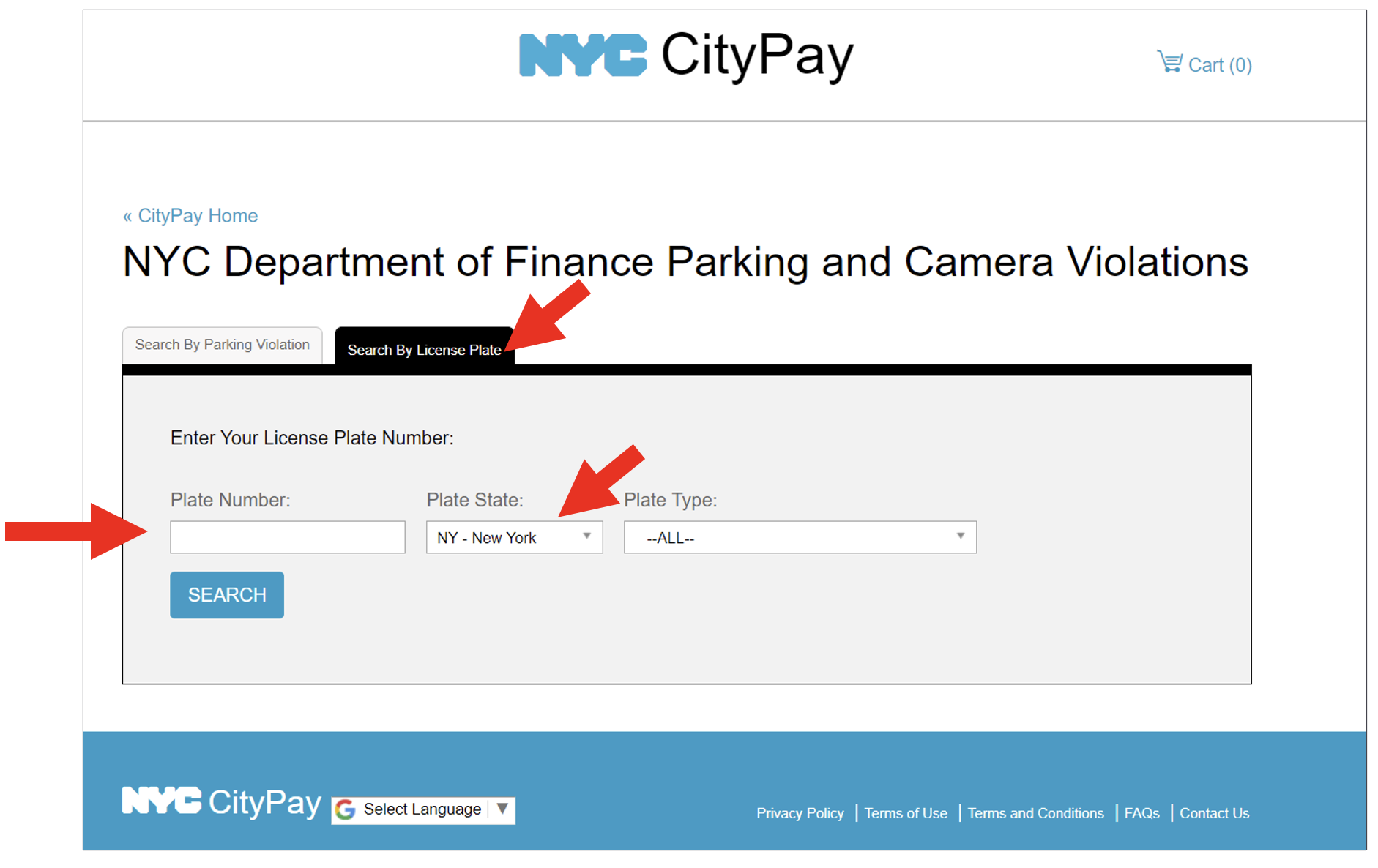
If you own a vehicle in NYC, dealing with parking tickets is an inevitable reality. Instead of waiting in long lines at a business center, you can handle almost everything related to parking violations online.
How to Dispute or Pay Tickets
When you receive a parking summons, you can enter the ticket number on the finance portal to view details, photos (if applicable), and the exact fine amount. You have two main paths:
- Pay the Ticket: You can securely pay using a credit card, debit card, or electronic check. Paying promptly prevents additional late penalties and interest fees from accumulating.
- Dispute the Ticket: If you believe the ticket was issued in error, you can submit a hearing request online. You will need to upload evidence, such as photos, permits, or signage documentation, to support your case.
Business Taxes and Licensing
Business owners operating within the five boroughs must register, file, and pay specific local taxes, including the General Corporation Tax, Unincorporated Business Tax, and Commercial Rent Tax. The portal provides access to the NYC Taxpayer Access Center (NYC.TAX), where business entities can file returns, make estimated payments, and check refund statuses without mailing physical paperwork.
Tips for Using the Portal Securely
Because the platform deals with sensitive financial data, payments, and personal identification numbers, security is paramount. Keep these best practices in mind when using the site:
- Always ensure the URL begins with the official secure prefix and domain (https://www.nyc.gov/site/finance/).
- Create a dedicated NYC.ID account to manage your profile and track multiple properties or ticket accounts securely.
- Beware of phishing scams; the New York City Department of Finance will never text or email you demanding immediate payment via gift cards, cryptocurrency, or peer-to-peer money transfer apps.
By familiarizing yourself with the layout and offerings of nyc.gov/finance, you can streamline your interactions with the city, avoid costly penalties, and take full advantage of the financial relief programs designed to support New York residents and property owners.