A Guide to Using the Justice Portal PA System
Understanding the Justice Portal PA System

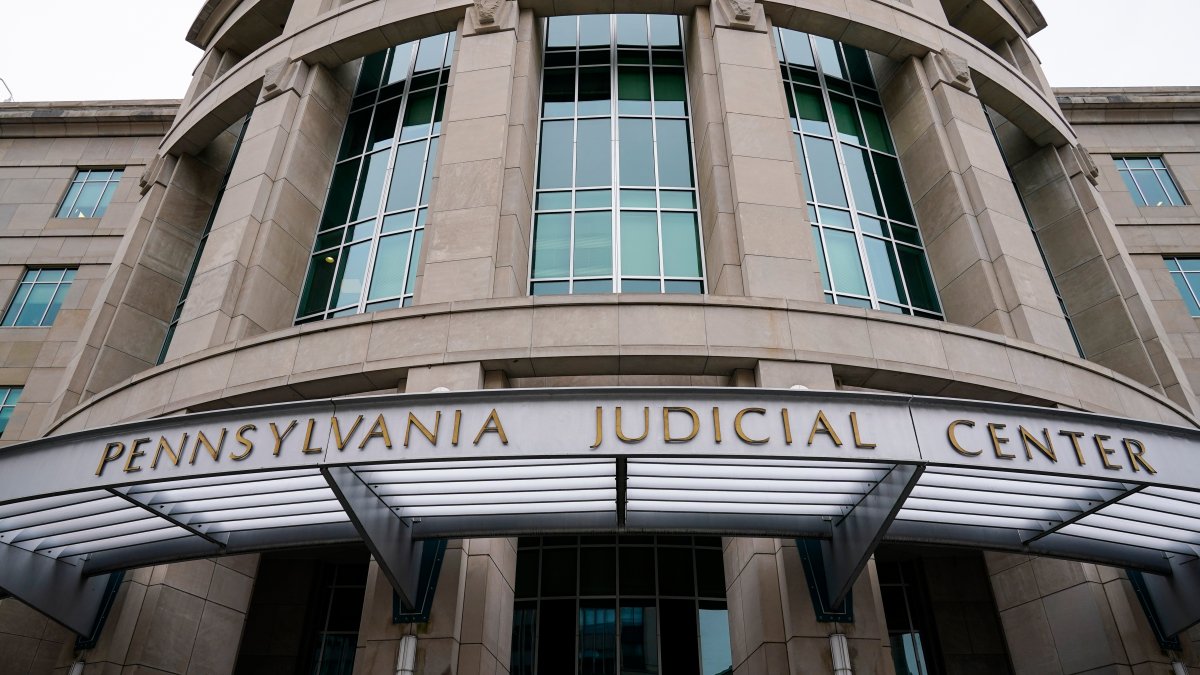
Navigating the legal landscape in Pennsylvania has become significantly more transparent thanks to digital case management tools. The justice portal pa infrastructure allows residents, attorneys, and researchers to access public court records without needing to visit a courthouse in person. Maintained by the Administrative Office of Pennsylvania Courts (AOPC), the Unified Judicial System portal centralizes docket sheets, court calendars, and payment systems for various levels of the judiciary.
Whether you are checking the status of a traffic ticket, researching a civil lawsuit, or following a local criminal case, understanding how to effectively use this online tool saves time and provides accurate, up-to-date information directly from the source.
What You Can Access Through PA Court Portals
The Pennsylvania judiciary splits its online public records across a few specialized platforms, commonly referred to collectively through the justice portal PA network. Depending on the type of legal proceeding you are investigating, you will interact with different databases.
Common Types of Available Records
- Magisterial District Court Dockets: Initial filings, traffic violations, minor criminal offenses, and local ordinance violations.
- Court of Common Pleas Records: Major criminal cases, civil lawsuits, family law proceedings (including divorce and custody), and appeals.
- Superior and Supreme Court Filings: Appellate-level briefs, opinions, and docket histories for state-level appeals.
Keep in mind that while most court documents are public record under Pennsylvania law, certain files—such as juvenile records, sealed adoption files, or specific protective orders—are restricted and unavailable for public viewing through the standard portal.
Step-by-Step Guide to Searching Case Dockets
Performing a search on the Pennsylvania court docket system is straightforward if you have the right identifiers. Follow these steps to find the specific case you need:
- Identify the Correct Court Level: Determine if your case belongs in a local Magisterial District Court or the Court of Common Pleas.
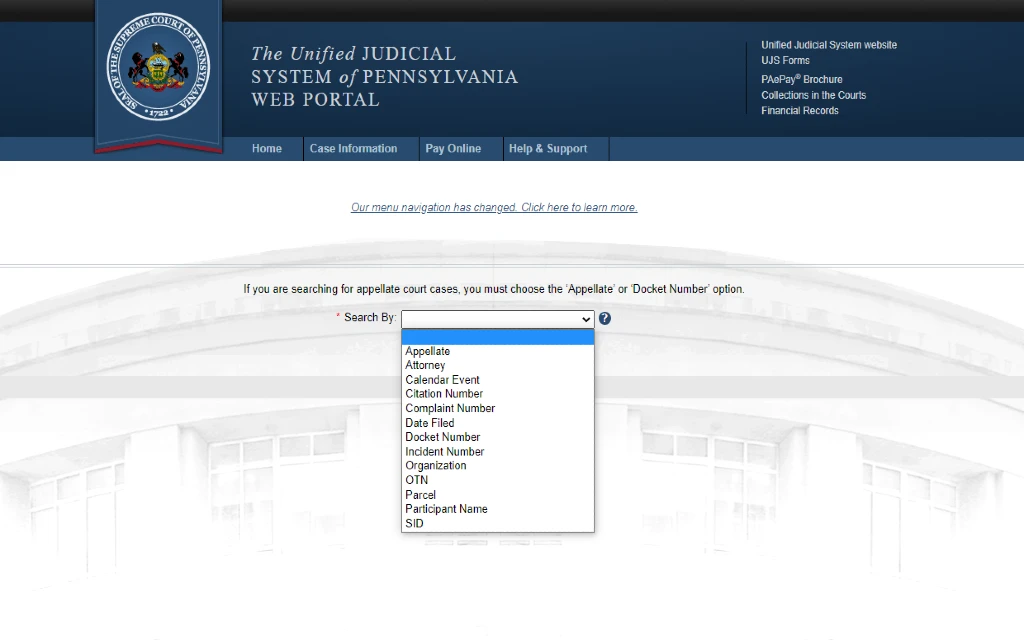
- Choose Your Search Criteria: You can search using several parameters, including Participant Name (Defendant or Plaintiff), Docket Number, Complaint or Incident Number, or Filing Date range.
- Enter Specific Details: Input the last name and first name of the individual. Entering a middle name or date of birth helps narrow down results if you have a common name.
- Review Search Results: The system will generate a list of matching cases. Click on the docket number to open the full PDF file of the case history.
Tips for Efficient Online Legal Research
Video: Justice Portal Explainer Video

Searching through thousands of legal files requires a bit of strategy to ensure you find the exact record you are looking for.
Refining Your Search Results
If your initial name search yields dozens of unrelated results, use the county filter to narrow the geographic scope to the specific Pennsylvania county where the incident or filing occurred. Furthermore, filtering by docket type (e.g., criminal versus civil) immediately eliminates unwanted data.
Reading a PA Court Docket
Once you open a docket sheet PDF, you will see a chronological summary of the case. Key sections include:
- Case Caption: The names of the opposing parties.
- Case Status: Whether the matter is active, closed, disposed, or awaiting trial.
- Charges or Claims: The specific legal statutes allegedly violated or the civil grievances filed.
- Docket Entries: A day-by-day log of motions filed, hearings scheduled, and judicial orders issued.
Making Payments and Managing Fines Online
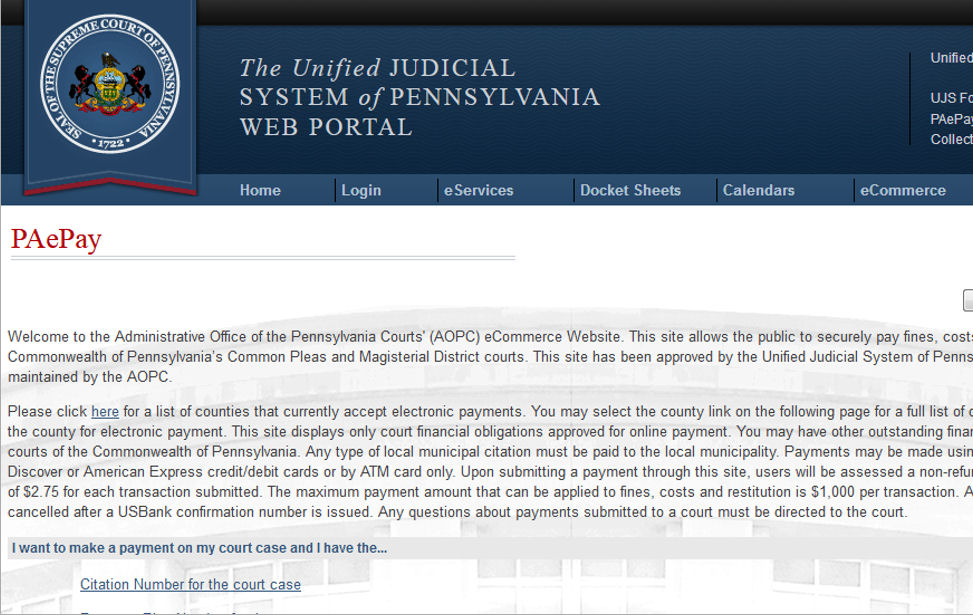
Beyond looking up information, the digital portal ecosystem in Pennsylvania often allows defendants and litigants to handle financial obligations online. If you received a traffic ticket or were assessed court costs, fines, and restitution, you can frequently pay these balances directly through the Pennsylvania Unified Judicial System's secure payment portals using a credit or debit card.
Always ensure you have your exact docket number or citation number ready before initiating a payment to guarantee the funds are applied to the correct case file.
Conclusion
The justice portal PA resources provide unprecedented access to Pennsylvania's court system, keeping the judicial process open and transparent for all citizens. By knowing which database to search, utilizing filters effectively, and understanding how to read docket entries, you can easily track legal proceedings and retrieve public court documents from your computer or mobile device.