Avoid Costly Mistakes In Colorado Court E Filing
Navigating the Colorado court system requires precision, and modern electronic filing systems have added a layer of technical complexity to civil, domestic, and probate matters. Whether you are representing yourself as a pro se litigant or managing filings for a busy law firm, electronic submission is mandatory for most courts. However, a single rejected document can derail your timeline, trigger late fees, or even result in the dismissal of your case. To keep your litigation on track, you must learn how to avoid costly mistakes in Colorado court e-filing by understanding the platform's rigid technical and procedural rules.
Understanding the Colorado E-Filing Landscape
Colorado uses specialized vendors for its state court electronic filing systems, primarily Colorado Courts E-Filing (CCE) for district and county courts. While the system is designed to streamline document submission, it does not act as a legal assistant. The software simply processes what you upload. If a document violates local court rules, lacks a required signature, or uses the wrong file format, the clerk's office will reject it.
Rejections mean lost time. In high-stakes litigation, a rejected motion can mean missing a statutory deadline, which might forfeit your right to appeal, respond to a complaint, or request temporary orders in a domestic relations case. Proactive preparation is the best defense against these administrative hurdles.
Top Mistakes to Avoid in Colorado Court E-Filing
Mistakes during the electronic submission process generally fall into three categories: document formatting errors, procedural oversights, and payment mix-ups. Reviewing these common pitfalls will help you ensure your filings are accepted on the first try.
1. Incorrect Document Formatting and Naming
Courts have strict guidelines regarding how digital files must be prepared before upload. One of the most frequent errors is submitting documents in a non-compliant file format or using unreadable scans.
- File Type: Always submit documents as searchable PDFs (Portable Document Format) unless specifically instructed otherwise. Avoid submitting image-only PDFs or word processor files like Microsoft Word (.docx).
- Document Separation: Do not combine multiple distinct motions or exhibits into one giant PDF unless the court specifically requests it. Each motion, notice, and proposed order should typically be uploaded as a separate lead document or clearly labeled attachment.
- Descriptive Filename Conventions: While internal system numbers matter, using clear titles like "Motion for Extension of Time - Smith v. Jones" helps clerks process your case efficiently and prevents clerical confusion.
2. Neglecting Redaction and Privacy Rules
Colorado privacy rules mandate that sensitive personal information be protected from public view. Failing to redact private data is not only a procedural error; it can result in sanctions or an immediate order to refile.
You must redact or omit identifiers such as social security numbers, financial account numbers, and the birth dates of minor children. If a document requires financial disclosures (such as in a divorce proceeding), use the designated restricted access settings within the e-filing portal rather than leaving unredacted sensitive details exposed on the public docket.
3. Using Outdated JDF (Judicial District Forms)
Colorado courts rely heavily on standardized Judicial District Forms (JDF). A common trap for pro se litigants and unwary practitioners is downloading a JDF form from an old bookmark or a third-party website.
The Colorado Judicial Branch frequently updates these forms to reflect legislative changes and new court rules. Always download the most current version directly from the official Colorado Courts website immediately before filling it out. Submitting an obsolete form is an automatic ground for rejection.

4. Signature and Certificate of Service Omissions
Electronic signatures are accepted, but they must comply with court standards. Typically, a typed name preceded by a slash (/s/ John Doe) is acceptable, but it must be accompanied by the filer's contact information.
Furthermore, every document filed after the initial complaint must include a Certificate of Service. This certificate proves to the court that you sent copies to all opposing parties or their counsel. Forgetting to attach this certificate or failing to list all active parties in the service block will halt your filing.
5. Missing Strict Deadlines
While the e-filing system is accessible 24 hours a day, timing matters immensely. A document submitted electronically is generally deemed filed on the date and time it is successfully received by the system, provided it is ultimately accepted by the clerk.
However, technical glitches happen, and the help desk is not available around the clock. Relying on a submission at 11:59 PM on the day a deadline expires is a risky gamble. If the platform experiences downtime or your credit card fails, you may miss your statutory window. Aim to complete your filings at least 24 hours before the absolute deadline.
6. Payment and Fee Calculation Errors
Filing fees vary based on the type of case, the nature of the motion (e.g., initial complaint versus subsequent motion), and the specific county court handling the matter. Entering an incorrect fee code can delay processing.
Additionally, if you cannot afford the filing fee, do not simply ignore the payment screen. You must file a Motion to File Without Payment and Supporting Financial Affidavit (often a JDF 205 form) and wait for judicial approval before proceeding with fee-waiver requests on subsequent filings.
Best Practices for Seamless Colorado Court Filings
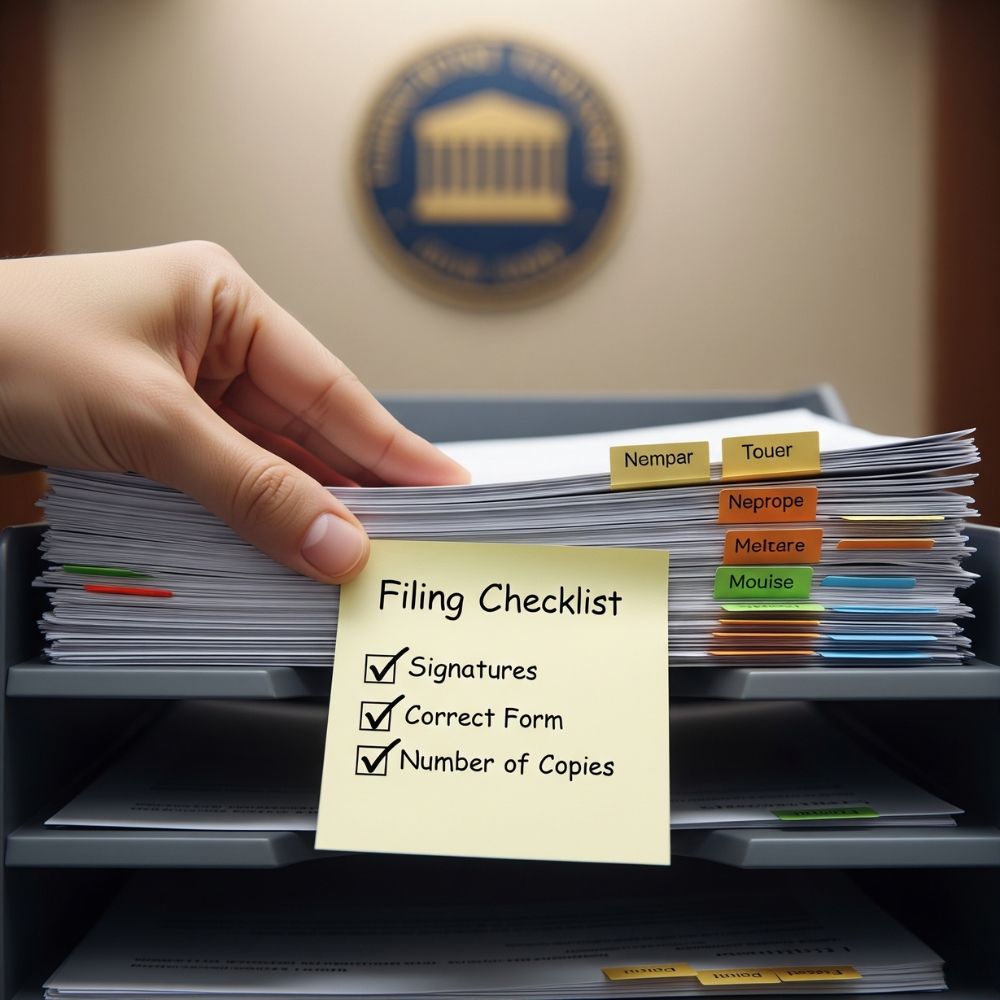
To eliminate friction when submitting documents to the court, adopt a standardized pre-filing checklist:
- Verify the Court Location: Ensure you are filing into the correct judicial district and division. Misfiled documents can take weeks to transfer.
- Audit for Signatures: Double-check that all required parties, attorneys, and notaries have signed where necessary.
- Check Proposed Orders: If you are submitting a proposed order, make sure it is uploaded in an editable format (such as Word) if the specific judge's local rules require it, allowing them to make revisions easily.
- Monitor Your Email: Watch your inbox for system notifications regarding acceptance or rejection. Do not assume a filing was accepted just because you completed the payment screen. Read the status update carefully.
Final Thoughts
Mastering electronic court submissions takes patience and attention to detail. By understanding technical formatting rules, using current forms, and respecting strict procedural timelines, you can successfully avoid costly mistakes in Colorado court e-filing. Staying organized protects your legal rights, respects judicial resources, and keeps your case moving forward without unnecessary administrative delays.