Best DMARC Tester Tools to Check Email Authentication
Email spoofing and phishing attacks are major threats to modern businesses. If cybercriminals can easily impersonate your domain, your brand reputation and customer trust are on the line. Fortunately, protocols like SPF, DKIM, and DMARC work together to prevent unauthorized senders from using your domain name. However, configuring these DNS records can be complex and prone to syntax errors.
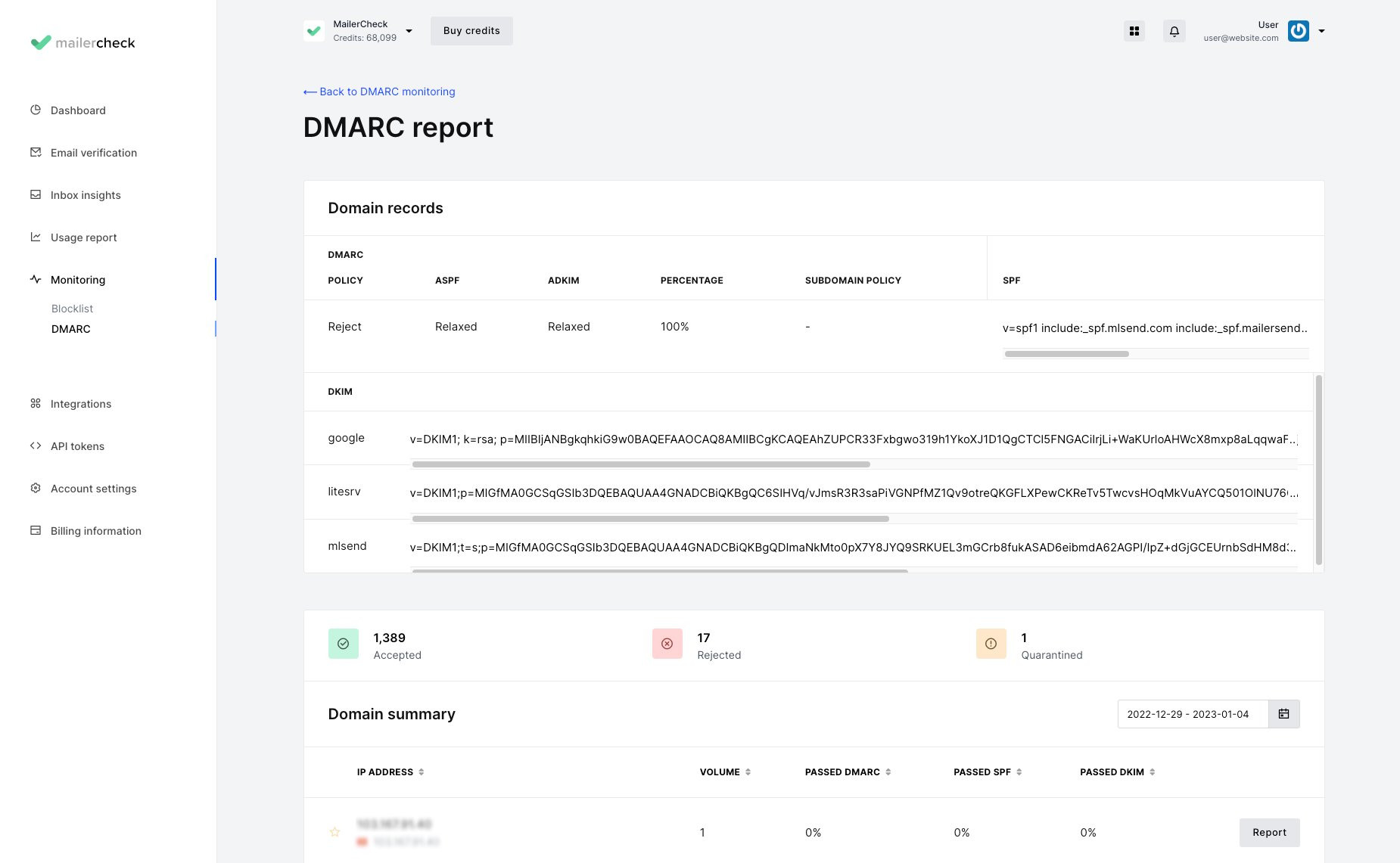
This is where a reliable dmarc tester comes in. These online diagnostic tools scan your domain's DNS records, validate your syntax, check your policy enforcement level, and help you troubleshoot deliverability issues. In this guide, we will explore what these tools do, how they work, and how to choose the right one for your email infrastructure.
Understanding DMARC and Why You Need a Tester
DMARC stands for Domain-based Message Authentication, Reporting, and Conformance. It is an email security protocol built on top of Sender Policy Framework (SPF) and DomainKeys Identified Mail (DKIM). When you publish a DMARC record in your DNS, you instruct receiving mail servers on how to handle emails that fail authentication checks.
Without testing your configuration, you risk two major issues:
- Accidental Email Blocking: A simple typo in your SPF or DMARC record can cause legitimate emails from your marketing platform or CRM to land in the spam folder or bounce entirely.
- Zero Protection: If your DMARC policy is left in "none" mode, you will receive reports about spoofing attempts, but spoofed emails will still reach recipient inboxes instead of being rejected.
Using a DMARC tester allows you to safely validate your setup before enforcing strict policies like p=quarantine or p=reject.
How a DMARC Tester Works
When you input your domain name into a diagnostic tool, the system performs a series of automated checks behind the scenes. Here is a breakdown of what happens during a typical scan:
- DNS Lookup: The tool queries public DNS servers for a TXT record located at
_dmarc.yourdomain.com. - Syntax Validation: It checks whether tags like
v=DMARC1,p=,rua=, andpct=are correctly formatted. - Dependency Checks: It verifies that valid SPF and DKIM records exist and are properly aligned with your domain.
- Policy Evaluation: It reports whether your policy is set to monitor, quarantine, or reject unauthorized emails.
Key Features to Look for in a DMARC Tester
Not all diagnostic tools are created equal. When evaluating options for your organization, look for features that go beyond basic syntax checking.
1. Comprehensive SPF and DKIM Validation

Because DMARC relies on SPF and DKIM, a good checker should evaluate all three protocols simultaneously. It should flag common SPF issues such as exceeding the 10-DNS-lookup limit or syntax errors within include statements.
2. Actionable Recommendations
Finding an error is only half the battle. The best tools provide clear, actionable advice on how to fix misconfigurations, pointing out exact lines of code that need correction.
3. Report Parsing Capabilities
Once DMARC is active, you will receive XML reports (RUA and RUF) from major mailbox providers like Google, Microsoft, and Yahoo. Advanced testing and monitoring platforms parse these complex XML files into clean, readable dashboards that show who is sending email on your behalf.
Step-by-Step: How to Test Your DMARC Record
Running a check on your domain takes less than a minute. Follow these simple steps to verify your configuration:
- Identify Your Domain: Determine the exact domain or subdomain you want to test (e.g.,
example.com). - Choose a Reputable Tool: Navigate to a trusted online DMARC checker or email authentication platform.
- Enter the Domain: Type your domain name into the search bar and initiate the test.
- Review the Results: Analyze the output. Check if the DMARC record is found, if the policy is active, and if your SPF and DKIM alignments pass.
- Fix Errors and Repeat: If the tool highlights any syntax errors or missing tags, log into your DNS host (e.g., Cloudflare, GoDaddy, Route53), make the necessary corrections, and re-run the test.
Common DMARC Errors Caught by Testers
Routine checks often reveal recurring configuration mistakes. Being aware of these pitfalls can save you hours of troubleshooting:
- Typo in the Record Name: Publishing the record as
dmarc.yourdomain.cominstead of the mandatory_dmarc.yourdomain.com(note the leading underscore). - Multiple DMARC Records: Having more than one TXT record at the
_dmarclocation, which confuses receiving mail servers and invalidates the policy. - Invalid Reporting URIs: Setting up an external reporting email address (
rua=mailto:reports@otherdomain.com) without publishing a corresponding DNS record on the destination domain to authorize those reports (External Domain Validation).
Conclusion
Implementing email authentication is essential for protecting your brand from phishing and ensuring high email deliverability. However, setting up the records is only part of the process. Regularly running your domain through a professional DMARC tester guarantees that your security policies remain airtight, error-free, and properly aligned with industry standards. Take a few minutes today to check your domain and secure your email channel.