Best Sonic Adventure DX Mods You Need to Play
Released on PC years ago, Sonic Adventure DX (SADX) remains a beloved classic, but the port is notoriously flawed. Built on top of the original Dreamcast code with several regression bugs, the official PC version can feel rough around the edges. Thankfully, the active modding community has spent years fixing, polishing, and expanding the game. Installing sonic adventure dx mods is the single best way to experience this iconic title today, whether you want a faithful retro restoration or fresh gameplay features.
How to Install Sonic Adventure DX Mods
Before diving into the best community creations, you need the foundational tool that makes modding SADX possible: the SADX Mod Loader. This utility manages your modifications, handles compatibility, and lets you toggle features on and off with ease.
- Make sure you own a clean copy of Sonic Adventure DX on Steam or via the original PC release.
- Download the latest version of the SADX Mod Loader from dependable community hubs like GameBanana.
- Extract the mod loader files directly into your main Sonic Adventure DX installation folder.
- Run the
sadx_mod_loader.exefile to configure your settings, install additional mods, and launch the game.
Once your loader is up and running, you can begin downloading individual mods and placing them into the newly created mods folder.
Essential Bug Fixes and Quality of Life
Before you touch graphics or character skins, you should prioritize mods that stabilize the game and restore lost features from the original 1998 Dreamcast release.
SADX Mod Installer / Better SADX
If you want a streamlined experience, the community often recommends comprehensive packages that bundle essential fixes together. These packages automatically replace the inferior PC port assets with the proper Dreamcast character models, lighting, and environmental geometry. It bridges the gap between the original hardware and modern PC hardware seamlessly.
Input and Controller Fixes
Modern PC gaming relies on analog triggers and precise stick inputs. Essential community patches update the game's internal controller mapping. This ensures that camera controls on modern gamepads (like Xbox or PlayStation controllers) feel natural, eliminating the deadzone and sensitivity issues plaguing the vanilla port.
Visual Upgrades and Overhauls
Sonic Adventure DX was a pioneer for 3D platformers, but graphics have evolved significantly since the early 2000s. These mods elevate the presentation without losing the game's unique charm.
Dreamcast Conversion Mod
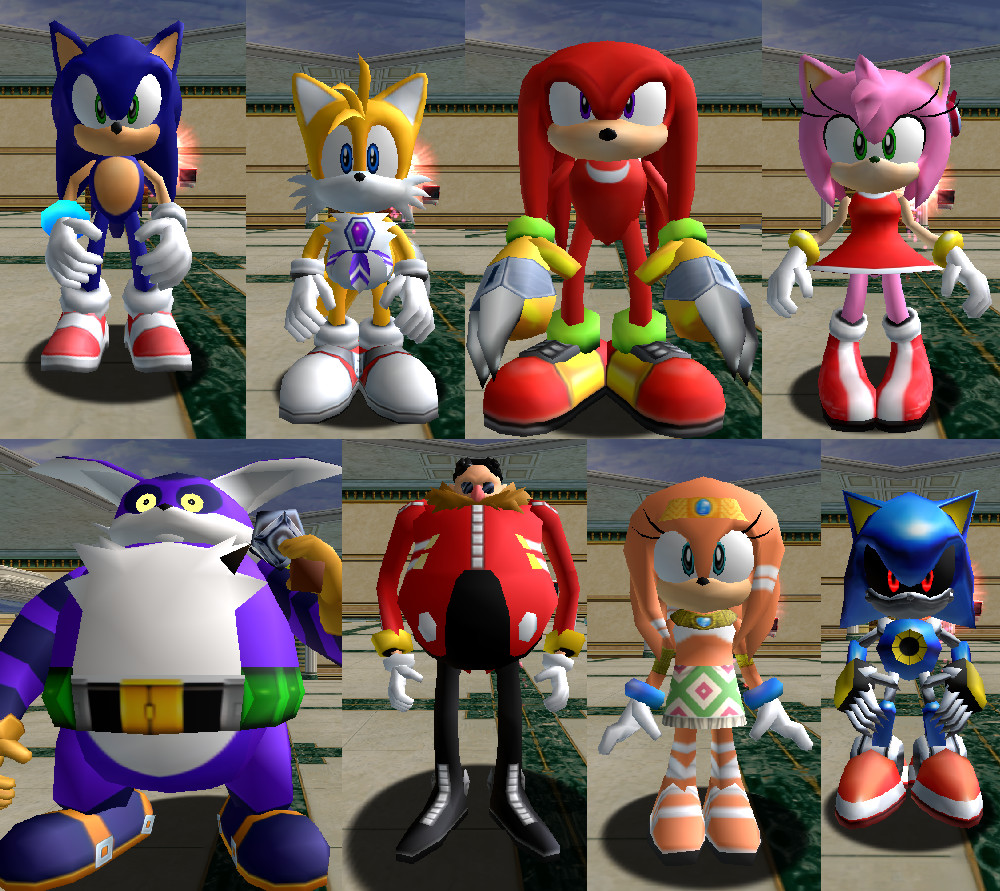
The PC version of SADX introduced shiny, plastic-looking character models and altered lighting engines that many fans disliked. The Dreamcast Conversion mod painstakingly reverts these changes. It restores original textures, skyboxes, lighting effects, and even the original VMU mini-game UI elements, giving you the definitive retro experience.
HD GUI and UI Tweaks
Menus and heads-up displays in the vanilla game look blurry on modern high-resolution monitors. Installing an HD GUI mod replaces menus, fonts, and action prompts with crisp, high-definition assets that look sharp on 1080p and 4K displays.
Gameplay and Content Mods
Once your game looks and runs properly, you can experiment with mods that alter how the game plays, adding massive replay value.
- Playable Metal Sonic and Tikal: Unlock characters normally restricted to specific modes or cutscenes for full campaign playthroughs.
- Custom Music Packs: Swap out soundtracks or restore the iconic original Dreamcast music tracks if you are playing the Steam version, which sometimes uses alternate audio mixes.
- Mission Mode Expansions: Add entirely new objectives and challenge maps to Adventure Fields, testing your platforming skills to the absolute limit.
Troubleshooting Common Mod Issues
While the SADX Mod Loader is user-friendly, conflicts can occasionally happen. If your game crashes on startup, try disabling mods one by one to find the culprit. Always ensure your base game files aren't set to 'read-only' in Windows, as the mod loader needs write permissions to inject code properly. Keeping your mod loader updated to the latest version will also prevent compatibility issues with Windows updates.
Conclusion
Sonic Adventure DX is a brilliant game trapped inside a historically flawed PC port. By taking a few minutes to install the SADX Mod Loader and a handful of essential community enhancements, you can transform a frustrating port into a masterpiece. Whether you are reliving childhood memories or playing for the first time, modding is the definitive way to experience Sonic's first major 3D adventure.


