Best Way to Make a US Letter Sized Cloze Worksheet
Educators, speech-language pathologists, and language tutors frequently ask: what is the best way to make a US Letter sized cloze worksheet that prints cleanly, looks professional, and genuinely supports reading comprehension? While generating a fill-in-the-blank exercise sounds simple, poorly formatted worksheets often result in awkward page overflows, misaligned blanks, and wasted paper.

Creating a functional, print-ready cloze activity requires balancing pedagogical strategy with strict document geometry. This guide covers exact dimension setup, content selection, formatting techniques, and tool recommendations to help you create flawless 8.5 × 11-inch worksheets every time.
Understanding the US Letter Format for Worksheets
Before typing your text, you must configure your canvas. In the United States, Canada, and parts of Latin America, standard office paper is US Letter, measuring 8.5 × 11 inches (215.9 × 279.4 mm). This differs from international standard A4 paper (8.27 × 11.69 inches), which is slightly narrower and taller.
If you design a worksheet using default A4 settings and print it on US Letter paper, your margins will clip at the bottom, or your printer will scale the document down, causing fonts to shrink and lines to blur. To avoid this, set your document canvas to US Letter before typing a single sentence.
Recommended Document Margins and Layout Specs
- Margins: Set top, bottom, left, and right margins to 0.75 inches (19 mm). This leaves a printable area of 7.0 × 9.5 inches. If your worksheet needs a three-hole punch for student binders, expand the left margin to 0.85 inches.
- Base Font: Use high-legibility typefaces designed for print, such as Lexend, Calibri, Georgia, or Arial. Keep the primary body text between 12 pt and 14 pt for elementary students, and 10.5 pt to 12 pt for secondary or adult learners.
- Line Spacing: Set line spacing to 1.25x to 1.5x. Standard single-spaced text does not leave enough vertical clearance for students to handwrite words inside blanks without running into the line above.
The Best Way to Make a US Letter Sized Cloze Worksheet
The most efficient and reliable method to build a US Letter cloze worksheet involves five clear steps, from source text selection to the final print test.
Step 1: Curate and Adapt the Source Passage
A successful cloze test relies on an appropriate deletion strategy. Choose a passage that matches the student's independent reading level. Standard passages usually range from 150 to 300 words for a single-page US Letter layout.
Decide between two deletion methods:
- Selective (Targeted) Deletion: Remove specific parts of speech (e.g., all past-tense irregular verbs, target vocabulary words, or prepositions). This is ideal for grammar drills and targeted vocabulary assessments.
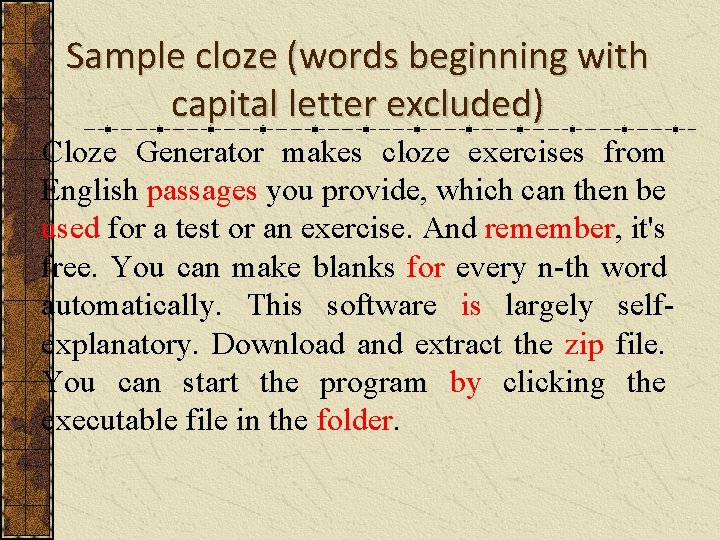
- Systematic (Mechanical) Deletion: Remove every nth word (typically every 5th or 7th word), leaving the first and last sentences completely intact for context. This method is standard for formal reading comprehension assessments (such as the traditional Bormuth or Taylor cloze tests).
Step 2: Format Consistent Blanks
The hallmark of an amateur worksheet is uneven, shifted underlines created by holding down the underscore key. When students see varying line lengths, they assume longer lines mean longer words, which introduces unintended test bias.
Instead, use standard blank conventions:
- Fixed-Width Form Fields (Word Processors): Insert a table with hidden borders or use tab stops with bottom-border underlines to keep every blank exactly 1.5 to 2 inches wide.
- Numbered Brackets: Replace deleted words with numbered brackets, like [ 1 ], and place a numbered answer grid at the bottom or on a separate page. This saves vertical space and keeps the reading passage cohesive.
- Uniform Underlines: If typing directly into text, use a non-breaking space combination (e.g., 8 to 10 non-breaking spaces with underline formatting enabled) so the line does not break across a margin edge.
Step 3: Add a Word Bank and Header Block

A single US Letter page must comfortably hold three functional components: the header, the body passage, and support elements (such as a word bank or scoring rubric).
- Header Block (Top 1.25 inches): Include fields for Name, Date, Class/Period, and Score. Keep this compact to conserve vertical space.
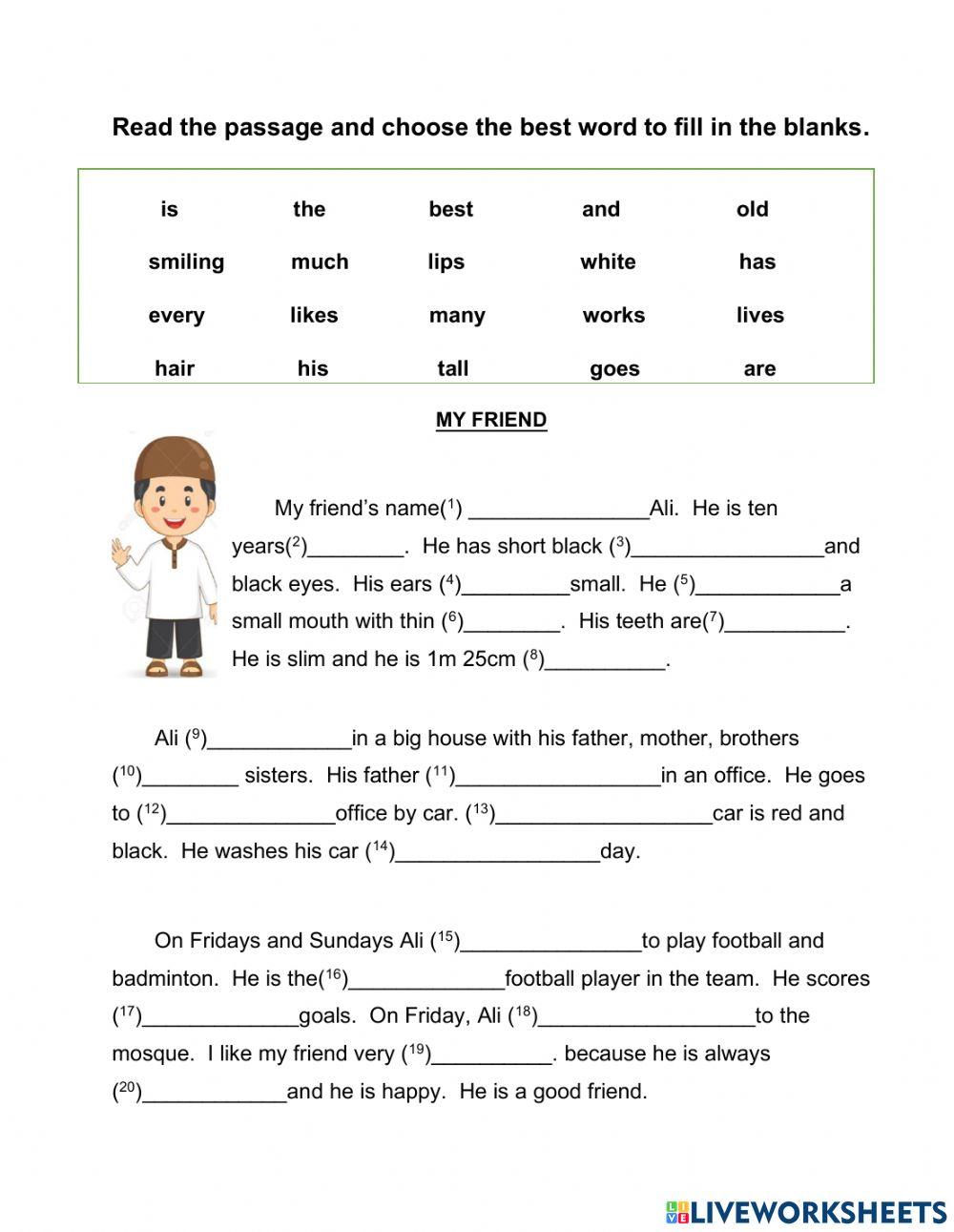
- Word Bank: Place your word bank inside a bordered box directly above the text (for scaffolding) or at the bottom of the page. Alphabetize the list to prevent students from guessing words based on passage order. Include 2–3 distractor words if you want to increase the difficulty.
Top Tools for Building Cloze Worksheets
Depending on your technical preference, several software tools streamline this process on US Letter templates.
1. Google Docs or Microsoft Word (Best for Control)
Desktop word processors remain the most accessible tool for educators. Go to File > Page Setup (in Docs) or Layout > Size (in Word), select Letter, set your margins to 0.75 inches, and save the empty file as a reusable master template. Use the find-and-replace function to swap target vocabulary words with consistent underline sequences rapidly.
2. Canva (Best for Visual Appeal)
Canva offers pre-sized “US Letter Document” canvases (8.5 × 11 in). It is especially useful for younger learners who need decorative borders, thematic illustrations, and custom font pairings. Ensure you download the final product as PDF Print rather than standard PNG or PDF Standard to ensure sharp vector text.
3. Automated Cloze Generators (Best for Speed)
Websites like Quickworksheets, ArmoredPenguin, or custom scripts allow you to paste raw text, click target words, and generate an automated worksheet. When using these generators, always check the print preview settings; many web tools default to screen-width HTML layouts. Use your browser's print dialogue to force paper size to US Letter and disable headers/footers (which print messy URLs and timestamps).
Usability and Accessibility Best Practices
A well-engineered worksheet eliminates barriers for diverse learners, including students with visual impairments or motor-skill challenges.
- High Contrast: Always use pure black text (
#000000) on a white background. Grayscale fonts (light gray) often look faint or broken when reproduced on school photocopiers. - Sufficient Writing Space: Elementary students require at least 0.3 inches of vertical clearance between lines to write lowercase letters with descenders (such as g, y, p, q). Increase line spacing to 1.5x for grades 1–4.
- Distractor Transparency: If you use a word bank with distractors, clearly state in the instructions: “Note: Not all words in the word bank will be used.” This prevents cognitive overload and confusion.
Final Pre-Flight Checklist Before Printing
Before sending your US Letter cloze worksheet to the photocopier or sharing it as a PDF download, run through this quick checklist:
- Page Count Check: Ensure stray empty lines have not created an unintended blank second page.
- Answer Key Verification: Create your answer key simultaneously. If a blank can accept multiple plausible synonyms, note whether partial credit is allowed.
- Print Test: Print one physical test copy on standard copy paper. Complete the worksheet by hand with a pencil to confirm that the blanks are wide enough to write answers comfortably.
- Export Format: Export the final asset as a flattened PDF. Sharing raw
.docxfiles often leads to layout shifts when opened on different operating systems or mobile devices.
By configuring your margins correctly, maintaining uniform blank widths, and testing the physical copy, you produce a polished, distraction-free cloze worksheet that fulfills your curriculum objectives seamlessly.