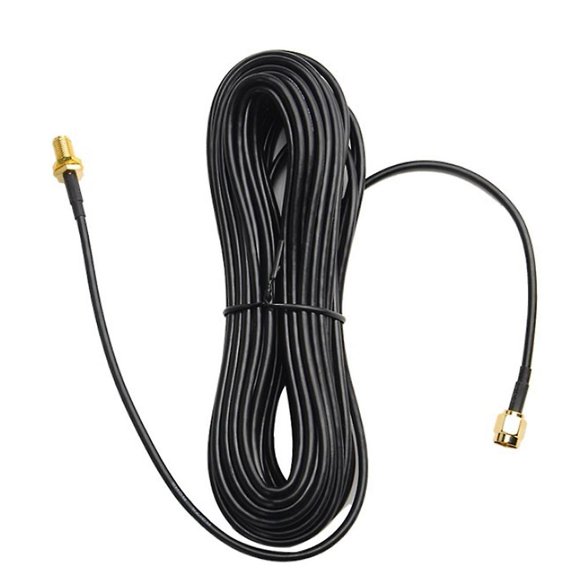
Coaxial WiFi Extender: Turn Coax into Fast Wi-Fi
If your home has frustrating dead zones where wireless signals fail to penetrate thick walls or travel between floors, you have likely looked at plug-in range extenders. Unfortunately, standard wireless boosters often cut your bandwidth in half and introduce unstable latency. A coaxial wifi extender offers a far superior alternative by leveraging the existing coaxial TV wiring already running behind your walls.

Known technically as MoCA (Multimedia over Coax Alliance) technology, this approach transforms standard cable TV outlets into ultra-high-speed wired backhauls. The result is a rock-solid network that matches the performance of dedicated Ethernet cabling without the cost and mess of running new lines.
What Is a Coaxial WiFi Extender and How Does It Work?
A coaxial Wi-Fi setup consists of two primary components: a MoCA network adapter plugged into your primary router and a receiving adapter or dedicated access point placed in another room. Because coaxial cable was originally engineered to carry high-bandwidth video signals with heavy shielding, it is naturally resistant to radio frequency interference.
When you send data through coax, the adapter converts standard Ethernet data packets into high-frequency radio signals that travel over the copper core of the cable. At the destination outlet, a second device converts those signals back into an Ethernet connection or broadcasts them as a fresh, full-strength Wi-Fi signal. Unlike wireless repeaters that merely "listen and repeat" degraded signals through the air, coax creates a dedicated physical highway for your data.
Why Choose a Coaxial WiFi Extender Over Standard Repeaters?
Upgrading to coax-based networking provides several major advantages over battery-backed mesh nodes, standard range boosters, and powerline adapters.
1. True Gigabit Speeds Without Signal Loss
Standard Wi-Fi extenders communicate with your primary router over the air. Every physical obstacle—drywall, insulation, ductwork, and furniture—degrades that signal. In contrast, modern MoCA 2.5 adapters support network throughput up to 2.5 Gbps. Even over long cable runs, your internet speed remains virtually identical to plugging directly into the router.
2. Near-Zero Added Latency
Online gaming, video conferencing, and live streaming suffer immediately when packet delivery fluctuates. Wireless repeaters regularly add 10 to 30 milliseconds of latency (jitter) to your connection. Coax adapters operate with sub-3.5 millisecond latency, delivering a ping response almost indistinguishable from a category 6 Ethernet cable.
3. Superior Reliability Compared to Powerline Adapters

Powerline networking—which sends data across electrical wiring—is notoriously finicky. Appliances like air conditioners, microwaves, and phone chargers introduce electrical noise that collapses powerline speeds. Coaxial cables feature dense braided metal shielding that blocks external noise, ensuring stable throughput 24 hours a day.
Essential Hardware for a MoCA Setup
To establish a reliable coaxial extension network, you will need a few basic pieces of hardware:
- Two MoCA Adapters (or a MoCA Router + One Adapter): Some modern cable gateways (provided by ISPs like Xfinity or Cox) have MoCA built directly into their firmware. If yours does not, you will need a pair of standalone adapters.
- MoCA-Compatible Coax Splitters: Standard legacy cable splitters cap out at 1000 MHz (1 GHz). MoCA requires frequencies between 1125 MHz and 1675 MHz. If your home has splitters in the attic, crawl space, or basement, ensure they are rated up to at least 1675 MHz.
- Point of Entry (PoE) MoCA Filter: This small, inexpensive barrel filter threads onto the main coaxial line where it enters your house. It serves two purposes: it prevents your network data from leaking outside to your neighbors, and it reflects the MoCA signal back into your home network for improved signal strength.
- A Wi-Fi Access Point or Mesh Node: Once the coax adapter provides an Ethernet port in your target room, you can plug in a desktop PC, a gaming console, or a Wi-Fi access point to blanket that area in wireless coverage.
Step-by-Step Installation Guide
Setting up your system takes less than twenty minutes if your coax lines are connected.
- Install the PoE Filter: Locate the primary cable demarcation box outside or in your utility closet. Screw the MoCA PoE filter directly onto the input of the primary splitter where the service line enters your residence.
- Connect the Main Adapter: Near your primary modem/router, screw a coaxial cable from your wall jack into the "Coax In" port on the first MoCA adapter. Then, run an Ethernet patch cable from the adapter’s RJ-45 port to an open LAN port on your router. Plug in the adapter's power supply.
- Verify Gateway Compatibility: If your ISP modem already has MoCA enabled in its admin panel, you can skip the first adapter entirely and use the modem's built-in MoCA controller.
- Set Up the Remote Room: Go to the room where you need better connectivity. Connect the second MoCA adapter to the wall's coaxial jack. Connect the adapter's Ethernet port to your computer, streaming device, or a standalone Wi-Fi access point.
- Confirm the Link: Most adapters feature an indicator light labeled "Coax," "MoCA," or "LAN." Once this light turns solid green, the two nodes have successfully paired across the coax network.
MoCA Standards: Which Version Should You Buy?
When shopping for adapters, pay attention to the specification version listed on the box:
- MoCA 1.1: Older hardware offering up to 175 Mbps. Avoid this for modern high-speed broadband connections.
- MoCA 2.0 (Bonded): Provides up to 800 Mbps to 1 Gbps actual throughput. Suitable for basic internet plans under 500 Mbps.
- MoCA 2.5: The modern industry benchmark. Delivers up to 2.5 Gbps of raw bandwidth across the backhaul, fully supporting gigabit and multi-gigabit fiber internet connections.
Troubleshooting Common Issues
If your adapters fail to detect each other, check these common points of failure:
- Dark Coax Outlets: Home builders often leave individual room cables disconnected in the utility closet. Check your central junction box to ensure the coax run leading to your destination room is physically connected to the main splitter.
- Satellite TV Incompatibility: MoCA operates in the 1125–1675 MHz range, which coexists smoothly with standard cable internet (DOCSIS 3.0/3.1). However, direct satellite providers (like DirecTV or DISH) use these same frequency bands. If you use satellite television, standard MoCA adapters will interfere with your TV receivers; you will need specialized DECA adapters instead.
- Amplifiers Blocking Signals: Older inline cable amplifiers designed only for incoming television signals can strip out bidirectional MoCA frequencies. Replace old distribution amplifiers with MoCA-rated bypass models.
Final Verdict
Running long Ethernet cables through walls is costly, and consumer wireless boosters rarely deliver on their promises. A coaxial Wi-Fi extender setup bridges the gap perfectly. By repurposing the existing, heavy-duty coax wiring in your home, you gain a high-bandwidth, low-latency backbone capable of handling heavy gaming, 4K streaming, and multi-user remote work with ease.