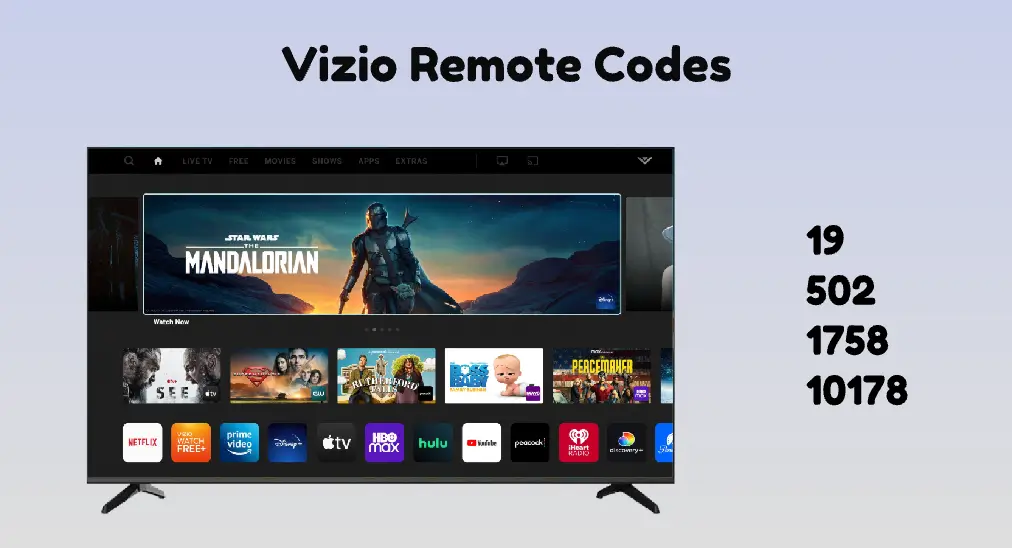
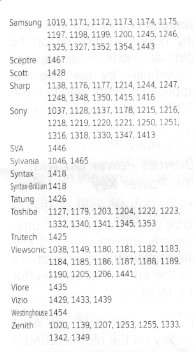
Complete Code List for Vizio TV Universal Remotes
Setting up a universal remote to control your Vizio television can save you from coffee-table clutter, but only if you have the right programming numbers. Whether you are using a replacement clicker from GE, RCA, Comcast, or a satellite provider, finding the correct code list for Vizio TV setup is essential. Because Vizio has manufactured dozens of LED, OLED, and smart TV models over the years, codes can vary depending on the age and manufacturer of your remote.

This comprehensive guide provides the most common remote control codes for Vizio televisions, along with step-by-step instructions on how to program your device successfully.
Understanding Vizio TV Remote Codes
Universal remotes communicate with your television by sending a specific infrared signal. Each brand of universal remote uses a different database of numbers—some require 3-digit codes, others 4-digit codes, and modern high-end remotes often use 5-digit codes.
Before you begin entering numbers from the code list for Vizio TV units, make sure your television is turned on and that fresh batteries are installed in your remote control. If a code fails on the first try, do not panic; most universal remotes feature multiple working codes for Vizio hardware.
4-Digit Universal Remote Codes for Vizio
Most standard universal remotes—including those made by RCA, GE, Philips, and One For All—typically rely on 4-digit numbers. Try entering these codes one by one if your remote requires a four-digit sequence:
- 1758
- 1756
- 0178
- 1017
- 1117
- 1742
- 1292
- 1004
- 1268
- 1336
How to program a 4-digit remote:
- Turn on your Vizio TV manually.
- Press and hold the SETUP or PROG button on your remote until the indicator light stays on.
- Press the TV button (on some remotes, you may need to press device-specific buttons).
- Enter the first 4-digit code from the list above. If entered correctly, the indicator light will blink twice and turn off.
- Point the remote at your Vizio TV and press the Power or Volume buttons. If the TV responds, setup is complete. If not, repeat the process with the next code.
3-Digit Vizio Remote Codes
Some older universal remotes or specific budget brands utilize 3-digit codes. If your device instruction manual calls for a shorter sequence, test these options:
- 502
- 627
- 504
- 004
- 505
To program these, hold down the Code Search button until the light illuminates, select the TV category, input the 3-digit number, and save it.
5-Digit Codes for Cable and Satellite Remotes

If you are trying to program a cable box or satellite provider remote (such as Comcast Xfinity, DIRECTV, or Dish Network) to control your Vizio TV's power and volume, you will typically need a 5-digit code.
Comcast Xfinity Remotes
If you have an X1 or older Comcast voice remote, use these 5-digit numbers:
- 11758
- 10178
- 11292
- 10864
- 11499
DIRECTV Remotes
For standard DIRECTV universal remotes or Genie remotes, try:
- 11758
- 11756
- 11336
- 10178
Dish Network Remotes
For Hopper or Joey remotes provided by Dish Network, use:
- 505
- 774
- 627
- 502
What to Do If None of the Codes Work
If you have exhausted every number on the code list for Vizio TV programming and your remote still refuses to connect, you can use the automatic search method built into most universal remotes.
The Auto-Search Method
- Turn on your Vizio TV.
- Press and hold the SETUP button on your remote until the LED light stays on.
- Press 9 - 9 - 1. The indicator light should blink twice.
- Press the Power button on the remote.
- Press the Channel Up button repeatedly, stopping every few seconds, until the TV turns off.
- Press the Power button to turn the TV back on, then press SETUP to lock in the working code.
By utilizing these codes and troubleshooting methods, you can quickly pair almost any universal remote to your Vizio television and streamline your entertainment setup.