Complete Guide to KDP Book Sizes & Trim Sizes
When you are ready to publish a paperback or hardcover through Amazon, understanding KDP book sizes is one of the very first technical hurdles you will face. Selecting the right dimensions impacts not only your cover design and interior layout, but also your printing costs and how your book feels in a reader's hands. Amazon Kindle Direct Publishing offers a wide array of trim sizes, but navigating them requires careful planning.
Understanding KDP Trim Sizes and Categories
A "trim size" is the final physical dimension of your book after the pages are printed and cut. KDP categorizes these dimensions based on the genre and style of the book. Picking a standard size ensures that your book looks professional, fits standard bookstore shelves, and costs a predictable amount to print.
To help you choose, Amazon groups its trim sizes into several broad categories:
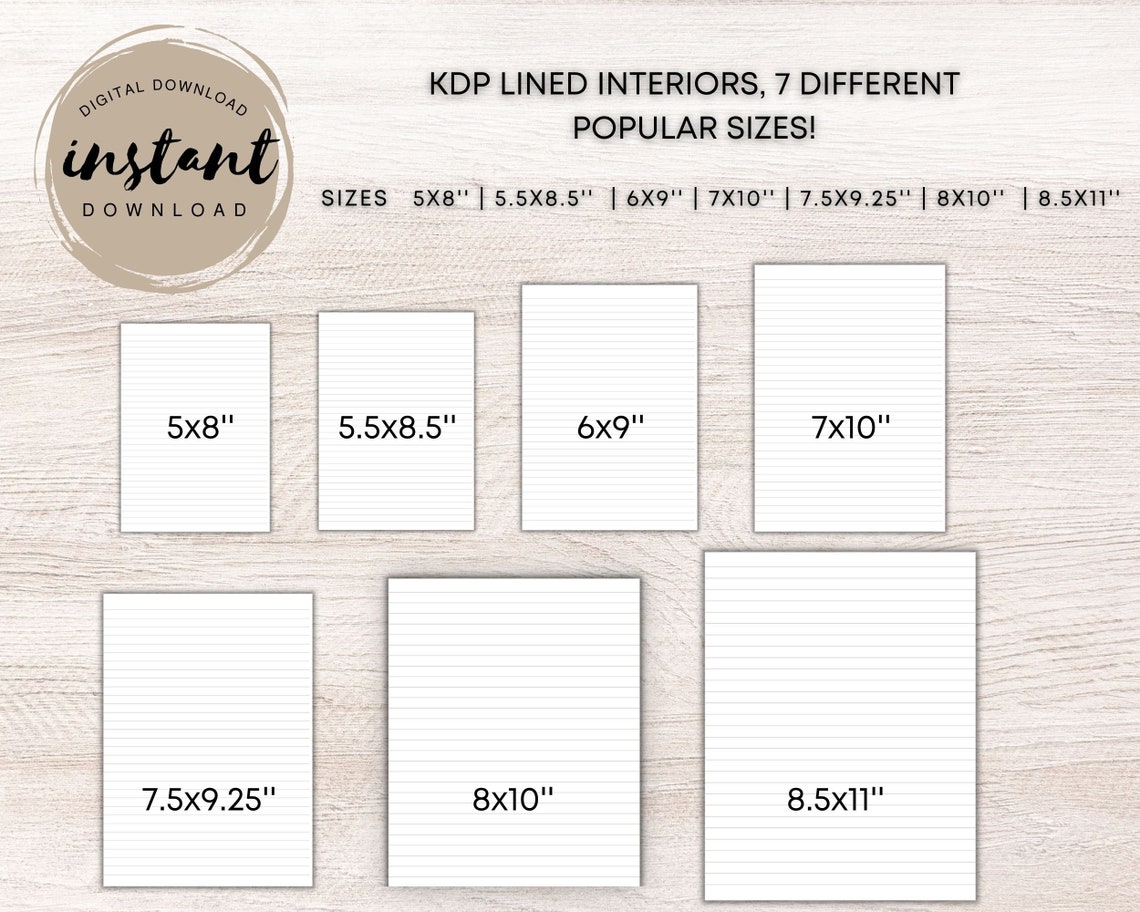
- Standard Fiction and Non-Fiction: Typically ranges from 5" x 8" up to 6" x 9".
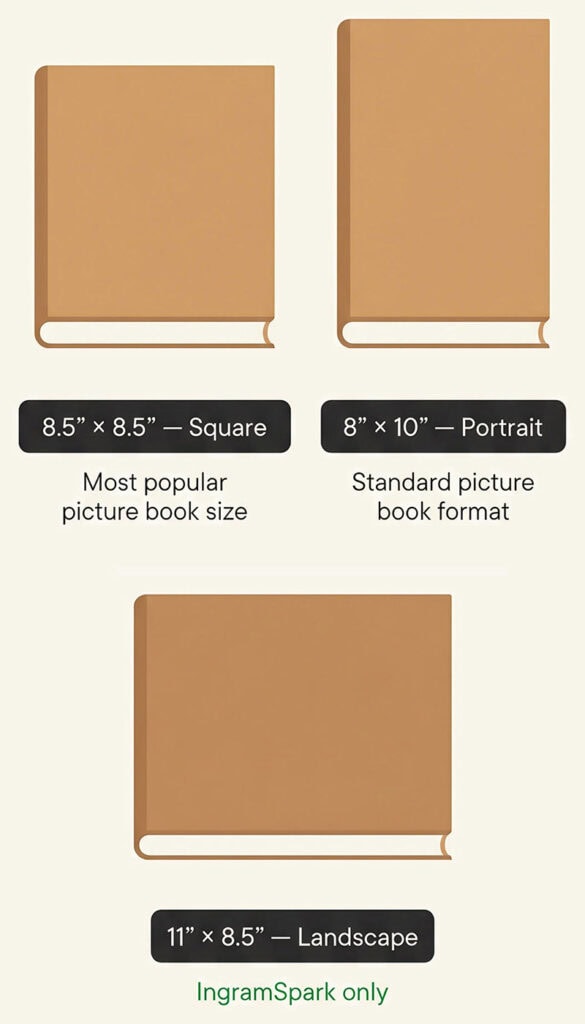
- Children's Books: Usually square or landscape formats, such as 8.5" x 8.5" or 8.25" x 6".
- Textbooks and Workbooks: Larger formats like 7" x 10" or 8.5" x 11".
- Pocket Books: Smaller sizes like 4.25" x 6.87" for mass-market appeal.
Most Popular Paperback Sizes
If you are writing a standard novel, memoir, or self-help book, you have likely narrowed your choices down to a few industry favorites. Sticking to popular dimensions makes your book instantly recognizable to readers.
- 6" x 9" (15.24 x 22.86 cm): The undisputed king of self-publishing. It accommodates a healthy word count per page without making the book feel too thick, and it works wonderfully for both fiction and non-fiction.
- 5.5" x 8.5" (13.97 x 21.59 cm): Often called digest size. It feels a bit more intimate and literary, making it a popular choice for memoirs, literary fiction, and poetry.
- 5" x 8" (12.7 x 20.32 cm): A compact, traditional size that mimics classic trade paperbacks. Great for shorter novels or tight budgets.
Children's Book and Illustrated Sizes
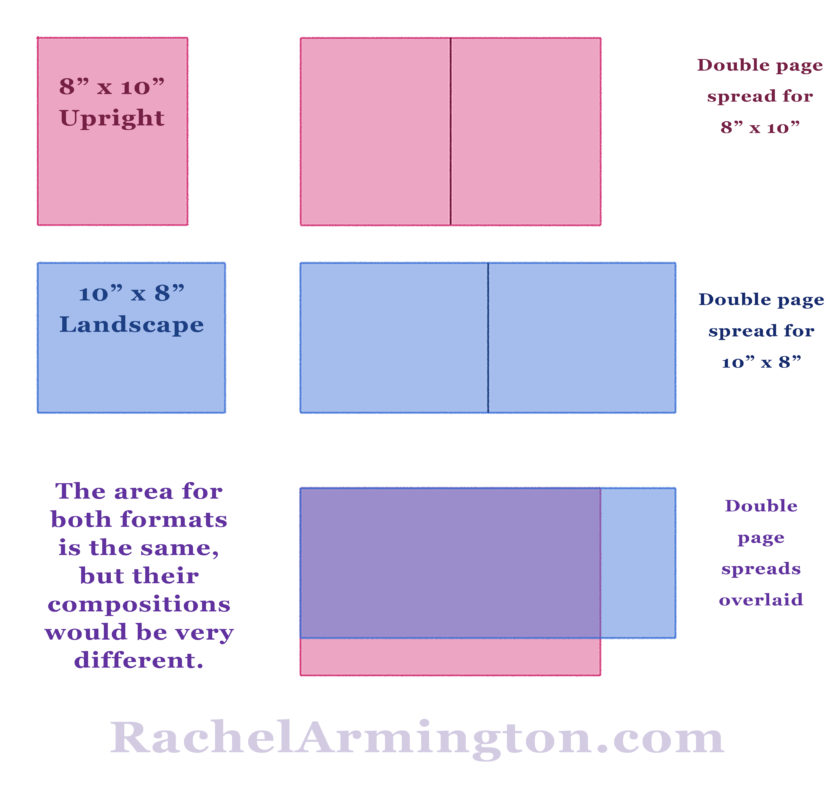
Children's books have entirely different requirements because the visual layout takes precedence over text density. If you are publishing a picture book, you will want to look at:
- 8.5" x 8.5": The classic square children's book format. It offers balanced space for both illustrations and text.
- 8.25" x 6": A landscape orientation that works well for panoramic artwork and younger readers.
- 8.5" x 11": A larger portrait size, though less common for traditional picture books, often used for activity books and coloring books.
Hardcover Book Sizes
In addition to paperbacks, KDP allows you to publish case laminate hardcovers. Keep in mind that hardcover trim sizes differ slightly from paperback options, and not every paperback size is available in hardcover.
Standard KDP hardcover sizes include:
- 5.5" x 8.5"
- 6" x 9"
- 7" x 10"
- 8.25" x 11"
Always verify the current KDP Help documentation before designing a hardcover interior, as Amazon periodically updates its available manufacturing specs.
Video: What is Amazon KDP Largest Book Size?
How Page Count Influences Your Size Choice
Your chosen trim size directly dictates your page count, which in turn affects your minimum and maximum page limits on KDP. For standard black-and-white paperbacks, KDP allows anywhere from 24 to 828 pages.
If you choose a smaller trim size like 5" x 8", your word count will stretch across significantly more pages than it would in a 6" x 9" book. More pages mean a thicker spine, higher printing costs, and a higher minimum list price for your book. Conversely, if your book is very short (under 100 words or a very brief novella), a larger trim size might leave too much empty white space, making the book look unprofessional.
Formatting Best Practices for KDP Interiors
Once you select your book dimensions, setting up your word processor or layout software correctly is crucial to avoid review delays or printing errors.
Setting Margins and Bleed
Margins keep your text safely away from the edges where the book gets trimmed. KDP requires specific minimum inside (gutter) margins based on your page count to ensure text doesn't disappear into the binding:
- 24 to 150 pages: 0.375" inside margin
- 151 to 300 pages: 0.5" inside margin
- 301 to 500 pages: 0.625" inside margin
- 501+ pages: 0.75" inside margin
If your book contains images, artwork, or background colors that extend all the way to the edge of the page, you must design with bleed. This means adding 0.125 inches to the top, bottom, and outside edges of your document size so that no unprinted white strips appear when the machine cuts the paper.
Exporting to PDF
Always export your interior manuscript as a PDF (Portable Document Format) before uploading it to KDP. PDFs lock your fonts, margins, and images in place, preventing shifting layout issues that can occur if you upload raw Word documents (.docx) or EPUB files for print.
Conclusion
Choosing the right dimensions among the available KDP book sizes is a balancing act between genre norms, printing costs, and aesthetic appeal. For most authors, sticking to the standard 6" x 9" or 5.5" x 8.5" paperback format provides a smooth publishing experience and a professional end product. Take time to research books in your specific niche, test your interior formatting with KDP's official templates, and always order a physical proof copy before launching your book to the public.