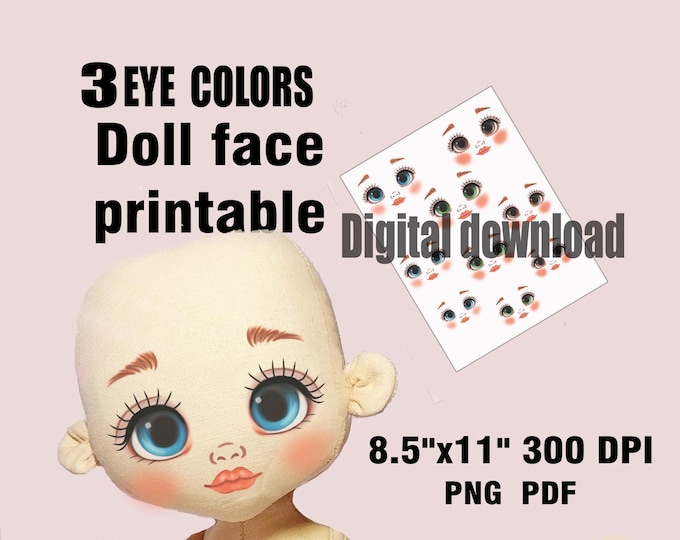
Download Your Favorite Face Template Style
Whether you are a digital illustrator sketching your next character, a cosmetic artist mapping out a bridal look, or an educator designing anatomy worksheets, finding the right base drawing can save you hours of trial and error. The ability to instantly download your favorite face template style gives you an immediate foundation to work from, allowing you to bypass tedious initial grid setups and focus entirely on creative execution.

However, not all templates serve the same purpose. A flat blank outline suited for cosmetic face charts will rarely work for dynamic concept art, and an anime head guide offers little value to a realistic portrait painter. Understanding the nuances between various template formats, facial angles, and artistic styles is essential to choosing an asset that genuinely elevates your workflow.
Popular Categories of Face Templates
Before hitting download, it helps to narrow down the category that matches your exact medium and end goal. Template creators typically design their assets around specific industry standards and artistic conventions.
1. Anatomical and Academic Guides
Rooted in classical illustration methods—such as the Loomis Method or the Reilly abstraction—these templates feature construction lines, cranial spheres, and jaw planes. They are ideal for beginners learning facial proportions and for advanced illustrators who need quick perspective references for tilted, profile, or three-quarter angles.
2. Beauty and Makeup Face Charts
Standardized within the beauty industry, makeup face charts provide symmetrical, minimalist line art of open eyes, defined brows, and smooth lips. Available in various face shapes (oval, square, heart, and round), these templates allow makeup artists to test color palettes, contour placement, and eyeshadow blending on paper or an iPad before working on a client.
3. Stylized, Anime, and Comic Head Bases
These templates abandon strict realism in favor of exaggerated proportions: larger eyes, simplified nasal structures, dynamic chin profiles, and varied head-to-body ratios (such as chibi styles). They are particularly helpful for concept artists building character model sheets or storyboards where consistency across multiple poses is mandatory.
4. Children’s Face Painting and Craft Outlines
Simplified, high-contrast outlines are designed specifically for quick printing. Parents, event entertainers, and teachers use these templates to plan theatrical face paint designs, festival glitter placement, or mask-making craft projects without complex shading in the way.
Video: Free Roblox UGC Template To Make Faces

How to Instantly Download Your Favorite Face Template Style
Finding a quality asset takes only a few minutes when you know what technical details to filter for. Follow these steps to locate, evaluate, and acquire the right files:
- Determine the Necessary File Format: Choose a file format that integrates seamlessly with your tools. If you use Procreate, look for native
.brushsetor high-resolution transparent.PNGfiles. For Adobe Photoshop or Clip Studio Paint, layered.PSDfiles offer the most flexibility. For traditional printing, vector-based.PDFfiles maintain razor-sharp line weights at any size. - Filter by Facial Angle: Front-facing templates work best for symmetric designs, makeup charting, and direct character turnarounds. For narrative art, look for asset packs that include low-angle, high-angle, profile, and three-quarter variations.
- Inspect Line Quality and Layer Structure: Reliable digital templates separate construction lines, facial features, and background tones onto distinct layers. This structure enables you to hide structural guidelines as your artwork progresses without erasing the underlying contours.
- Verify Licensing Rights: Always review the terms of use. If you plan to sell commissions, prints, or merchandise created using the template as a base, confirm that the creator permits commercial use without requiring manual attribution for each piece.
Key Proportions Every Quality Template Should Include
A well-drafted face template is more than just a stylized drawing; it is a calibrated mathematical grid. When reviewing a template before downloading, inspect it for these foundational anatomical cues:
- The Vertical Center Line: Tracks the curve of the skull from the hairline through the bridge of the nose, philtrum, and chin, ensuring proper perspective even in tilted head positions.
- The Eye Line (Halfway Marker): In realistic anatomy, the eyes sit precisely halfway between the top of the skull and the bottom of the chin. Be cautious of “realistic” templates that place the eyes too high on the forehead.
- The Rule of Thirds: Balanced templates divide the face into three equal sections: from the hairline to the brow line, from the brow line to the base of the nose, and from the base of the nose to the bottom of the chin.
- Ear Placement: The top of the ear should generally align with the brow line, while the lobe aligns with the base of the nose when viewed at eye level.
Integrating Face Templates into Digital Workflows
Once you have imported your downloaded file into your creative software, a few simple layer configurations will streamline your working process:
Adjusting Layer Blending Modes
Import your template onto the lowest layer of your canvas. Set its blending mode to Multiply and drop the opacity to between 20% and 40%. This ensures that your sketch lines remain visible on layers above without the template lines competing with your new strokes.
Preventing “Same-Face” Syndrome
Templates are designed to be starting points, not rigid constraints. Relying too heavily on a single template can cause all your characters or designs to share identical facial structures. Use transformation tools—such as Liquify, Warp, or Free Transform—to modify the jawline, widen the nose bridge, adjust lip fullness, or slant the eyes before finalizing your design.
Summary Checklist
Using ready-made face templates reduces setup fatigue and helps maintain proportional accuracy across extended projects. By matching the template style to your discipline, choosing clean vector or high-resolution layered files, and customizing the facial features to suit your creative vision, you can turn a basic template into an efficient, indispensable design asset.