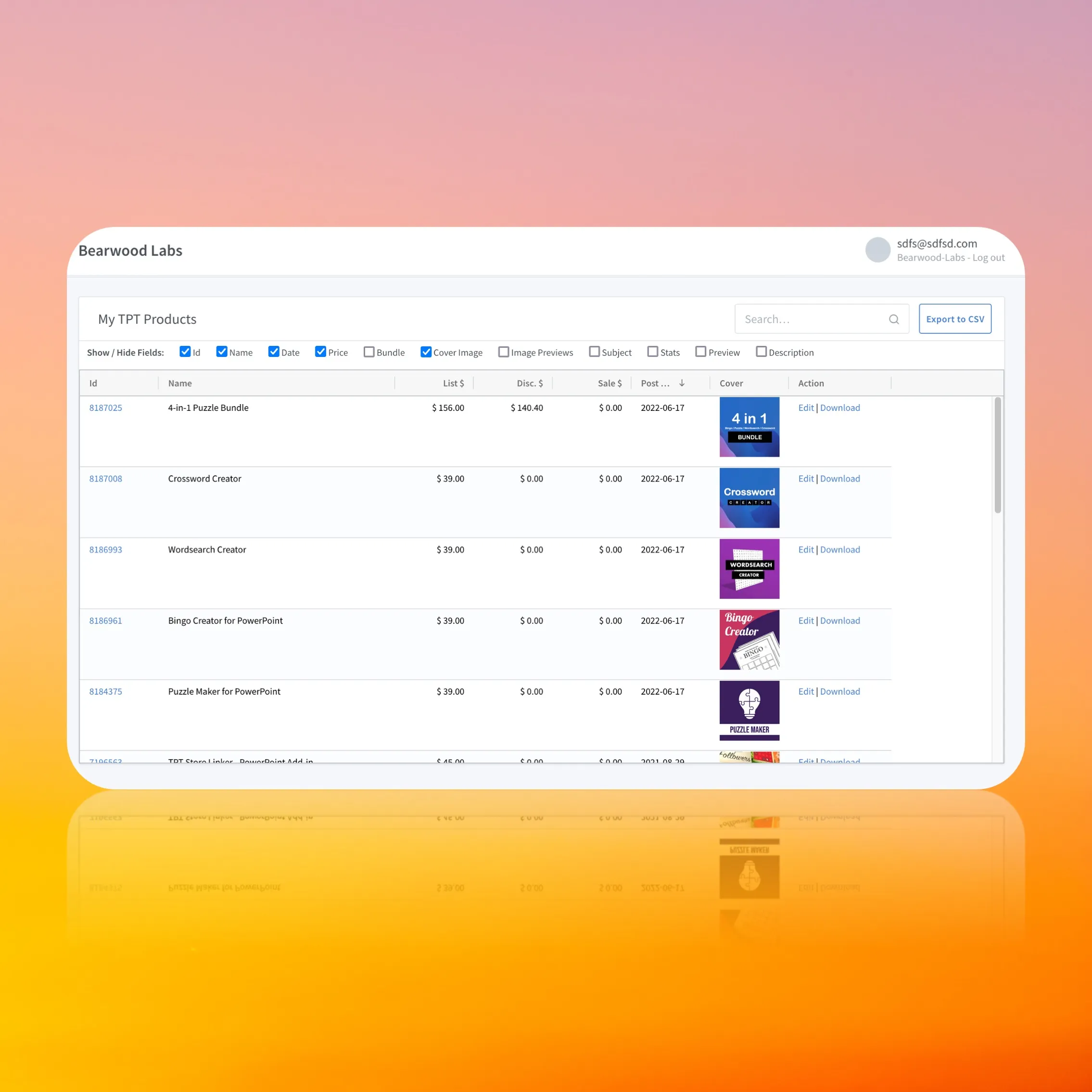
Effortlessly Manage Your Store with TPT Free Tools and Apps
Running a successful Teachers Pay Teachers (TpT) store is rewarding, but it often demands wearing many different hats. Between designing engaging classroom resources, writing product descriptions, handling customer service, and tracking your finances, the administrative workload can quickly pile up. Fortunately, you don't need an expensive enterprise software suite to keep your business running smoothly. You can effortlessly manage your store with TPT free tools and apps that simplify your daily routine and save you valuable hours.
Whether you are just starting your seller journey or looking to scale an established storefront, leveraging the right digital helpers makes all the difference. This guide explores the best free resources and applications available to help you streamline your TpT business.
Leveraging Built-In TpT Features
Before downloading external software, it is vital to maximize what is already available directly on the Teachers Pay Teachers platform. TpT offers several built-in features designed to help sellers monitor performance and communicate with buyers without spending a dime.
The TpT Dashboard and Analytics
Your seller dashboard is your command center. Regularly checking your analytics helps you understand which products are driving traffic and sales. Use the dashboard to:
- Track daily, monthly, and yearly earnings trends.
- Identify your top-performing resources to guide future content creation.
- Monitor conversion rates from product views to actual purchases.
Custom Categories and Pinned Listings
Organization is key to providing a great customer experience. Use TpT’s custom category feature to group your resources by grade level, subject, or standard. Additionally, you can pin your best-selling or seasonal resources to the top of your store page. This ensures that visitors immediately see your strongest work when they land on your storefront.
Free External Productivity Apps for Sellers
While TpT’s native dashboard handles sales, external applications help you tackle marketing, content creation, and workflow organization. Here are some of the top free tools used by successful teacher-authors:
Canva (Free Tier)
Visual presentation is everything on TpT. Buyers judge your resources by their cover images and preview files. Canva offers an exceptionally generous free tier packed with templates specifically sized for TpT product covers, Pinterest pins, and social media posts. You can drag and drop elements, use professional fonts, and maintain consistent branding without needing expensive design software.
Google Workspace
Video: Instantly Improve & Create TPT Listings – Import, Rewrite, Optimize with Mr Joel’s App

Google Drive, Docs, Sheets, and Forms are indispensable for managing a digital storefront. You can use:
- Google Sheets: To build a master inventory tracker, log business expenses, and forecast revenue.
- Google Docs: To draft product descriptions, blog posts, and email newsletters.
- Google Forms: To collect feedback from buyer focus groups or survey your social media audience about what resources they need next.
Trello or Notion for Task Management
If you find yourself juggling multiple product ideas at once, a visual project management board keeps you on track. Both Trello and Notion offer robust free plans. You can set up digital Kanban boards with columns such as 'Idea Generation,' 'In Progress,' 'Testing,' and 'Published.' This prevents good ideas from slipping through the cracks and helps you maintain a consistent product release schedule.
Streamline Marketing with Social Media Schedulers
Marketing your resources is essential for growth, but manually posting to Pinterest, Instagram, or Facebook every day is exhausting. Utilizing free social media scheduling tools allows you to batch your marketing tasks.
Tailwind (Free Plan)
Pinterest is one of the highest traffic drivers for TpT stores. Tailwind offers a free trial and a limited free monthly plan that lets you schedule pins in advance. By dedicating an hour or two once a month to queue up your pins, you can drive consistent, passive traffic to your store while you sleep or focus on creating new classroom materials.
Meta Business Suite
If your target audience hangs out on Facebook or Instagram, the Meta Business Suite is a completely free tool that lets you schedule posts and stories across both platforms simultaneously. You can plan out your weekly announcements, back-to-school sales, or flash-sale reminders all in one dashboard.
Tips for Maintaining a Balanced Workflow
Having the right tools is only half the battle; how you use them determines your ultimate success. To truly make the most of these free resources, keep these best practices in mind:
- Avoid Tool Overload: Do not sign up for every app mentioned online. Pick two or three that solve your immediate pain points—such as Canva for design and Google Sheets for finance—and master them.
- Batch Your Tasks: Dedicate specific days for creation, and separate days for administrative tasks like marketing and financial tracking.
- Automate Where Possible: Set up recurring calendar reminders for checking your store stats or updating older product descriptions with new keywords.
Conclusion
Growing a thriving teacher-author business does not require a massive budget or complicated software subscriptions. By taking full advantage of platform analytics and pairing them with powerful, no-cost external apps, you can easily streamline your operations. Implementing these strategies allows you to spend less time wrestling with administrative tasks and more time doing what you love: creating exceptional resources that help teachers and students succeed.