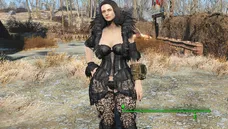
Fallout 4 CBBE Curvy Body Preset Guide
Modding Fallout 4 allows players to completely overhaul the visual presentation of the Wasteland, and character customization is a major part of that experience. Among the most popular body replacers in the modding community is Caliente's Beautiful Bodies Enhancer, commonly known as CBBE. For players looking for a softer, more pronounced silhouette, the fallout 4 cbbe curvy preset is the definitive choice. This guide will walk you through what the CBBE curvy body entails, what prerequisites you need, and how to safely install and configure it using modern mod managers.
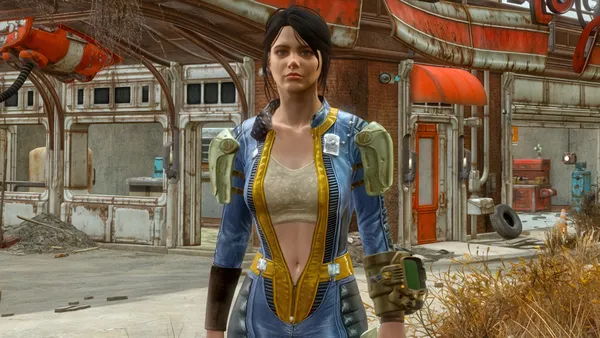
Understanding Fallout 4 CBBE Curvy Options
Vanilla Fallout 4 character models have a specific art style dictated by Bethesda, but CBBE completely replaces the default meshes and textures with a high-resolution, highly customizable alternative. When you install CBBE, the FOMOD installer gives you several shape options, including Slim, Vanilla, and Curvy.
The curvy preset adjusts the skeletal weighting and mesh geometry to provide a more pronounced, hourglass-like frame. It remains compatible with the vast majority of vanilla clothing out of the box, provided you build the outfits to match the new body shape using Bodyslide and Outfit Studio.
Prerequisites and Required Tools
Before you dive into downloading presets and tweaking meshes, you need to ensure your modding setup is stable and up to date. Fallout 4 has undergone several updates, so checking your game version is critical.
- A Mod Manager: Use Vortex or Mod Organizer 2 (MO2) to manage your load order and file installations cleanly.
- Fallout 4 Script Extender (FSE/F4SE): Essential for advanced physics and interface mods.
- BodySlide and Outfit Studio: This tool is mandatory if you want your armor and clothing to fit the curvy body shape without clipping or distortion.
- Address Library for F4SE: Keeps your DLL-based plugins working correctly across game updates.
Step-by-Step Installation Guide
Installing the CBBE curvy preset is a straightforward process if you follow the correct sequence. Take your time to configure each tool properly to avoid texture glitches or invisible body parts.
1. Download and Install CBBE
Head over to Nexus Mods and download Caliente's Beautiful Bodies Enhancer. Install it through your mod manager. When the FOMOD installer pops up, make sure to select the Curvy option rather than Slim or Vanilla. You can also choose whether you want underwear variants or nude variants depending on your preference and game rating goals.
Video: Fallout 4 (mods) - Spotlight On: (Official) Caliente's Beautiful Bodies Enhancer -CBBE- Curvy AIO
2. Install BodySlide and Outfit Studio

Download BodySlide and Outfit Studio and install it either manually into your Fallout 4 data folder or managed via your mod manager (MO2 handles this exceptionally well by keeping BodySlide files virtual). BodySlide is what actually applies the curvy mesh dimensions to every single outfit in the game.
3. Configure BodySlide for the Curvy Preset
Launch BodySlide through your mod manager. Follow these steps to generate your meshes:
- In the Preset dropdown menu, select CBBE Curvy (or a custom community preset based on it).
- In the Outfit dropdown, you can select individual outfits, or click the Batch Build button to process all installed armor and clothing at once.
- Check the box that says "Build Morphs" if you want to retain in-game slider functionality during character creation.
- Click Build. BodySlide will overwrite or generate the necessary mesh files so that every armor piece matches your curvy body choice.
Adding Physics and Advanced Customization
To take your character model to the next level, many players pair the CBBE curvy body with physics engines. This adds realistic movement to the character model.
You will need to install Advanced Physics (CBBE) or similar physics-enabled body meshes, alongside CBP Physics or OBody NG. OBody NG is particularly useful because it allows NPCs in the Wasteland to use different body presets dynamically, ensuring consistency across the game world rather than just applying the curvy shape to your sole survivor.
Troubleshooting Common Issues
Even with careful installation, minor issues can occur. Here is how to fix the most frequent problems associated with body replacer mods:
- Neck Seams or Hand Gaps: This usually happens when texture paths mismatch or you forgot to run BodySlide after updating a mod. Re-run Batch Build in BodySlide.
- Clipping Armor: If certain modded outfits clip through the body, open BodySlide, select that specific outfit, and tweak the sliders or check if a dedicated CBBE patch is available from the outfit's original mod page.
- Invisible Body: Ensure your archive invalidation is active. Most modern mod managers handle this automatically, but vanilla installations require edits to the
Fallout4Custom.inifile.
Conclusion
Setting up the Fallout 4 CBBE curvy body preset transforms the visual fidelity of character models in the Commonwealth. By combining CBBE with BodySlide and proper physics tools, you gain total control over your character's appearance while ensuring armor and clothing fit seamlessly. Always remember to re-run your batch builds whenever you install new armor mods to keep everything looking polished and immersive.