Gimkit Codes That Always Work: The Real Truth
If you have spent any time scouring Reddit, TikTok, or YouTube looking for gimkit codes that always work, you are definitely not alone. Millions of students and gaming enthusiasts love Gimkit's fast-paced, high-stakes game modes—like Floor is Lava, Trust No One, and Snowbrawl—and want to jump into matches whenever they have free time.

However, when you punch in codes copied from months-old videos or cheat forums, you almost always run into the exact same frustrating alert: "Invalid Code" or "Game Not Found."
To save you hours of wasted time, this guide breaks down why static PINs do not exist, how Gimkit's live room architecture actually works, and the four proven, legitimate ways you can play Gimkit right now without relying on expired codes.
The Truth About Gimkit Codes That Always Work
Here is the short, honest answer: there is no such thing as a universal, permanent Gimkit game code that always works.
Anyone on YouTube or social media claiming to have an "unlimited 24/7 working Gimkit PIN" is either mistaken or using clickbait to earn views. The way Gimkit is engineered makes static, forever-active join codes technically impossible.
How Gimkit Game PINs Function
Gimkit relies on dynamic, session-based matchmaking designed primarily for classrooms and private groups:
- Temporary Generation: When an educator or game host selects a kit and launches a game mode, Gimkit's servers generate a unique 5- or 6-digit room token.
- Strict Host Dependency: That code remains valid only as long as the host keeps that specific lobby open and active on their screen.
- Instant Expiration: The moment the host ends the game, closes their browser tab, or logs out, the code is permanently deactivated. The server terminates the instance, and the code immediately becomes invalid.
- Code Recycling: Gimkit periodically recycles random numeric combinations. A 6-digit code that worked for a fifth-grade math class on Tuesday morning will not connect to that game on Wednesday night.
Beware of Scam Code Generators
Avoid websites claiming to offer "Gimkit Code Generators" or software downloads that promise to "hack" you into active games. These sites often host malicious scripts, ad-trackers, or phishing forms designed to steal your credentials or infect your device with malware. Gimkit runs on secure, authenticated WebSockets; third-party websites cannot create functional private rooms on your behalf.
4 Real Ways to Play Gimkit Anytime Without a Teacher Code
While you cannot rely on permanent PINs, you do not have to wait for your teacher to start a game in class. Here are four legitimate ways to jump into a game whenever you want.
1. Host Your Own Free Game (Solo or With Friends)
Many players do not realize that anyone can create a free basic Gimkit account—you do not need to be a certified educator. Hosting your own private lobby takes less than sixty seconds:
- Visit gimkit.com and click Sign Up.
- Choose a free personal account using your Google account or email address.
- Head to the Kits tab and browse thousands of public, user-created question sets covering pop culture, anime, video games, trivia, or academics.
- Select a kit, click Play Live, and pick your preferred game mode.
- Gimkit will generate your own unique room code on screen.
You can share this PIN with your friends or classmates to run your own custom private match. If you want to play alone to test weapons, upgrades, or map layouts, open an incognito browser window, head to gimkit.com/join, enter your host code, and play solo against the game clock.

2. Play Asynchronous Gimkit Assignments
If you want to practice answering questions and earning in-game cash on your own schedule without a ticking live lobby clock, use Gimkit Assignments.
When an assignment is created, it does not use a fleeting numeric PIN. Instead, it generates a persistent direct URL. These links stay active for days, weeks, or indefinitely until the creator manually deletes the task. If you are a student, ask your teacher if they can publish kits as open-ended practice assignments so you can log in and play at home at your own pace.
3. Explore Gimkit Creative
Gimkit Creative is one of the platform's most powerful additions. Similar to Fortnite Creative or Roblox Studio, this tool allows creators to build custom maps, top-down adventure games, obstacle courses, and puzzle chambers using visual scripting.
You can access Gimkit Creative maps directly from your dashboard. Because many creative maps are built for solo exploration or sandbox testing, you can jump in and practice movement mechanics, custom devices, and terrain navigation without needing an active classroom code.
4. Join Gimkit Communities on Discord and Reddit
If your goal is to play live multiplayer modes against real people outside school hours, the best strategy is joining organized online communities:
- Subreddits: Communities like
r/gimkitfrequently feature players scheduling casual evening matches. - Student & Gaming Discord Servers: Many gaming and study Discord groups maintain dedicated channels where members ping each other when launching public lobbies.
Because these games are hosted live by community members, the codes shared in real-time chat channels work immediately upon posting. Just make sure to enter the lobby within a few minutes before the host locks the player limit or hits start.
How to Join a Live Gimkit Game Step-by-Step
Once you acquire a legitimate, recently generated PIN from a host, joining takes only a moment:
- Open any standard web browser (Chrome, Safari, Edge, or Firefox).
- Navigate directly to gimkit.com/join.
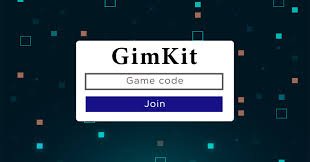
- Type the 5- or 6-digit game code into the input field. Do not include spaces or hyphens.
- Click Join.
- Enter an appropriate screen name or select your Gimkit avatar if prompted.
- Wait in the lobby until the host presses the button to launch the game.
Troubleshooting Gimkit Code Errors
If you receive a legitimate code from a host but still cannot enter the lobby, work through this quick checklist to resolve the issue:
- Check for Transposed Numbers: Many numbers look identical at a quick glance (such as 0 and O, or 1 and 7). Double-check every digit against the host's screen.
- The Host Already Started or Locked the Lobby: Some Gimkit modes (especially mystery-style games like Trust No One) automatically lock entry once the match begins to prevent disruption. Ask the host if the lobby was closed.
- Clear Your Browser Cache: Occasionally, corrupted cache data causes Gimkit's web app to fail its WebSocket handshake. Open an incognito window or clear your browser data and try again.
- Disable Aggressive Ad Blockers: Heavy script-blocking extensions can prevent Gimkit from establishing a connection with its game servers. Whitelist
gimkit.comin your extension settings. - School Network Restrictions: Some school Wi-Fi firewalls block real-time gaming protocols. If you are on a restricted school connection, disconnect and test on standard mobile data or home internet.
Final Takeaway
Searching for static gimkit codes that always work is ultimately a dead end because Gimkit's software architecture relies on temporary, secure session tokens. Rather than wasting time on outdated forums or misleading videos, the fastest way to play is to set up a free account and host a match yourself, complete an open assignment, or join active community hubs where players share fresh live codes every day.