Guide to Xfinity My Account: Login, Billing & Features
Managing your home internet, TV, and mobile services doesn't require waiting on hold with customer support. Using the xfinity my account platform—available through your web browser or the unified mobile app—you can handle billing, monitor data caps, troubleshoot connectivity issues, and manage connected devices in minutes. While Comcast recently consolidated its customer tools into a single ecosystem, the core account management features remain straightforward once you know where to look.
How to Access and Log In to Xfinity My Account
Comcast previously maintained a standalone app called "Xfinity My Account." In early 2023, the company retired that separate app and merged its features into the primary Xfinity app. Today, you can access your account through two main channels:
- Web Browser: Navigate to
xfinity.comand click Sign In in the upper right corner, or go directly toaccount.xfinity.com. - Mobile App: Download the unified Xfinity app (available on iOS and Android). The old "My Account" app icon is no longer functional.
What You Need to Sign In
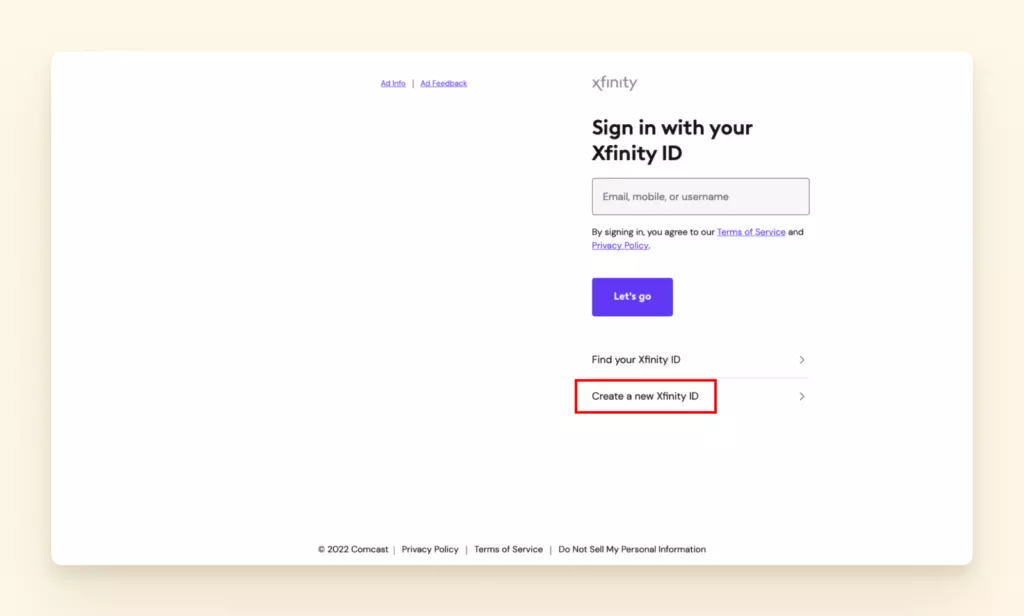
To access your account dashboard, you will need your Xfinity ID, which can be your verified email address, mobile phone number, or customized username. If you have forgotten your credentials, click the "Find your Xfinity ID" or "Reset your password" links on the login screen. Comcast will send a verification code to the mobile number or recovery email listed on your profile.
Key Features Available in Your Account Dashboard
Once signed in, the dashboard acts as the central control room for your subscription. Here are the primary tools available to you:
1. Billing and Payments
Billing is the most frequently used section of the portal. From the billing tab, you can:
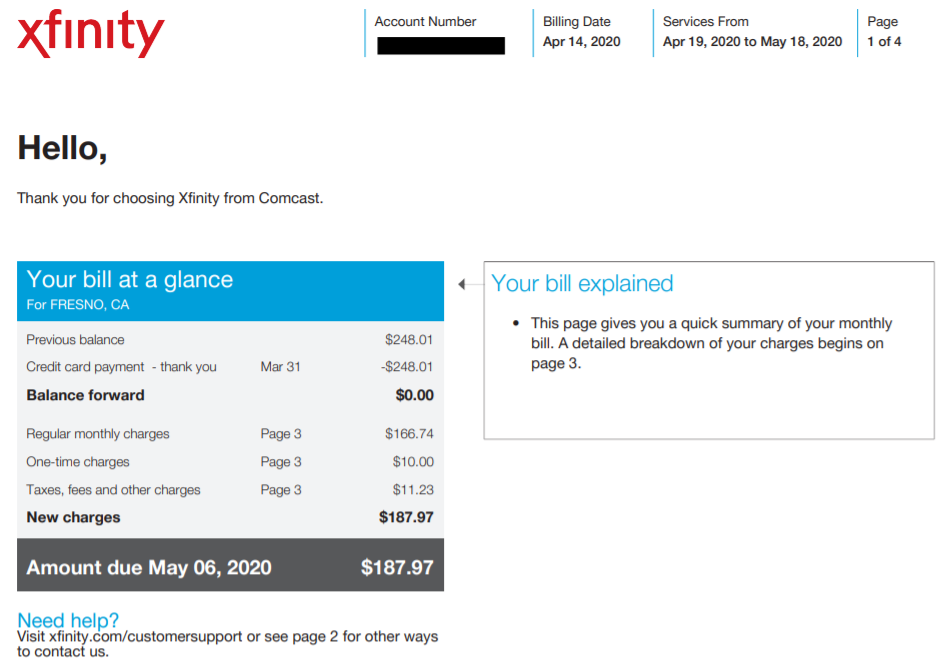
- View current and past statements: Download PDF copies of bills from the past 24 months to inspect line-item charges, taxes, and fees.
- Make a one-time payment: Pay your balance using a checking account, debit card, or major credit card.
- Enroll in AutoPay and Paperless Billing: Setting up automatic payments via bank draft (ACH) or debit card can qualify your account for a recurring monthly discount (typically $5 to $10 per month, depending on your plan and payment method).
- Set up payment arrangements: If you are experiencing financial difficulties, the portal allows you to request a payment extension before service interruption occurs.
2. Network Troubleshooting and Outage Detection
Before calling technical support when your internet drops, check the account dashboard. The system automatically scans your address for local network disruptions.
If an outage is detected in your neighborhood, a status banner will display the estimated resolution time. You can also opt in to receive real-time SMS updates as technicians work on local lines. If there is no reported outage, you can send a remote signal from your dashboard to restart your xFi Gateway or modem, which resolves the majority of temporary connectivity drops.
3. Data Usage Monitoring
In many service regions, Xfinity enforces a 1.2 TB (Terabyte) monthly data plan. Going over this limit incurs automatic overage charges ($10 per 50 GB block, up to a maximum of $100 per month).
Your dashboard includes an interactive usage meter under the Internet tab. It displays your day-by-day consumption and tracks how many "courtesy months" (grace allowances for exceeding the cap) remain on your account. If your household regularly streams 4K video, downloads large game patches, or works with heavy cloud backups, monitoring this meter helps you decide whether upgrading to an unlimited data tier or xFi Complete makes financial sense.

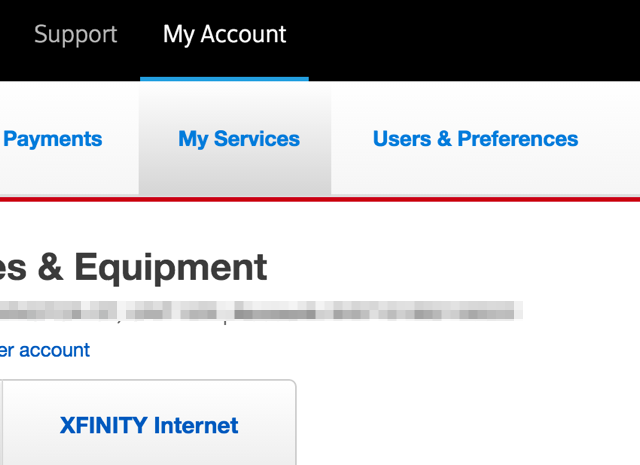
4. Wi-Fi and Equipment Control
If you lease an xFi Gateway from Comcast, your account dashboard gives you granular control over your home Wi-Fi network:
- View and change your network name (SSID) and Wi-Fi password without accessing a local router admin page (192.168.0.1).
- Assign connected devices to specific family members.
- Set parental controls, content filters, and scheduled downtime for specific devices.
- Activate replacement TV boxes, modems, or xFi Pods through step-by-step guided installation workflows.
Troubleshooting Common Login and Access Issues
Occasionally, users encounter friction when attempting to sign in to their profile. Below are targeted fixes for the most common account hurdles.
Looping Sign-In Screens
If entering your credentials simply refreshes the page or returns you to the login screen without an error message, your browser's stored cache and cookies are likely corrupted. Clear your browser cache or open an incognito/private browsing window to bypass the redirect loop. Alternatively, test the connection via the mobile Xfinity app.
Two-Step Verification Bottlenecks
Xfinity mandates multi-factor authentication for sensitive account changes. If you do not receive the SMS verification code, ensure your phone has carrier coverage and is not blocking automated short-code numbers. If you have previously linked a backup personal email, select "Try another way" to receive the code via email instead.
"Access Denied" or Account Linking Errors
Customers who recently moved or had previous Comcast service under a different address often see an authorization error. This occurs when an old, inactive account number remains linked as the "primary" record on your Xfinity ID. To fix this, click on your profile icon, navigate to Account Management, and verify that your current active service address is set as the default profile.
User Roles and Account Security Best Practices
You can share access to your network and subscription without giving everyone full financial authority. Xfinity supports four user permission tiers:
- Primary: The account owner. Has complete control over billing, service changes, adding users, and closing the account.
- Manager: Can pay bills, manage equipment, and schedule technician appointments, but cannot transfer ownership or cancel services.
- Member: Can view bills, manage basic Wi-Fi settings, and access streaming apps (like Xfinity Stream).
- Viewer: Restricted to using Xfinity Stream and checking basic account status without viewing billing details.
To safeguard your account, review the registered users list once or twice a year. Remove outdated secondary profiles and ensure every user has their own distinct mobile number and two-step verification method configured.
Getting the Most Out of Self-Service
Taking a few minutes to familiarize yourself with your account settings saves time and money. By scheduling automated payments, reviewing monthly data habits, and running automated signal checks during network slowdowns, you can bypass call queues and maintain complete control over your home entertainment and internet services.