HealthyBenefitsPlus/Humana: Card & Benefits Guide
If you are enrolled in select Humana Medicare Advantage or Dual Eligible Special Needs Plans (D-SNP), your plan may include an allowance for groceries, over-the-counter (OTC) health products, or utility bills. Managing these funds is straightforward through the dedicated portal at healthybenefitsplus/humana. This benefit program, administered in partnership with Solutran, puts money back into your pocket every month or quarter, helping you maintain a healthy lifestyle on a fixed budget.

However, getting started can sometimes feel overwhelming if you are unsure how to activate your card, find eligible items, or locate participating grocery stores and pharmacies. This guide walks you through every step of the process so you never leave valuable healthcare dollars on the table.
How to Register and Activate at HealthyBenefitsPlus/Humana
Before you can use your allowance at a store register or online, you must activate your benefit card. Humana mails this prepaid card to qualifying members shortly before their plan effective date or right after enrollment.
Follow these steps to activate your card online:
- Visit the official portal: Open your web browser and navigate to the official portal page at healthybenefitsplus.com/humana.
- Select 'Activate Card': Click on the activation prompt on the homepage.
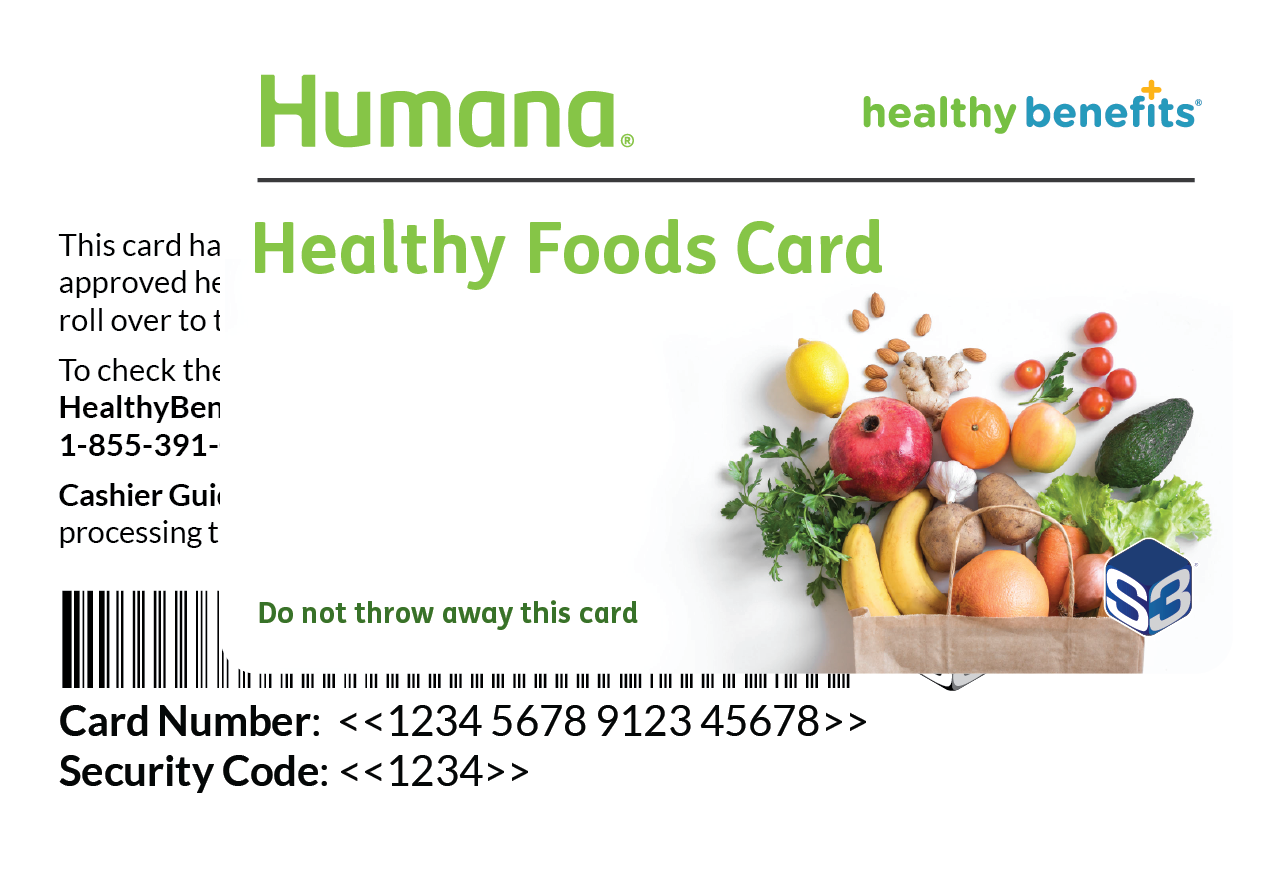
- Enter your card details: You will be prompted to enter the 16-digit or 17-digit card number located on the front of your benefit card, along with your security code (CVV) and date of birth.
- Create an online account: Once identity verification is complete, set up a username and a strong password. You can also link an email address or mobile number to receive balance alerts and transaction receipts.
If you prefer not to use a computer or smartphone, you can activate your card over the phone by calling the toll-free customer service number printed on the back of your card. Automated phone systems are typically available 24/7 for activation.
What Can You Buy With Your Humana Benefit Card?
Your exact purchasing power depends on your specific Humana plan. Dual-eligible plans designed for individuals with both Medicare and Medicaid often offer broader allowances than standard Medicare Advantage plans. Generally, your benefits fall into two primary categories:
1. Healthy Food and Groceries
If your plan includes a Healthy Options or grocery allowance, you can purchase qualifying pantry and refrigerated essentials. The program emphasizes nutritious items, including:
- Fresh, frozen, and canned fruits and vegetables
- Fresh meats, poultry, and seafood
- Dairy products such as milk, yogurt, and cheese
- Whole-grain breads, pasta, and cereals
- Beans, nuts, and healthy cooking oils
- Bottled water and 100% fruit juices
Note: Non-nutritious items such as candy, sodas, tobacco, alcohol, and pre-packaged bakery desserts are strictly excluded from the grocery benefit.
2. Over-the-Counter (OTC) Health Products
Most Humana members with Healthy Benefits+ access have an allowance dedicated to everyday medical and wellness supplies. Common eligible OTC items include:

- Pain relievers (aspirin, acetaminophen, ibuprofen)
- Cold, flu, and allergy medications
- Vitamins, minerals, and dietary supplements
- First aid supplies (bandages, antiseptics, antibiotic ointments)
- Oral health care (toothpaste, toothbrushes, denture adhesive)
- Incontinence supplies and digestive health aids
- Blood pressure monitors and diabetic care accessories
Where Can You Use Your Card?
Humana has partnered with thousands of retail locations nationwide. You cannot use your card at unapproved independent corner stores; transactions must take place at certified retail partners capable of scanning eligible universal product codes (UPCs).
Popular participating retailers include:
- Walmart: In-store at customer checkouts and online for eligible grocery and OTC orders.
- Walgreens and Duane Reade: Nationwide access for OTC health and personal care items.
- CVS Pharmacy: In-store OTC purchases (excluding target-based mini-clinics in some areas).
- Supermarket Chains: Kroger, Albertsons, Safeway, Food Lion, Dollar General, and Family Dollar (participating locations vary by region).
You can use the store locator tool inside your online account or mobile app to view certified retailers near your ZIP code.
How to Check Your Balance and Track Spending
Keeping track of your remaining funds ensures you do not encounter awkward declines at checkout. Your balance does not always roll over from month to month or quarter to quarter, so staying informed helps you spend every available dollar before it expires.
You can verify your current balance in three convenient ways:
- The Mobile App: Download the Healthy Benefits+ mobile app on iOS or Android. Log in with the credentials created during registration to view your live balance in real time. The app also features a handy barcode scanner that lets you scan items in the store aisle to confirm whether they are eligible before reaching the register.
- Online Portal: Sign in to the portal via your desktop or mobile browser. Your account summary page highlights your current available balance, recent transactions, and benefit renewal dates.
- Phone Inquiry: Call the balance inquiry phone line listed on the back of your card. Follow the automated prompts to hear your remaining funds without waiting for a live agent.
Tips for a Seamless Checkout Experience
Using an allowance card works slightly differently than using a standard credit or debit card. Keep these practical tips in mind to avoid common checkout hurdles:
- Separate your items: While modern point-of-sale systems automatically identify eligible items, separating your approved groceries and OTC products from non-eligible household goods (like paper towels or pet food) makes tracking easier.
- Swipe your card first: Always swipe or scan your Humana benefit card before paying for the rest of your basket. The terminal will automatically deduct eligible items up to your available balance.
- Have a second payment method ready: If your purchase total exceeds your benefit balance, or if you are buying non-approved goods, you must pay the remaining amount using cash, a personal debit card, or a credit card.
- Select 'Credit' at the register: If the card terminal asks for a PIN and you have not configured one, press the green enter button or select "Credit" to bypass the prompt.
Troubleshooting Common Card Issues
If your card is declined at checkout, do not panic. The issue is usually tied to one of a few common factors:
- Unapproved Items: Even a single brand discrepancy can disqualify an item. For example, generic acetaminophen might be covered while a specific brand-name liquid cap is not. Use the in-app scanner to verify items beforehand.
- Exceeded Allowance: If your purchase amount is higher than your remaining monthly balance and the register does not support split-tender transactions automatically, the transaction may decline entirely. Ask the cashier to total only the covered items.
- Unactivated Card: If you recently received a replacement card in the mail, your old card is permanently deactivated, and the new card must be activated online or by phone before use.
If you continue to experience technical difficulties or notice discrepancies in your account statement, reach out directly to Humana Customer Support or call the dedicated Healthy Benefits+ member service line printed on the back of your card for assistance.