How to Book Your CVS COVID Shot Appt Online
How to Book Your CVS COVID Shot Appt Online

Staying up to date with your immunizations is one of the most effective ways to protect yourself and your community against severe illness. If you are looking to get your latest booster or initial series, scheduling a CVS COVID shot appt is a straightforward process that can be completed entirely online in just a few minutes. Whether you prefer using a desktop computer or your smartphone, CVS Pharmacy makes vaccine access convenient through its digital scheduler.
In this guide, you will learn how to navigate the scheduling system, what documentation you need to bring, and what to expect during your pharmacy visit.
Step-by-Step Guide to Scheduling Your Appointment
The easiest way to secure a vaccination time is through the CVS website or the official CVS Pharmacy mobile app. Follow these steps to lock in your slot:
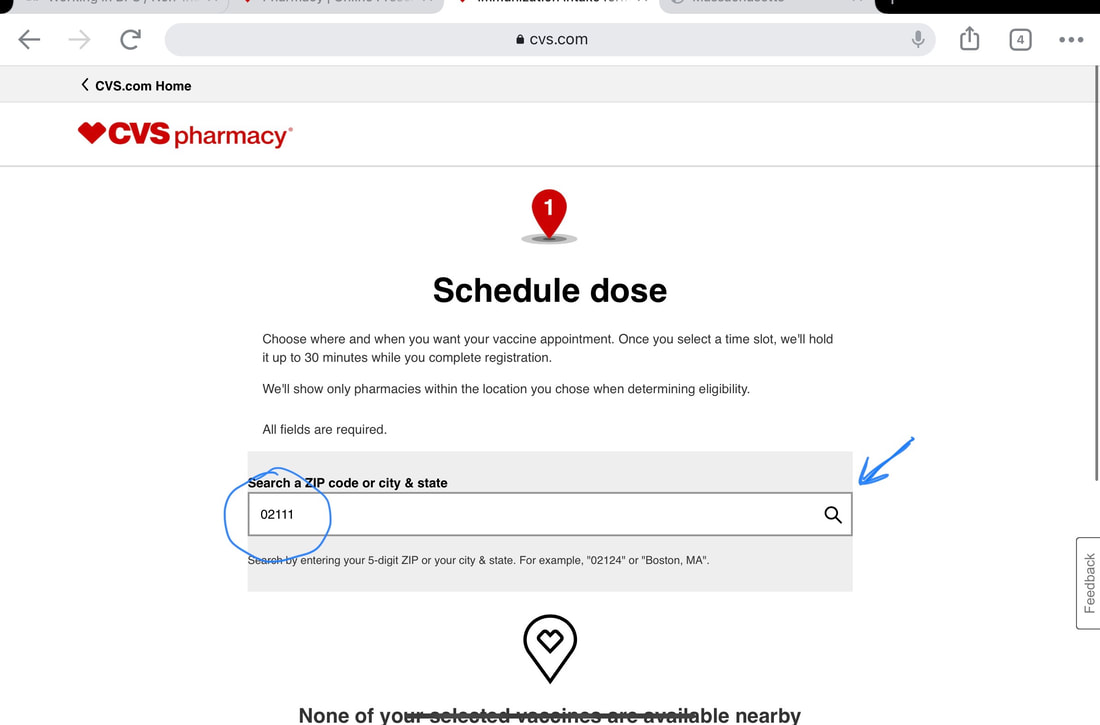
- Visit the CVS Vaccine Scheduler: Go to the official CVS website and navigate to the immunization section, or open the CVS app on your mobile device.
- Enter Your Location: Input your ZIP code to find nearby CVS Pharmacy or MinuteClinic locations with vaccine availability.
- Select the Vaccine: Choose the appropriate COVID-19 vaccine option based on current public health recommendations and your personal vaccination history.
- Answer Screening Questions: You will be asked a series of brief health and demographic questions to determine your eligibility and the correct dosage for your age group.
- Choose a Date and Time: Browse the available calendar slots and select a time that fits your schedule.
- Provide Personal and Insurance Details: Enter your contact information, date of birth, and health insurance or Medicare details. Most insurance plans cover the vaccine with zero out-of-pocket costs.
- Review and Confirm: Double-check your details and confirm the appointment. You will receive a confirmation email or text message containing a barcode, which you will need when you arrive.
Current Eligibility and Recommendations
Public health guidelines regarding COVID-19 boosters change as new variants emerge and immunity levels fluctuate. Generally, updated vaccines are recommended for everyone aged six months and older, though specific timelines depend on when you received your last dose.
Timing Your Vaccination
If you have recently had a confirmed case of COVID-19, you may choose to delay your vaccination by up to three months from the date of symptom onset or a positive test. However, this is a personal choice based on your individual risk factors. If you have questions about the ideal timing for your specific health situation, it is best to consult your primary care physician or speak directly with the immunizing pharmacist at CVS.
Video: Schedule Your Flu Vaccine Today | CVS Pharmacy

What to Bring to Your CVS COVID Shot Appointment
To ensure a smooth check-in process, make sure you arrive a few minutes before your scheduled time with the following items:
- Your Confirmation Message: Bring the email or text message confirmation containing your appointment barcode.
- Photo ID: A driver's license, state ID, or passport to verify your identity.
- Insurance Cards: Bring your primary health insurance card, prescription card, and Medicare or Medicaid card if applicable.
- Vaccine Card (Optional): While paper CDC cards are no longer actively used to track every single booster, bringing your old card or digital vaccination record can help the pharmacist review your history.
Insurance Coverage and Costs
For most individuals with health insurance—including commercial plans, Medicare Part B, and Medicaid—the COVID-19 vaccine is covered as a preventive care benefit, meaning you will likely pay $0 out of pocket.
If you are uninsured, CVS may participate in federal or state bridge access programs depending on current funding and availability, or you may need to check for local health department alternatives that offer low-cost or free vaccines. It is always recommended to check with your insurance provider prior to your appointment to verify your specific coverage details.
Tips for a Smooth Pharmacy Visit
To make your trip to CVS as quick and comfortable as possible, keep these practical tips in mind:
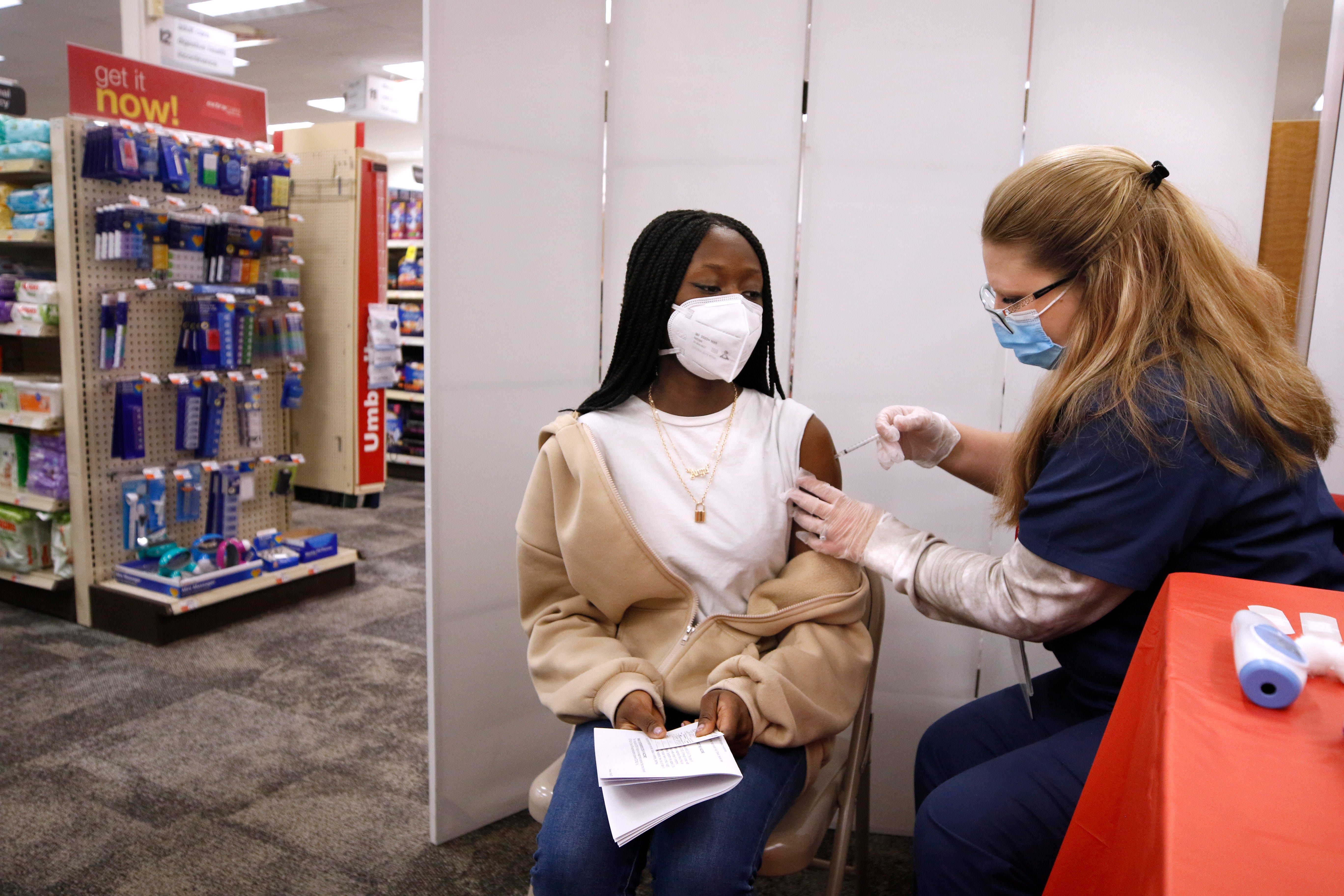
- Wear Loose Clothing: Choose a short-sleeved shirt or clothing that allows the pharmacist easy access to your upper arm.
- Stay Hydrated: Drink plenty of water before and after your appointment to help minimize common side effects like fatigue or mild dizziness.
- Plan for Rest: While most people feel fine, some experience mild side effects such as a sore arm, low-grade fever, or fatigue for 24 to 48 hours after the shot. Consider scheduling your appointment when you have a light day ahead.
By taking a few minutes today to set up your CVS COVID shot appt, you can protect your health and gain peace of mind for the seasons ahead.