How to Call for a UPS Pickup Quickly & Easily
Understanding Your UPS Pickup Options
Shipping packages doesn't always require a trip to a UPS drop-off box or retail location. When you have heavy, bulky, or numerous boxes, having a driver come directly to your home or office is the most convenient option. Many people wonder whether they can simply call for a ups pickup or if online scheduling is mandatory. Fortunately, UPS offers flexible methods to request a collection, ensuring your items get on their way without disrupting your busy day.
Before you pick up the phone, it helps to understand that UPS provides both on-demand pickups and scheduled daily pickups. If you only ship occasionally, an on-demand pickup is your best bet. While scheduling online via the UPS website or mobile app is typically the fastest route, calling customer service remains a reliable alternative, especially if you have complex shipping needs or require special handling.
How to Call for a UPS Pickup by Phone
If you prefer speaking with a representative to arrange your shipment collection, the process is straightforward. However, you need to have specific information ready before you dial to ensure a smooth interaction and accurate pricing.
What Information to Have Ready
When you place a call to UPS customer service, the agent will ask for several key details to set up your pickup request:
- Tracking Numbers: Have your prepaid UPS shipping labels generated and ready. Each package or at least the master tracking number will be required.
- Exact Pickup Location: Provide the complete physical address, including suite numbers, building names, or specific instructions on where the driver should go (e.g., "reception desk" or "loading dock").
- Package Details: Know the total number of packages, their approximate weight, and their dimensions.
- Contact Information: A phone number and email address for whoever will be handling the handover.
- Ready Time and Close Time: Specify the earliest time your packages will be ready and the latest time the driver can arrive before your business or home closes.
The Phone Numbers to Use
In the United States, you can reach UPS customer service by calling 1-800-PICK-UPS (1-800-742-5877). Automated voice prompts will guide you through the menu, but you can say "Schedule a pickup" or press the corresponding number to speak with a live representative who can finalize your request.
Alternative Ways to Schedule a Pickup
Video: SCHEDULE UPS PICKUP TUTORIAL
While calling is helpful for troubleshooting or unique requests, many shippers prefer digital alternatives. You can bypass the phone queue entirely using the following methods:
- The UPS Website: Log into your UPS account, navigate to the "Shipping" tab, and select "Schedule a Pickup." Enter your tracking numbers, address, and preferred time slot.
- UPS Mobile App: Download the app on iOS or Android to manage shipments and request pickups directly from your smartphone.
- Shipping Platforms: If you use third-party shipping software like ShipStation, Pirate Ship, or Shopify, you can often schedule carrier pickups directly through their dashboards.
Understanding UPS Pickup Fees
One of the most important aspects of arranging a collection is knowing the associated costs. UPS does not always charge for pickups, but fees depend heavily on your account type and the service level chosen.
When Fees Apply
If you are using a standard, on-demand pickup without a recurring service agreement, UPS typically charges a flat-rate fee per pickup request, regardless of how many packages you hand to the driver. This fee is charged to your payment method on file or billed to your shipping account. Additionally, if you require a pickup during specific timed windows or outside normal business hours, surcharges may apply.
How to Avoid Pickup Fees
You can sometimes bypass these fees with a few strategic adjustments:
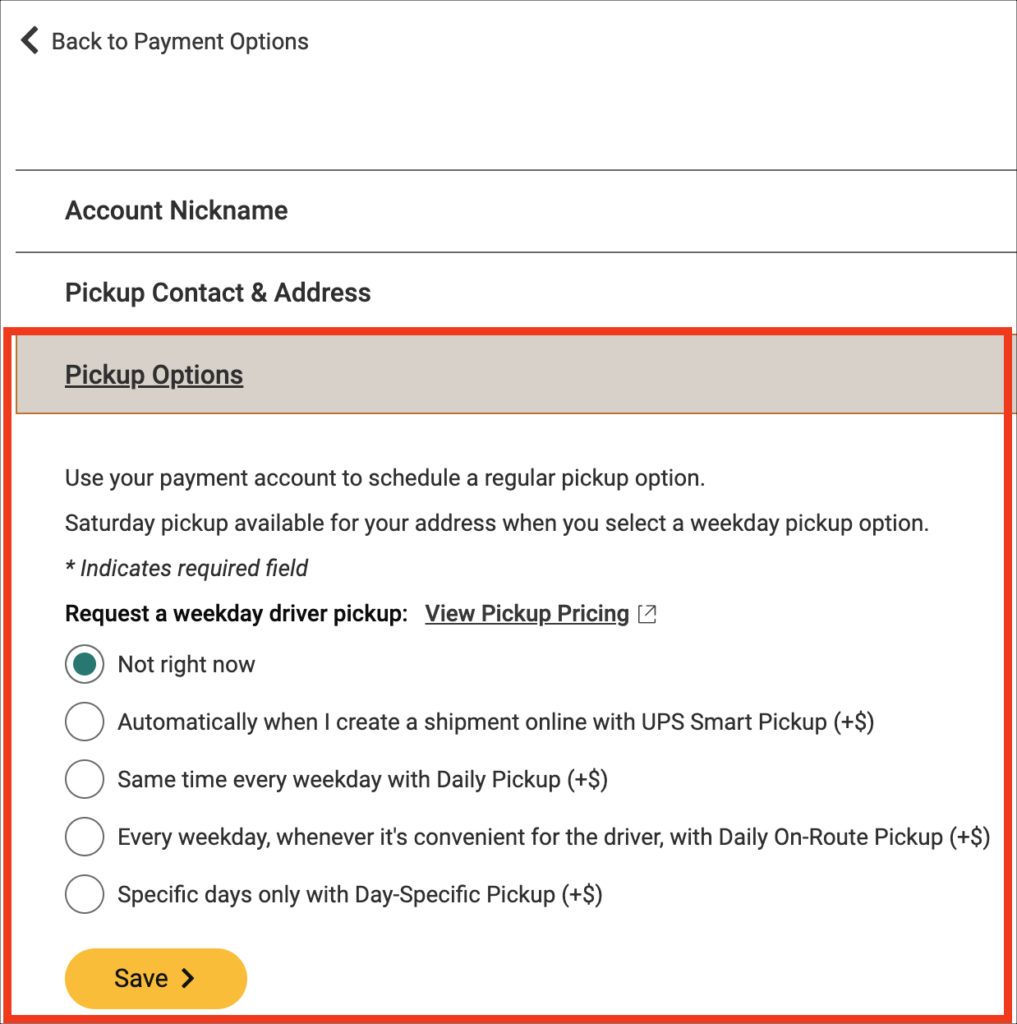
- Daily Pickup Accounts: If your business ships packages every single day, you can set up a scheduled daily pickup. While there is a weekly service charge, it is often more cost-effective than paying individual on-demand fees for high-volume shippers.
- Drop-Off Alternatives: If you only have one or two small packages, dropping them off at a The UPS Store, UPS Drop Box, or an authorized retail location (like Staples) is completely free of charge.
Tips for a Successful Package Pickup
To ensure your collection goes off without a hitch, follow these practical best practices once you have completed your request:
- Securely Seal All Boxes: Use quality packaging tape and ensure no old barcodes or labels are visible on the boxes.
- Attach Labels Properly: Every package must have a valid, scannable UPS shipping label firmly attached to the top surface.
- Be Ready on Time: Drivers operate on tight schedules. Have your packages staged near the designated pickup spot before your requested "ready time."
- Obtain a Receipt: If possible, ask the driver for a pickup record or scan confirmation, or track your shipment online later that day to confirm it has been scanned into the UPS network.
Whether you choose to call for a ups pickup or use the online portal, planning ahead ensures your packages transition smoothly from your doorstep to their final destination.