How to Cancel Aldi Order: Fast Step-by-Step Guide
Plans change, schedules shift, and sometimes you simply realize you forgot to add half your grocery list. If you just placed an order for grocery delivery or curbside pickup, knowing how to cancel aldi order details before a personal shopper begins packing your cart can save you both money and frustration.
Because Aldi partners directly with Instacart to fulfill both delivery and curbside pickup in the United States, managing your order depends heavily on the Instacart ordering infrastructure. Whether you placed your order through the Aldi app, the Aldi website (shop.aldi.us), or directly via the Instacart marketplace, the cancellation rules and interfaces are nearly identical.
Here is everything you need to know to cancel your order quickly, avoid unexpected cancellation fees, and get your money back.
The Golden Rule: Check Your Order Status First
Before attempting to cancel, you must determine where your order stands in the fulfillment pipeline. Aldi orders move through distinct stages, and your ability to cancel free of charge hinges on this status:
- Order Placed / Scheduled: A shopper has not been assigned or has not started picking items. You can cancel instantly with zero penalties or fees.
- Shopping in Progress: A personal shopper is currently walking the aisles scanning items. Canceling at this point may incur a cancellation fee (typically around $15) to compensate the shopper for their time.
- Out for Delivery / Ready for Pickup: The order is packed and either en route to your home or staged at the store. Standard self-service cancellation is usually blocked, requiring direct intervention from customer support.
Step-by-Step: How to Cancel Aldi Order Online
If your shopper has not yet started scanning items, canceling takes less than a minute. Follow these steps depending on the device you are using.
Canceling on the Aldi or Instacart Mobile App
- Open the Aldi app (or the Instacart app if you ordered directly through it).
- Tap the Account icon or the three horizontal lines (menu) in the navigation bar.
- Select Orders (or Your Orders) to view your order history.
- Tap on the active order you wish to cancel.
- Scroll down to the bottom of the order details screen and select Cancel Order.
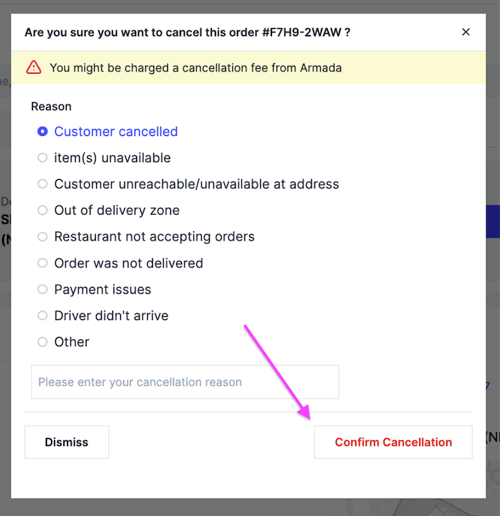
- The app will ask you to confirm your decision and may ask for a cancellation reason (e.g., "Placed order by mistake" or "Schedule changed"). Select your reason and confirm.
- You should immediately see an on-screen confirmation, followed by an email confirming the cancellation.
Canceling via a Desktop Web Browser
- Navigate to shop.aldi.us or instacart.com and log into your account.
- Click the Account button or your name in the top right corner of the page.
- Click on Your Orders from the dropdown menu.
- Locate the active order and click View Details.
- Look for the Manage Order or Cancel Order link (usually located under order details or at the bottom of the order receipt).
- Click Cancel Order, review any fee notices, and click confirm.
What Happens If the Shopper Has Already Started?
If you see a notification that your shopper is reviewing replacements or scanning items, the self-service "Cancel Order" button may either disappear or display a warning about a fee.
In most regions, canceling an order while shopping is actively underway results in a cancellation fee of up to $15. This fee covers the work the independent contractor has already completed. If you decide that paying the fee is preferable to receiving the groceries, proceed with the cancellation in the app.
However, if you only need to cancel because an essential item is out of stock, consider messaging your shopper directly through the in-app chat first. You can ask for alternate replacements, add items on the fly, or clarify product choices without scrapping the entire order.
Canceling Curbside Pickup vs. Delivery Orders
While both services utilize the same backend platform, there are subtle differences to keep in mind regarding timing and logistics.
Aldi Curbside Pickup
With curbside pickup, your groceries are staged in temperature-controlled holding areas (dry shelves, refrigerators, and freezers) inside the store until you arrive. If your pickup window has arrived and an emergency prevents you from getting to the store, do not panic immediately. Most Aldi locations will hold your staged order through the end of the scheduled pickup window, and often until the store closes for the evening.
If you know you cannot pick it up at all, contact support through the app to request an order cancellation. Depending on store policy, if an order is never retrieved and you make no contact, the order may be marked as abandoned, and you may be charged for perishable items or assessed a restocking fee.
Aldi Home Delivery
Delivery orders have much tighter time constraints. Once an order is loaded into the delivery driver's vehicle, it cannot be canceled through normal self-service means. If you are not home to receive a delivery that requires an attendance or signature (such as orders containing alcohol), the driver will attempt contact. If unsuccessful, the items are returned, and a return/cancellation fee will apply.
Aldi Refund Policy and Processing Times
When you place an order with Aldi online, a temporary authorization hold is placed on your debit or credit card. This hold is often slightly higher than your estimated total to account for potential weight adjustments (like produce or meat) and item replacements.
- Immediate Cancellations: If you cancel before shopping starts, the pending charge is simply released. Because the transaction was never settled, the hold typically drops off your account within 1 to 3 business days, depending on your financial institution.
- Settled Transactions: If your order was already charged and processed before being canceled via customer care, a formal refund is issued. Refunds typically take 3 to 5 business days to reflect on credit cards, while debit cards may take up to 7 to 10 days.
- Instacart Credits: In some customer support scenarios, you may be offered the option to receive an instant refund in the form of account credit, which applies immediately to your next purchase.
Troubleshooting: Can't Find the Cancel Button?
If you cannot find the option to cancel your order, you are likely in a time-sensitive window where the order has progressed past the automated cutoff. Here is how to handle it:
1. Use the In-App Help Chat
Go to your active order, tap Help in the upper corner, and select Contact Support. The automated virtual assistant can connect you with an Instacart care representative. Explain clearly that you need to cancel the order. If you have an extenuating circumstance (such as an app technical error or an extreme delivery delay caused by the platform), politely state your case; support agents have the discretion to waive cancellation fees in specific instances.
2. Check If Modifying the Order Solves the Problem
If your desire to cancel stems from an incorrect address, wrong delivery time, or forgotten items, you might not need to cancel at all. Prior to the shopping phase, you can freely edit your delivery window, update your drop-off instructions, or add/remove items from your cart without resetting the order.
Frequently Asked Questions
Can I cancel an Aldi order by calling my local store?
No. Individual Aldi store employees do not manage online order transactions, dispatch drivers, or handle billing. Calling your local store will not work because store personnel do not have access to the Instacart administrative software. All cancellations must be initiated through the app, the website, or Instacart customer support.
Can I reschedule my order instead of canceling it?
Yes. If you simply need more time, navigate to your order details while the order is still in the scheduled phase. Choose Reschedule Order and select a new pickup or delivery window that suits your calendar.
What happens if Aldi cancels my order?
Occasionally, an order may be canceled automatically due to severe weather, a lack of available shoppers, or an unexpected store closure. If Aldi or Instacart initiates the cancellation, you will receive an automatic full refund, including all delivery fees, service fees, and tips, with no penalty assessed to your account.