How to Easily Reset GE Stackable Washer Dryer
Understanding Why Your GE Laundry Center Needs a Reset

Modern GE stackable washer dryers are equipped with sophisticated electronic control boards that manage everything from water temperature to spin speeds. Like any computer, these control panels can occasionally experience glitches, power surges, or communication errors between the washer and dryer units. When this happens, buttons may stop responding, cycles might freeze mid-run, or the machine may display stubborn error codes.
Before you call an expensive repair technician, performing a simple system reboot can often resolve the issue. Whether you are dealing with a frozen control panel or a cycle that refuses to start, knowing how to reset ge stackable washer dryer units can save you time, money, and unnecessary frustration.
How to Reset GE Stackable Washer Dryer Units Safely
Most GE laundry centers do not feature a physical, dedicated "reset" button on the user interface. Instead, clearing the control board's memory requires a specific power cycle. Because stackable units are usually tightly fitted into closets or small utility spaces, you will want to follow these safety-first steps to reboot the system correctly.
Method 1: The Standard Power Cycle
The most reliable way to clear minor electronic glitches is to completely disconnect the appliance from its electrical source, allowing all residual voltage to drain from the internal capacitors.
- Cancel the current cycle: Press the "Pause/Cancel" button once or twice to ensure the machine stops trying to execute its current program.
- Unplug the unit: Pull the power cord out from the wall outlet. If your stackable unit is hard-wired or located in a tight space where the plug is unreachable, go to your home's circuit breaker panel and switch off the dedicated breaker for the laundry center.
- Wait patiently: Leave the unit completely unpowered for at least 1 to 5 minutes. This waiting period is crucial; it ensures the control board's memory is fully wiped clean.
- Restore power: Plug the power cord back into the wall outlet or flip the circuit breaker back to the "On" position.
- Test the machine: Open and close the door, select a simple cycle, and press start to verify normal operation.
Method 2: Clearing Error Codes and Lid/Door Locks
Sometimes a reset is necessary because the lid switch or door lock mechanism has failed to register correctly, trapping your clothes inside or preventing the machine from spinning.
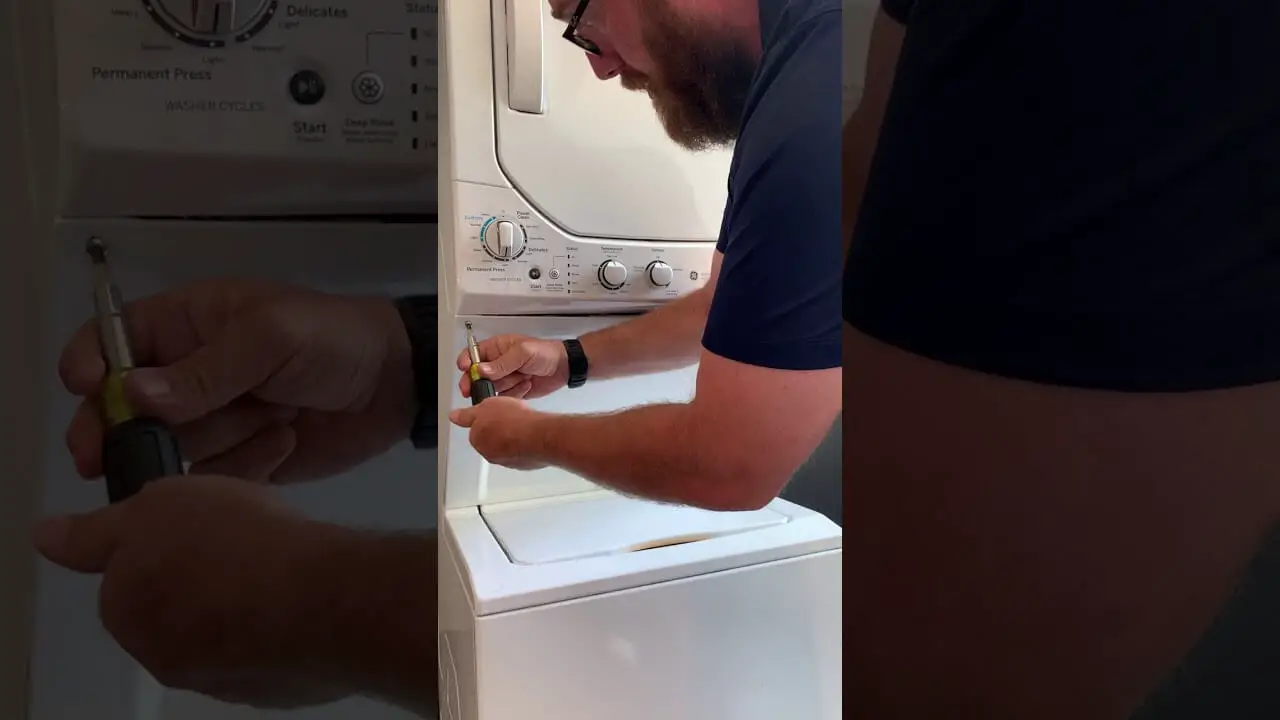
Video: GE Stackable Washer Dryer Computer Reset Part 1
Troubleshooting Common GE Stackable Error Codes
If resetting the unit temporarily fixes the problem but the issue returns, your appliance might be trying to tell you something specific. Pay attention to the digital display or blinking indicator lights.
E3 or F Error Codes
These typically indicate an off-balance load or a drainage issue. If your GE stackable washer stops mid-spin and displays an unbalanced load error, open the door, redistribute the clothing evenly, close the lid, and run a drain-and-spin cycle. If the code persists after a hard reset, check the drain filter for clogs or blockages.
Control Panel Completely Unresponsive
If none of the buttons light up or respond to touch:
- Verify that the child lock feature has not been accidentally activated. (Look for a padlock icon; usually, you can disable it by holding the "Soil Level" or "Extra Rinse" button for 3 seconds).
- Check the wall outlet by plugging a lamp into the same socket to ensure it is delivering power.
When to Call a Professional
While a manual power cycle successfully resolves about 80% of minor electronic hiccups in GE stackable laundry centers, it cannot fix hardware failures. If you have tried resetting the appliance multiple times and continue to experience burning smells, loud mechanical grinding noises, persistent water leaks, or error codes that immediately return, the issue likely lies with a failed component such as the water inlet valve, drive motor, or main control board.
Always consult your user manual for model-specific troubleshooting tips, and never attempt to dismantle internal electrical components while the appliance is plugged in.