How to File an Insurance Claim with Verizon
Accidents happen. Whether your smartphone took an unfortunate dive into a swimming pool, slipped out of your pocket onto concrete, or vanished from your bag, dealing with a broken or missing device is stressful. If you subscribe to Verizon's device protection program, the process of getting back online is relatively straightforward. Knowing how to **file an insurance claim with Verizon** correctly can save you both time and unnecessary frustration.
Understanding Your Verizon Device Protection Coverage
Before you jump online to request a replacement, it helps to know what your specific plan covers. Verizon partners with Asurion to administer its device protection options, which generally fall under plans like Total Mobile Protection, Verizon Protect, or Wireless Phone Protection.
Most comprehensive plans cover:
- Accidental damage (including liquid damage and cracked screens)
- Loss and theft
- Mechanical or electrical malfunctions occurring after the manufacturer's warranty expires
Keep in mind that coverage limits and monthly fees vary. Additionally, nearly every claim requires you to pay a non-refundable deductible or service fee, which ranges from around $10 for minor screen repairs up to $250 for high-end flagship smartphones.
Step-by-Step Guide to File an Insurance Claim with Verizon
When you are ready to start the process, you can do so entirely online in just a few minutes. Follow these steps to ensure a smooth transaction.
1. Gather Necessary Information
Before you visit the claims portal, have the following details ready to speed things up:
- Your Verizon mobile number and account owner login credentials
- The make and model of your device
- The serial number or IMEI (if you still have the box or purchase receipt, though Asurion can often look this up via your account)
- Details on what happened (date, time, and a brief description of the incident)
- A valid payment method for your deductible
2. Visit the Asurion Claims Portal
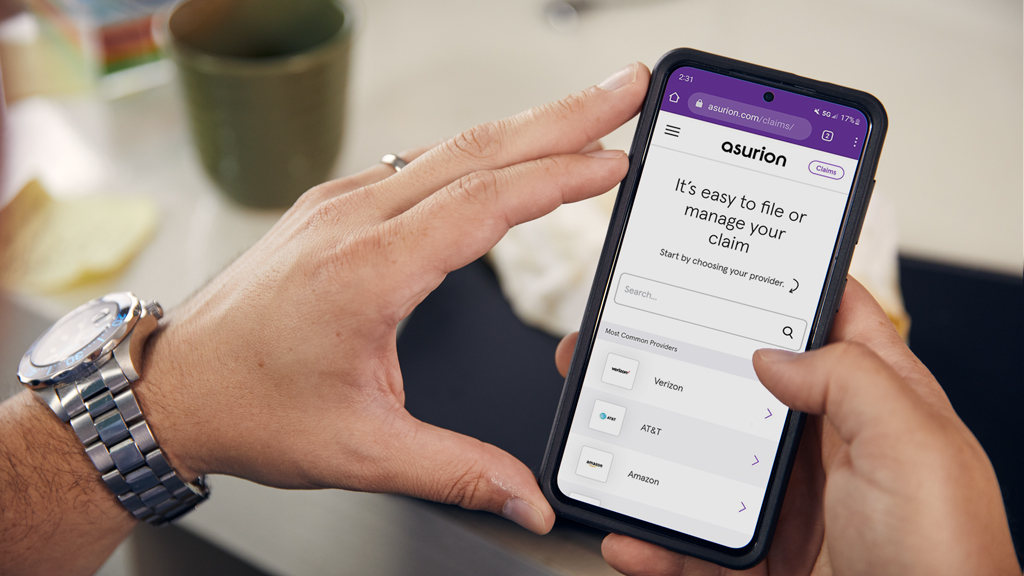
Verizon outsources its insurance processing to Asurion. To start your claim, go directly to the official Asurion claims portal designated for Verizon customers (phoneclaim.com/verizon) or log into your My Verizon app.
Sign in using your Verizon credentials. The system will automatically recognize the devices on your account and prompt you to select the specific phone or tablet that needs attention.
3. Select the Incident Type and Review Options
Select whether your device is lost, stolen, or damaged. The portal will display your available resolution options, which may include:
- Same-day local repair or replacement (available in select areas for specific models)
- Mail-in repair
- Standard replacement shipped to your address
Review the replacement device details. If your exact model is out of stock, Asurion will typically provide a comparable model of like kind and quality in the same color and storage capacity.

4. Pay Your Deductible
Once you select your fulfillment option, you will be prompted to pay the applicable deductible. You can use a credit card, debit card, or sometimes charge it directly to your next Verizon monthly bill, depending on account eligibility.
5. Submit Documentation (If Required)
In certain situations—particularly for lost or stolen devices—Asurion may require identity verification or proof that your device was active on your line right before the incident. Follow any on-screen prompts carefully to upload requested documents.
Important Deadlines and Rules to Keep in Mind
Timing matters when handling device insurance. If you wait too long, your claim might be denied outright.
Watch the Filing Window
Verizon and Asurion typically require customers to file a claim within 90 days of the incident (though limits can vary slightly depending on your state of residence). Do not wait months to report a lost or stolen phone, as you will lose your eligibility for a replacement.
Block Stolen Lines Immediately
If your phone was stolen, make sure you suspend your service and block the device IMEI through your My Verizon account before filing the claim. This prevents unauthorized usage and data breaches while your claim is being processed.
What Happens After You File?
Once your claim is approved and your deductible is paid, tracking information is usually generated within 24 hours. Replacement devices are often shipped overnight if the claim is approved early enough in the day.
If your original claim was for a damaged phone rather than a lost or stolen one, remember that you must return your broken device using the pre-paid shipping label provided in the replacement box. Failing to return the damaged phone within the specified timeframe (usually 10 to 15 days) will result in a hefty non-return fee charged to your account.
Alternative: Manufacturer Warranties and AppleCare
Before filing an insurance claim, check if your issue is covered under a standard manufacturer warranty or an extended plan like AppleCare+ or Samsung Care+. If your phone stopped working due to a internal defect and you are within the one-year manufacturer warranty window, a warranty replacement or repair might be completely free, saving you from paying an insurance deductible.