How to Find a Map of Home Depot Store Layouts
Walking into a warehouse-sized home improvement center without a plan can be overwhelming. Whether you are hunting for a specific PVC pipe fitting or the exact shade of exterior paint, navigating the cavernous aisles takes time. Having a mental model—or an actual map of a Home Depot store—can transform your shopping trip from a frustrating scavenger hunt into a quick, efficient errand.

While Home Depot does not typically hand out paper maps at the front entrance anymore, several digital tools, layout standards, and insider tricks will help you pinpoint your items instantly. Here is everything you need to know about mastering Home Depot store layouts.
Understanding the Standard Home Depot Store Layout
Despite regional variations in building size and inventory, almost every Home Depot in North America follows a remarkably consistent blueprint. Once you learn the general logic behind the floor plan, you can navigate almost any location with ease.
The Perimeter and Core Departments
Most Home Depot stores are organized into distinct zones. When you walk through the sliding automatic doors, you generally encounter:
- Front End & Customer Service: Located near the entrance, housing returns, tool rental, and checkout registers.
- Seasonal & Garden Center: Usually situated on one extreme side of the building (often the left or right wing), featuring live plants, patio furniture, grills, and bulk mulch outside.
- Center Aisles & Hardware: The heart of the store, containing nuts, bolts, hand tools, electrical supplies, and lighting.
- Lumber & Building Materials: Always anchored at the rear of the store. This allows flatbed trucks and large vehicles to load up easily via the contractor service yard.
How Aisle Numbering Works
Home Depot utilizes a logical numerical system for its aisles, though it can take some practice to read. Aisles typically run parallel from the front or middle of the store toward the back lumber wall.
As you walk from the center main aisle toward the outer walls, the aisle numbers progress sequentially. Furthermore, individual bays (sections within an aisle) are often labeled with letters from bottom to top or left to right, helping employees locate precise inventory down to the exact shelf.
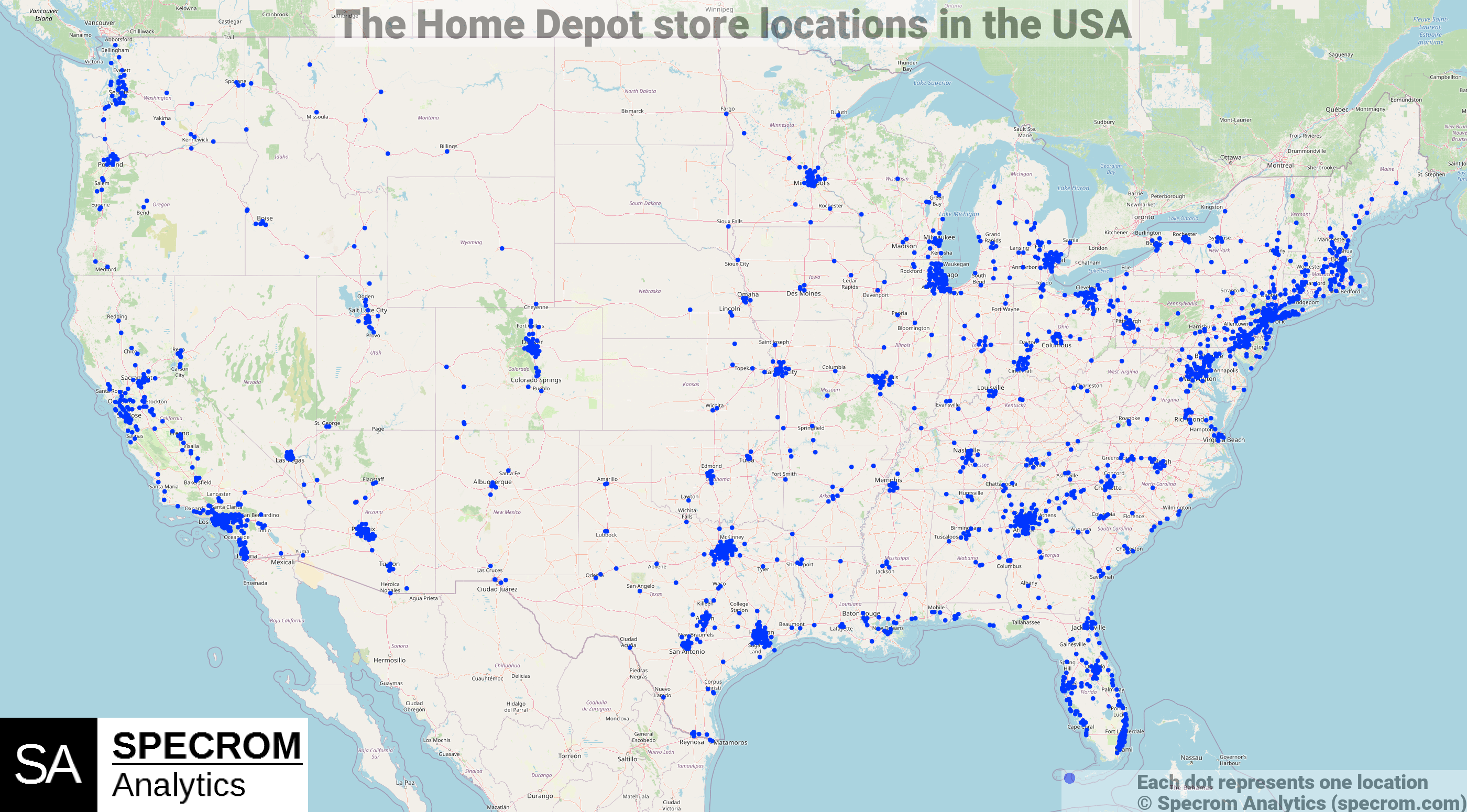
Video: Home Depot USA Expansion | Animated Map

How to Find a Digital Map of a Home Depot Store
If you prefer not to guess your way through the hardware aisles, you can pull up a store-specific map right on your smartphone before you even leave your car.
1. Use the Official Home Depot Mobile App
The single best tool for navigating any location is the official Home Depot app. It acts as a real-time GPS for the store. Here is how to use it:
- Download and open the app on your iOS or Android device.
- Set your preferred local store using your zip code.
- Search for the specific product you need (e.g., "dewalt cordless drill" or "3-inch PVC elbow").
- Look at the product page. It will display the exact aisle and bay number.
- Tap on the aisle location to open an interactive, overhead map of that specific store, which highlights the exact spot where the item sits.
2. Check the In-Store Overhead Signs
If your phone battery dies, look up. Home Depot hangs large, color-coded departmental signs high above the racking system. These signs are visible from almost anywhere in the main thoroughfares, guiding you toward plumbing, electrical, millwork, or flooring without needing a pocket-sized map.
Tips for Faster Shopping at Home Depot
Beyond knowing the layout, a few preparation habits will keep your trip moving swiftly:
- Check Stock Online First: Before driving to the store, check the website to confirm the item is actually in stock at your local branch. If it says "Limited Quantity," it might be sitting in an overhead bay rather than on the primary shelf.
- Know Your Project Needs: Store associates are incredibly helpful, but they can guide you faster if you bring the broken part, exact measurements, or a photo of what you are trying to replace.
- Utilize BOPIS (Buy Online, Pick Up In Store): For maximum efficiency, order your heavy or obscure items online. Home Depot staff will pull the items for you, and you can collect them at the front customer service desk without ever walking the aisles.
Mastering the geography of your local home improvement center takes just a little practice. By combining the official mobile app with an understanding of standard warehouse layouts, you can bypass the confusion and get straight to building.