How to Pay Sam's Club Bill: 5 Fast Methods
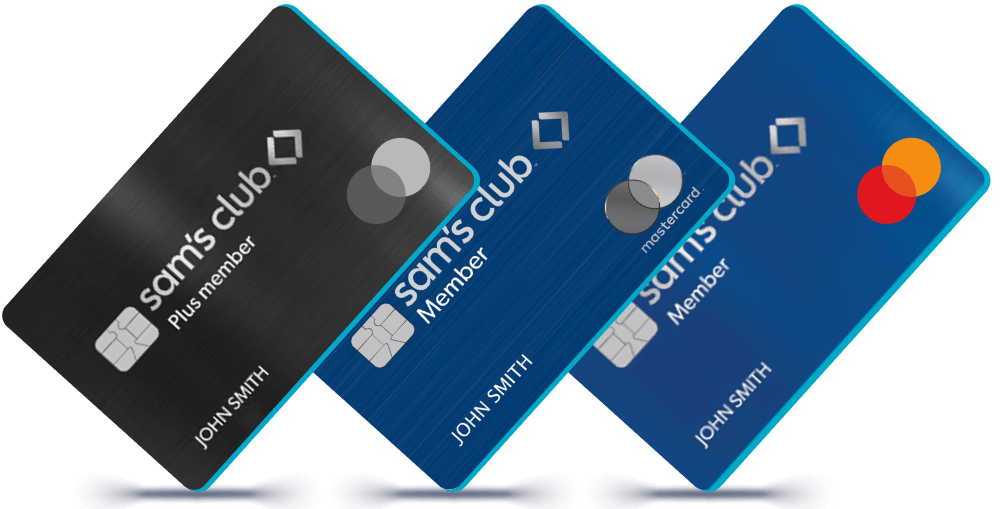
Managing warehouse club rewards and member perks is rewarding, but staying on top of your monthly statement balance is essential. Whether you hold the standard Sam's Club Credit Card or the cash-back Sam's Club Mastercard, you must pay Sam's Club bill balances by the due date to avoid late fees and maintain a healthy credit score. Because both cards are issued by Synchrony Bank, you have several flexible, secure ways to make your payment.
This comprehensive guide walks you through every payment channel available—including online, mobile app, phone, mail, and in-club member desks—so you can choose the method that best fits your routine.
5 Easy Ways to Pay Sam's Club Bill
Synchrony Bank provides multiple avenues for cardholders to submit monthly payments. Below are the specific steps and details for each option.
1. Pay Online via the Synchrony Bank Portal
Paying online is the fastest and most convenient method for most members. You can submit a one-time payment or schedule recurring payments directly from a checking or savings account.
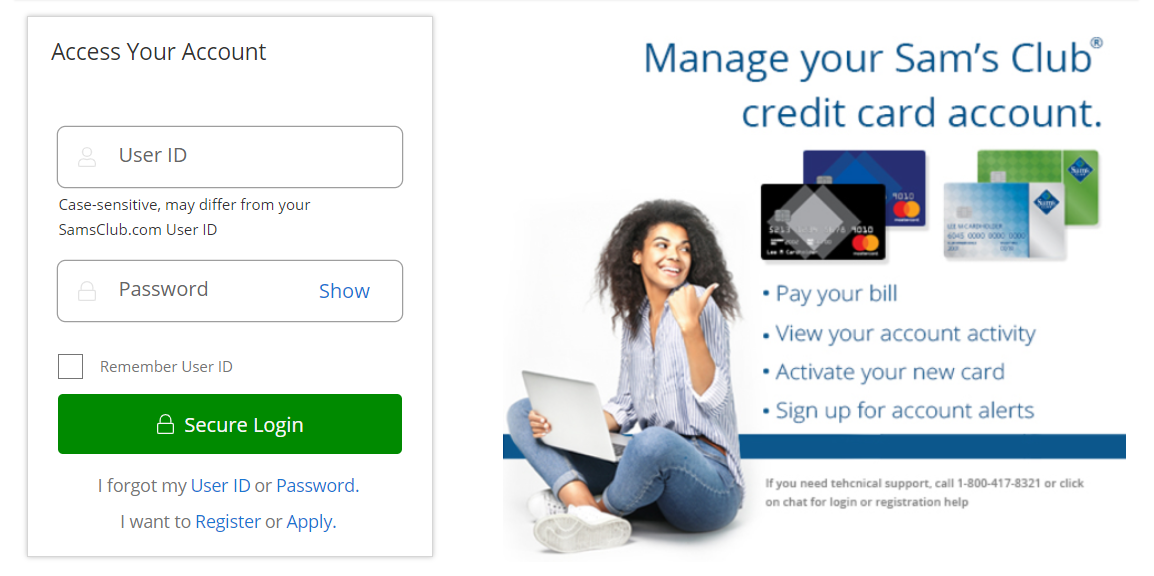
- Navigate to the official Sam's Club Credit Card servicing site hosted by Synchrony Bank (accessible directly through the Sam's Club website under "Credit Card Services").
- Log in using your registered Synchrony credentials (User ID and Password). If you have not yet registered your card online, click Register and enter your 16-digit account number along with your ZIP code to create your profile.
- Once in your account dashboard, click the Make Payment button.
- Select your payment amount: Current Balance, Statement Balance, Minimum Payment Due, or an Alternate Amount.
- Enter your bank account number and nine-digit routing number if you haven't saved a payment method yet.
- Select your preferred payment date, review the details, and confirm the transaction. Make sure to save the confirmation number for your records.
2. Pay via the Sam's Club Mobile App
If you prefer using your smartphone, the Sam's Club mobile app allows you to handle your credit card payments alongside your warehouse shopping:
- Download and open the Sam's Club app on iOS or Android.
- Sign in with your Sam's Club membership credentials.
- Tap the Account icon in the navigation bar.
- Select Credit Card or Sam's Club Credit to link directly to your Synchrony account management portal.
- Authenticate your login, select Make a Payment, and follow the prompts to complete the transfer from your linked bank account.
3. Pay by Phone
Cardholders who prefer not to use digital portals can pay over the phone using the automated response system or by speaking with a customer support representative. Have your 16-digit card number, checking account number, and routing number ready before dialing.
- Sam's Club Store Credit Card: Call 1-800-964-1917
- Sam's Club Mastercard: Call 1-866-220-0254
- Business Credit Card: Call 1-800-203-5764
Automated phone payments are free. However, be aware that completing a payment with a live representative may incur an administrative convenience fee in some cases.
4. Pay In Person at a Sam's Club Location
You can pay your credit card balance in person at any Sam's Club warehouse. This is ideal if you want to pay with cash, a check, or a pin-based debit card while running your regular shopping errands.
- Visit the Member Services desk or head to an open register inside any Sam's Club warehouse.
- Inform the associate that you would like to make a payment on your Sam's Club credit card.
- Present your physical card or state your membership/account details alongside valid photo identification.
- Provide your payment (cash, check, or PIN debit card). The associate will process the transaction and hand you a printed receipt confirming the payment.
Note: You can also pay your Sam's Club credit card at standard Walmart registers or customer service counters nationwide.
5. Pay by Mail
For those who prefer traditional check payments, mailing a check or money order remains an option. Keep in mind that mail delivery takes several business days, so send your payment at least 5 to 7 days before your due date to prevent late charges.
Make your check or money order payable to Sam's Club / Synchrony Bank. Write your 16-digit card account number clearly on the memo line, and include the payment remittance coupon from your paper statement in the return envelope provided.

If you have misplaced your billing slip, mail consumer payments to:
Sam's Club Credit Card / Synchrony Bank
P.O. Box 71710
Philadelphia, PA 19176-1710
(For Mastercard holders or business accounts, verify the address printed on your latest billing statement, as regional processing centers can differ.)
Setting Up AutoPay to Avoid Missed Payments
If you want to eliminate the worry of tracking due dates each month, setting up AutoPay through Synchrony's online portal is your best safeguard. You can configure automatic withdrawals to pay:
- The minimum monthly payment due
- The full statement balance (recommended to avoid interest charges)
- A custom fixed amount exceeding the minimum
To enable AutoPay, log into your Synchrony portal, navigate to the Payments tab, click Enroll in AutoPay, and select the funding source and payment amount. Always monitor your bank account around your due date to ensure sufficient funds are present, avoiding both returned payment fees from Synchrony and overdraft fees from your bank.
Payment Deadlines, Processing Times, and Fees
Understanding when your payment posts helps you avoid penalty fees and high interest rates:
- Online Payment Cut-off Time: Online payments submitted by 11:59 PM Eastern Time on the due date are credited to your account for that same day.
- Phone Cut-off Time: Phone payments submitted before 11:59 PM Eastern Time usually process same-day.
- Late Payment Fees: If you fail to pay at least the minimum amount due by your statement due date, Synchrony may charge a late payment fee up to $30 for a first offense and up to $41 for subsequent missed payments within six billing cycles.
- Returned Payment Fees: If a submitted electronic transfer or paper check bounces due to non-sufficient funds, a fee of up to $41 may be applied to your account.
Frequently Asked Questions
Can I pay my Sam's Club bill with a credit card?
No. You cannot pay a credit card balance using another standard credit card. Synchrony Bank accepts payments funded via checking accounts, savings accounts, cash (in-club), checks, money orders, or PIN-based debit cards (at store registers).
Can I make a payment without logging in?
Yes. Synchrony offers a feature called "Pay as a Guest" on its online portal. You will need your full credit card account number, the last four digits of your Social Security number, and your billing ZIP code to access guest bill pay without a permanent password.
How long does it take for my available credit to update?
When paid online or via the automated phone system, your payment usually reflects in your available credit within 24 to 48 hours. In-store payments processed at Member Services generally update your available balance quickly, though bank clearing may still take 1 to 2 business days.