How to Use Find a Grave Com for Genealogy
Genealogy research often leads down winding paths of census records, birth certificates, and immigration papers. However, one of the most rewarding and tangible places to uncover family history is at the final resting place of an ancestor. For millions of family historians, find a grave com serves as an indispensable digital archive for locating burial sites, reading monumental inscriptions, and connecting with living relatives across the globe.

Operated by Ancestry.com, this massive crowd-sourced database contains hundreds of millions of memorial records spanning thousands of cemeteries worldwide. Whether you are a seasoned genealogist or just beginning to trace your family tree, understanding how to maximize this platform can unlock vital clues that paper records often miss.
Navigating Find a Grave Com for Research
Getting started on the platform is straightforward, but utilizing its advanced search features makes all the difference when hunting for elusive ancestors. Because historical names can be misspelled, transcribed incorrectly, or subject to maiden and married name changes, knowing how to filter your queries efficiently is essential.
Basic and Advanced Search Strategies
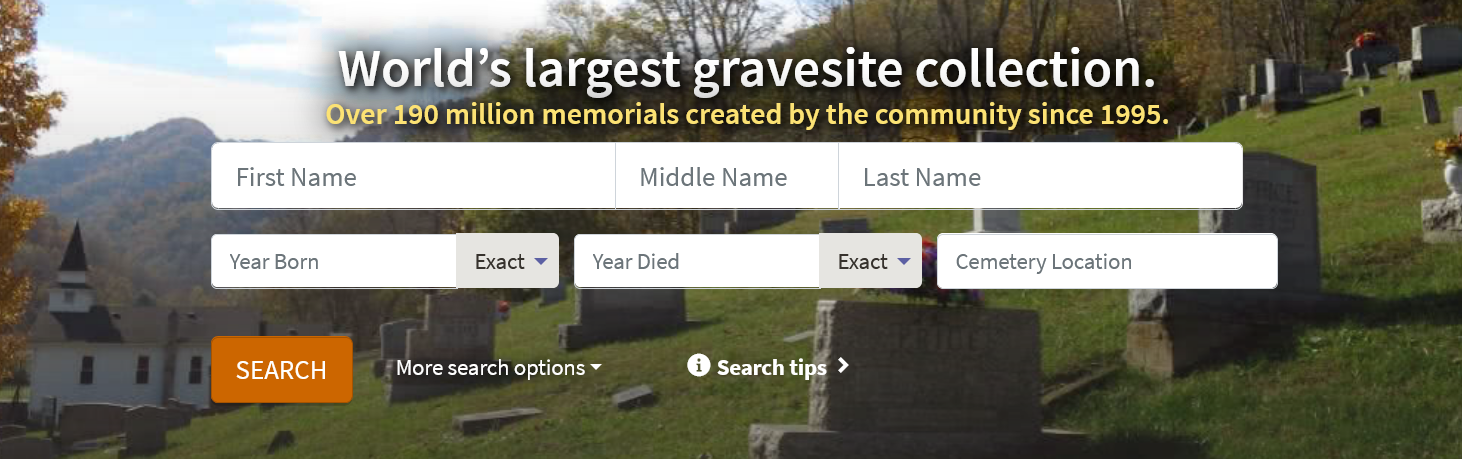
When you first visit the homepage, you will see a simple search form asking for a first name, last name, and birth or death years. While this works well for people with uncommon names, common surnames will yield thousands of irrelevant results. To narrow your search:
- Use specific death years rather than birth years, as death records are generally more reliable in older databases.
- Utilize wildcard searches (such as an asterisk) if you suspect a surname was spelled phonetically or corrupted over time.
- Filter by specific geographic locations, narrowing down from country to state, county, and eventually cemetery if known.
- Include maiden names for female ancestors to catch records indexed under their married names.
Understanding Memorial Pages
Once you locate a relevant entry on find a grave com, you will land on a dedicated memorial page. These pages function as digital headstones and often contain a wealth of genealogical data. A standard memorial page may include dates of birth and death, biographical text written by family members, family links (parents, spouses, children), GPS coordinates of the plot, and photographs of the headstone and the cemetery.
Always examine the "Family Links" section carefully. Contributors often link entire family units together, allowing you to click directly through to parents, siblings, and children without running a new search.

Requesting Photos and Managing Memorials
One of the platform's greatest strengths is its active community of volunteer photographers. If an ancestor's memorial does not yet feature a headstone photo, you can submit a photo request.
Volunteers who live near the cemetery will receive a notification, locate the physical marker, clean it gently if necessary, and upload a high-resolution image directly to the site. This service is entirely free, relying instead on the goodwill of local historians and genealogy enthusiasts.
Creating and Editing Memorials
If you discover that an ancestor is missing from the database, you can contribute by creating a new memorial. You will need to provide the deceased's name, vital dates, and the specific cemetery where they are buried. Providing source citations—such as links to obituaries, census data, or death certificates—helps maintain the historical integrity of the site and prevents duplicate entries.
If you find an error on an existing memorial, such as an incorrect birth date or a misspelled name, you can submit an edit request directly to the manager of that specific page.
Tips for Maximizing Your Ancestor Search
To get the most out of your time on the platform, keep a few best practices in mind:
- Check for name variations: Immigration often prompted name Americanization. A German ancestor named Johann Heinrich might appear as John Henry.
- Look at contributor profiles: If you find a meticulously maintained memorial, check who manages it. Reaching out to active contributors can connect you with distant cousins who share your research.
- Read the biography section: Contributors frequently transcribe full obituaries into the bio field, which often name surviving relatives, occupation details, and military service.
By combining traditional document research with the crowd-sourced power of find a grave com, you can paint a much richer, more complete picture of your ancestors' lives and final journeys.