Is Fortnite Free on PS5? Costs & Setup Guide
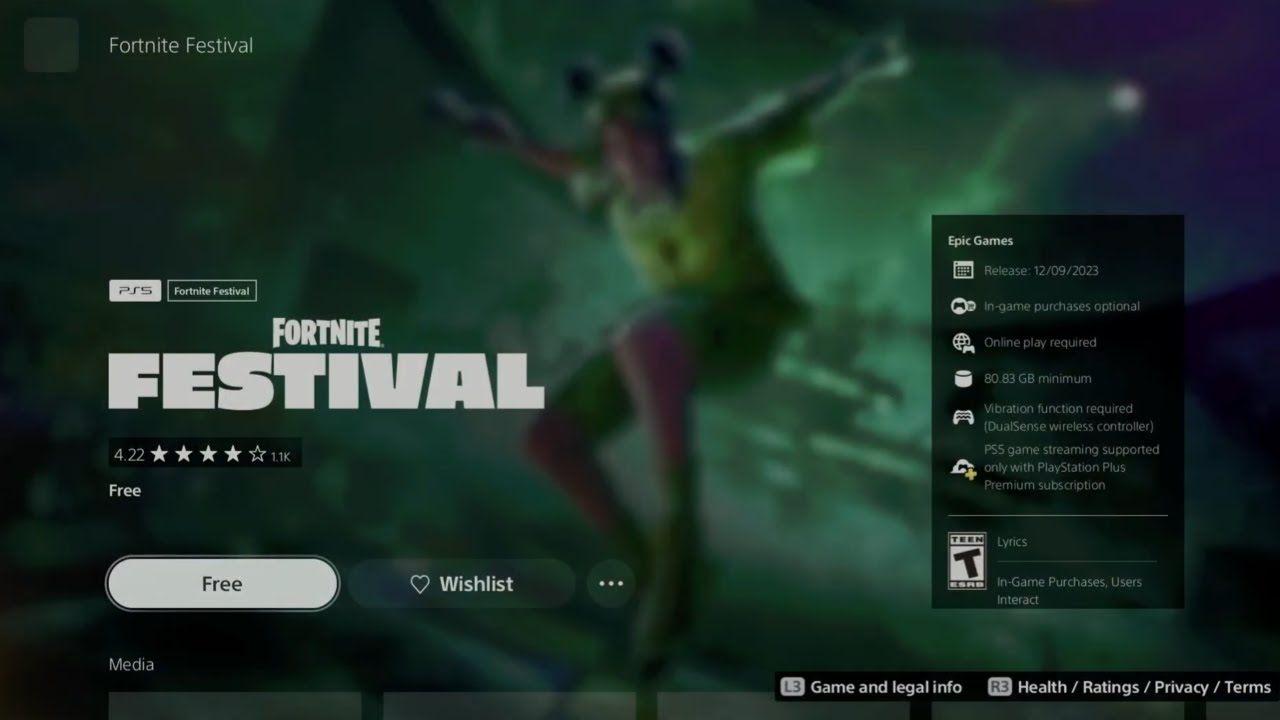
If you recently unboxed a new PlayStation 5 or are looking to jump into Epic Games' massive battle royale for the first time, you might be asking yourself: is fortnite free on ps5? The short answer is an absolute yes. You can download, install, and play the core Fortnite experience on Sony's flagship console without spending a single penny.

However, modern gaming rarely comes without questions about subscriptions, hidden transactions, and premium add-ons. Below, we break down everything you need to know about playing Fortnite on PS5, including subscription requirements, optional purchases, exclusive visual upgrades, and step-by-step installation instructions.
Is Fortnite Free on PS5? The Complete Breakdown
Fortnite operates entirely on a free-to-play (F2P) monetization model across all supported platforms, and the PS5 is no exception. When you navigate to the PlayStation Store, the base game carries a price tag of $0.00.
Downloading the game grants you full access to Epic Games' expanding ecosystem of titles built inside the Fortnite client, including:
- Battle Royale: The classic 100-player survival shooter (both standard Build mode and Zero Build).
- LEGO Fortnite: A full-fledged open-world survival crafting adventure.
- Fortnite Festival: A rhythm-action music game developed by Harmonix.
- Rocket Racing: An arcade supersonic drift racer developed by Psyonix.
- Creative / UEFN: Thousands of community-created maps, minigames, and custom modes.
All of these core modes are playable right out of the box at no cost.
Do You Need PlayStation Plus to Play Fortnite?
One of the most common concerns for console players is the requirement of an active online multiplayer subscription. On PlayStation 5, paid titles (such as Call of Duty: Modern Warfare III or EA Sports FC) require an active PlayStation Plus subscription to access online multiplayer lobbies.
Fortnite does not require PlayStation Plus. Sony's policy exempts free-to-play games from the PS Plus requirement. You do not need Essential, Extra, or Premium tiers to jump into lobbies with friends or random players worldwide. All you need is an internet connection and a free PlayStation Network (PSN) account.
Are There Any Hidden Costs?
While the game itself is 100% free, Fortnite generates billions through optional microtransactions. Understanding what costs money—and what does not—will help you avoid accidental charges.
1. V-Bucks and Cosmetic Items
Fortnite sells an in-game virtual currency called V-Bucks. Players use V-Bucks in the Item Shop to purchase cosmetic items, including character skins, pickaxes, gliders, weapon wraps, and emotes. None of these items provide a competitive gameplay advantage; they are purely aesthetic.
2. The Battle Pass
Every seasonal update introduces a Battle Pass costing 950 V-Bucks (around $8.99 USD). Purchasing the pass allows you to unlock tiered cosmetic rewards as you gain experience points through playing matches. If you choose not to purchase it, you can still level up and earn a limited selection of free seasonal rewards.
3. Save the World Mode

While the Battle Royale, Creative, LEGO, Festival, and Racing modes are free, Fortnite's original cooperative PvE campaign mode, Save the World, is not. Accessing Save the World requires purchasing a promotional pack from the PlayStation Store (usually priced between $15.99 and $19.99 USD). This mode is entirely optional and has no bearing on Battle Royale.
PS5-Exclusive Upgrades and Performance Features
Playing Fortnite on a PS5 is dramatically different from playing on previous-generation hardware like the PS4. Epic Games updated Fortnite to take full advantage of the PS5's custom hardware architecture and Unreal Engine 5.
- Unreal Engine 5 Visuals: The PS5 version features Nanite geometry, Lumen dynamic real-time global illumination, and high-fidelity Virtual Shadow Maps running at native 4K resolution at 60 FPS.
- 120 FPS Mode: If you connect your PS5 to a compatible HDMI 2.1 monitor or TV with a 120Hz refresh rate, you can enable 120 FPS mode in the game's video settings for ultra-responsive competitive play.
- DualSense Haptic Feedback: The PS5 controller offers unique haptic vibrations for different weapons, storm closures, and environmental effects. The adaptive triggers also apply authentic trigger resistance based on the weapon you fire.
- Lightning-Fast Load Times: Leveraging the internal NVMe SSD, loading into matches, rendering textures, and returning to the lobby takes just a few seconds.
- 3D Tempest Audio: Enhanced directional spatial audio lets you pinpoint enemy footsteps, gunfire, and gliders around you with pinpoint precision when using a headset.
How to Download Fortnite on PS5
Getting Fortnite onto your PS5 takes only a few minutes. Follow these simple steps:
- Turn on your PS5 and log in to your PlayStation Network profile.
- Navigate to the PlayStation Store icon on the far left of your home screen.
- Select the Search magnifying glass in the top-right corner.
- Type Fortnite into the search bar.
- Select the official Fortnite game tile from the results.
- Click the Download button. (The download size ranges between 35 GB and 50 GB depending on recent updates).
- Once the download and installation finish, launch the game from your home screen.
- Follow the on-screen prompts to sign in with an existing Epic Games Account or create a new one.
Cross-Progression and Cross-Play on PS5
If you have previously played Fortnite on PC, Xbox, Nintendo Switch, or mobile, you will not lose your progress when switching to PS5. Fortnite features full cross-progression.
As long as you link your existing Epic Games account to your PlayStation Network account during setup, all of your purchased skins, accrued V-Bucks, locker presets, and account levels will immediately sync to your PS5 console.
Furthermore, Fortnite supports seamless cross-play. You can join parties and play alongside friends regardless of whether they are on an Xbox Series X, PC, Nintendo Switch, or smartphone.
Frequently Asked Questions
Can you play Fortnite split-screen on PS5?
Yes. The PS5 supports two-player couch co-op split-screen in Battle Royale Duos and Squads. Connect a second DualSense controller, sign into a second PSN account, and hold the designated button shown at the bottom of the lobby screen to enable split-screen play.
How much storage space does Fortnite take up on PS5?
The initial install requires approximately 40 GB of free storage. However, because Fortnite receives frequent bi-weekly patches and massive seasonal updates, it is advisable to keep at least 60 GB to 70 GB of free drive space available for update files.
Can I turn off 120 FPS mode on PS5?
Yes. By default, Fortnite runs at 60 FPS with full visual effects (Nanite and Lumen enabled). You can toggle 120 FPS Mode on or off at any time by heading to the in-game Settings > Video > 120 FPS Mode.