Kindle Audible Narration: How to Read & Listen
Few reading features have changed digital book consumption as significantly as Kindle Audible narration. Instead of having to choose between sitting down with an e-book or popping in earbuds for an audiobook, Amazon’s ecosystem bridges the two mediums. You can read a chapter on your lunch break, switch seamlessly to professional narration on your drive home without losing your spot, or even listen while the text highlights in real time on your screen.
Whether you want to speed through your reading list, improve your comprehension, or simply enjoy a story hands-free, here is everything you need to know about how Kindle narration works, which devices support it, and how to get companion audiobooks for a fraction of their retail price.
Whispersync for Voice vs. Immersion Reading: What’s the Difference?
When people talk about pairing a Kindle e-book with an Audible audiobook, they are usually referring to one of two distinct technologies: Whispersync for Voice or Immersion Reading. While they rely on the same underlying data, they serve different reading habits.
Whispersync for Voice (Seamless Switching)
Whispersync for Voice synchronizes your reading position across formats. If you read up to page 120 on your Kindle e-reader and then open the Audible app on your phone, the app automatically syncs to the exact sentence where you stopped reading. When you return to your Kindle later that evening, the text jumps forward to match where your listening session ended.
Immersion Reading (Simultaneous Reading and Listening)
Immersion Reading lets you experience both formats at the exact same moment. As a professional voice actor reads the text aloud, the words highlight on your screen line by line, matching the audio cadence. This feature is widely praised by language learners, readers with dyslexia or ADHD, and anyone who wants to dramatically boost their focus and reading speed.
Device Compatibility: Where Does Narration Work?
Not every Amazon device handles Kindle Audible narration the same way. The features available to you depend on the hardware you are using:
- Kindle App (iOS and Android): Supports both Whispersync for Voice and full Immersion Reading. You can read, listen, or do both simultaneously with highlighted text right on your phone or tablet.
- Amazon Fire Tablets: Support both Whispersync for Voice and Immersion Reading natively inside the Books app.
- Kindle E-Readers (Paperwhite, Oasis, Scribe, Basic): Support Whispersync for Voice and standalone Audible playback via Bluetooth headphones. However, e-ink Kindles do not support simultaneous Immersion Reading. You can read the text or listen to the audio on the device, but you cannot display highlighted text while playing audio through Bluetooth.
- Echo Devices: Can play your Audible book and will automatically update your Whispersync progress so you can pick up the text on your Kindle later.
How to Find and Buy Kindle Audible Narration at a Steep Discount
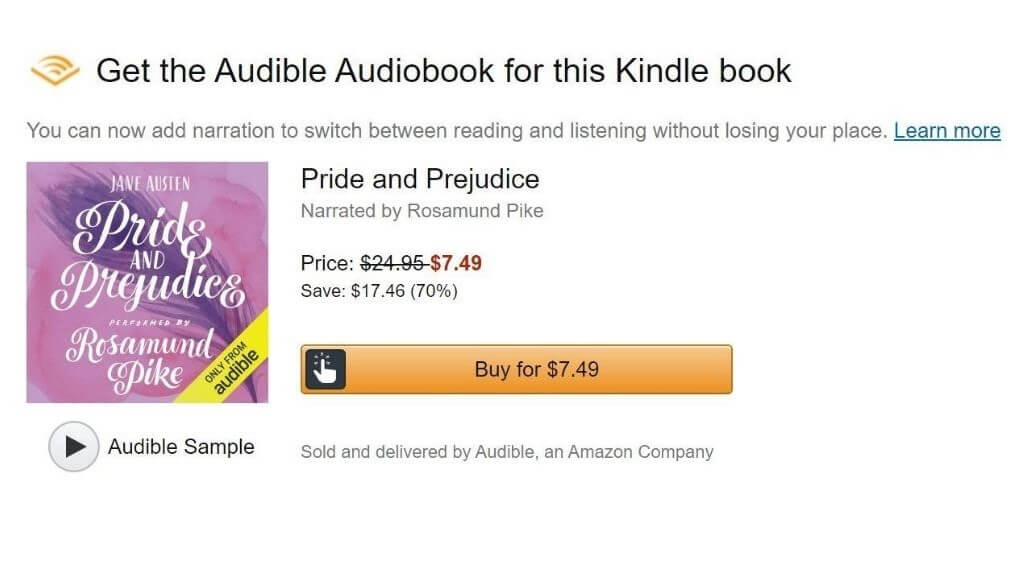
Buying an audiobook directly on Audible can cost between $15 and $30 (or a monthly credit valued around $15). However, Amazon offers a major pricing workaround: when you own the Kindle version of a book, you can often add the professional Audible narration for a deeply discounted price—often between $1.99 and $7.49.
In many cases, purchasing the Kindle book plus the audio add-on is cheaper than buying the standalone audiobook on Audible.
Video: How to Read and Listen to a book using Whispersync for Voice - Amazon Kindle and Audible Tutorial
1. Look for the Audible Narration Badge

When browsing books on Amazon or the Kindle Store, look for the text that says: "Audible narration: Ready" or a checkbox that says "Add Audible narration for a discounted price" right below the buy button. Checking this box bundles the professional audio directly into your Amazon account.
2. Use Amazon Matchmaker
If you already have a large library of Kindle e-books, you do not need to look up each title manually. Amazon provides a dedicated tool called Amazon Matchmaker. Navigating to the Matchmaker page scans your entire digital library and lists every title you own that has an available Audible upgrade, alongside its discounted add-on price.
3. Leverage Kindle Unlimited
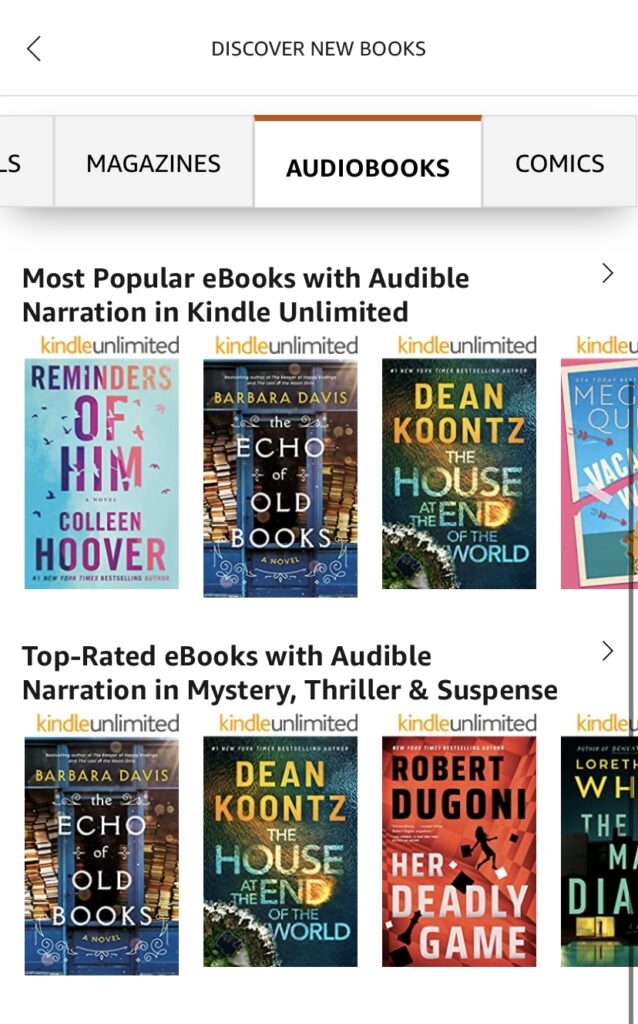
Kindle Unlimited (KU) subscribers have access to thousands of books that include free narration. When browsing the KU catalog, look for the small headphone icon next to the "Read for Free" button. If a book has that icon, borrowing the title automatically unlocks the companion audiobook inside both your Kindle and Audible apps at no extra cost.
How to Set Up Kindle Audible Narration on Your Device
Once you own both the Kindle e-book and its companion audio, getting started takes only a few taps.
Using Narration on Mobile Devices (iOS and Android)
- Open the Kindle app and download the book to your library.
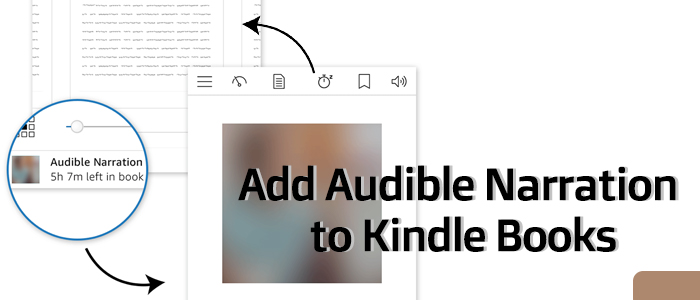
- Open the book. A small audio banner or headphone icon will appear at the bottom of the screen.
- Tap the banner to download the audio track.
- Press Play. The audio will begin playing through your speakers or headphones while the corresponding text highlights on your screen.
- To adjust narration speed, tap the playback controls and select speeds ranging from 0.5x up to 3.0x.
Switching Between Devices with Whispersync
- Ensure Whispersync Device Synchronization is turned on in your Amazon account settings (found under Manage Your Content and Devices > Preferences).
- Ensure both your Kindle e-reader and your phone are connected to Wi-Fi before switching devices.
- When opening the book on the second device, tap Sync if prompted, or allow the app a few seconds to retrieve your furthest reading point across the cloud.
Troubleshooting Common Audio Syncing Issues
If your audio and text fall out of sync, check these common fixes:
- Check Wi-Fi connectivity: Whispersync requires an active internet connection to send your current timestamp to Amazon’s cloud servers. If your e-reader is in Airplane mode, it cannot transmit your progress.
- Mismatched editions: Narration only syncs when you own the specific Kindle edition paired with that audio recording. If you purchased a public domain version of a classic novel and a separate Audible performance, Whispersync will not connect them. Always buy the companion audio directly through the Kindle product listing or Matchmaker.
- Audio download interrupted: If audio stops playing in the Kindle app, delete the book from your device, restart the app, and re-download both the text and audio file over a stable Wi-Fi network.
Maximize Your Reading Productivity
Kindle Audible narration removes the friction that often stops people from finishing books. By pairing text and voice, you can effortlessly weave reading into busy commutes, workouts, and household chores, then settle into physical reading when you have quiet downtime. Take advantage of bundled pricing and Amazon Matchmaker to expand your audio library without paying premium prices.