Labcorp Schedule Appointment: Step-by-Step Guide
When your healthcare provider orders diagnostic blood work, a routine urinalysis, or an employment drug screening, using the Labcorp schedule appointment tool online is the fastest way to get in and out without spending hours in a crowded waiting room. While Labcorp locations accept walk-in patients, scheduled appointments always take priority, turning what could be a lengthy wait into a streamlined 15-minute visit.

This comprehensive guide covers everything you need to know about booking your appointment, preparing for specific tests, what documentation to bring, and how to view your results once testing is complete.
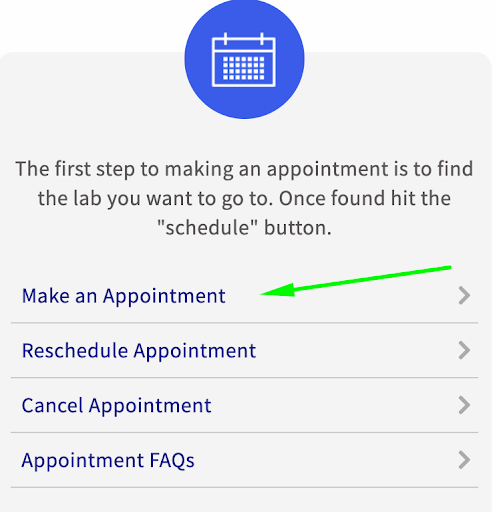
How to Use the Labcorp Schedule Appointment Tool Online
Booking a visit through Labcorp’s official website or mobile app takes less than five minutes. You do not need to create an account to reserve a time slot, although having a Labcorp Patient account makes tracking results and future appointments much easier.
- Visit the Scheduling Portal: Go to the official Labcorp website and select "Labs & Appointments" or navigate directly to the scheduling page.
- Select Your Test Reason: Choose the service that matches your doctor's order. Options typically include routine blood work, drug screenings (employment or legal), pediatric testing, glucose tolerance tests, or specialized cardiovascular panels. Selecting the correct category ensures the facility assigns adequate time and appropriate phlebotomy staff.
- Enter Your Location: Input your ZIP code, city, or current address. The portal will display the nearest Patient Service Centers (PSCs), along with their operating hours and earliest available appointment times.
- Choose Date and Time: Browse available slots. If your test requires fasting, selecting an early morning slot (between 7:00 AM and 9:00 AM) helps minimize discomfort.
- Input Patient Information: Enter your full legal name, date of birth, contact details, and insurance details. Ensure the name matches your government-issued ID and your doctor’s requisition form exactly.
- Confirm Your Reservation: Review the details and submit. You will receive an instant confirmation via email and text message containing your confirmation code and a link to modify or cancel if needed.
Why You Should Book Ahead Instead of Walking In
Most Labcorp Patient Service Centers welcome walk-ins, but walk-in wait times can be unpredictable. During peak morning hours, walk-in patients frequently wait anywhere from 45 minutes to two hours.
- Priority Queue: When you arrive with a confirmed appointment, the electronic check-in kiosk places you directly into the priority queue ahead of non-emergency walk-ins.
- Guaranteed Staff Availability: Certain specialized tests—such as pediatric blood draws, timed glucose screenings, or certified chain-of-custody drug tests—require dedicated technicians. Booking in advance ensures qualified staff are on duty.
- Faster Check-In: Pre-entering your insurance and demographic details online allows the front-desk staff to pull up your profile with a quick scan of your barcode or driver's license.
What to Bring to Your Appointment
Arriving unprepared is the most common reason tests are delayed or canceled. Double-check that you have the following items packed before heading to your appointment:
- Doctor’s Test Requisition or Lab Order: If your doctor handed you a physical paper order, you must bring it. If your physician sent the order electronically (e-order), let the receptionist know at check-in. Bringing a paper copy as a backup is always recommended.
- Government-Issued Photo ID: A valid driver’s license, state ID card, or passport is required to verify identity.
- Current Health Insurance Card: Bring your physical card or a clear digital copy from your insurer’s app. If you are self-paying, Labcorp accepts major credit cards, debit cards, and health savings account (HSA/FSA) cards.
- Appointment Confirmation: Keep your confirmation text or email handy on your smartphone to scan your check-in code at the kiosk.
- Specific Test Kits: If your physician provided a specialized test collection kit or specimen container from an outside laboratory, bring the entire unopened package.
How to Prepare for Common Lab Tests
Proper preparation is critical for diagnostic accuracy. Failing to follow pre-test instructions can cause false positives, skewed biomarker levels, and the frustrating need to reschedule and repeat the blood draw.
Video: Do you need an appointment for LabCorp?
Fasting Blood Tests
Tests such as the Comprehensive Metabolic Panel (CMP), Lipid Panel (cholesterol, triglycerides), and Fasting Blood Glucose require you to refrain from eating or drinking anything other than water for 8 to 12 hours prior to the draw.
- Drink Plenty of Water: Hydration plumps your veins, making them substantially easier for the phlebotomist to locate and access on the first try. Dehydration leads to constricted veins and more painful draws.
- Avoid Black Coffee and Tea: Even without sugar or milk, caffeine and compounds in coffee or tea stimulate digestive enzymes and alter liver function metrics. Stick exclusively to plain water.
- Medication Routine: Take your daily prescription medications with water unless your prescribing physician specifically tells you to hold off until after the test.
Urine and Drug Screenings
For standard urine tests, drink an average glass of water an hour before your appointment so you can produce an adequate sample without over-diluting the specimen. For employment-related drug screenings, be prepared to empty your pockets and wash your hands prior to providing the sample under chain-of-custody protocols.
How to Reschedule or Cancel an Appointment
Life happens, and you may need to adjust your visit. Labcorp makes managing existing reservations straightforward:
- Locate your original confirmation email or SMS message and click the "Manage Appointment" link.
- Alternatively, visit the Labcorp website, click on the appointment tool, and select "Change/Cancel an Existing Appointment." You will need your confirmation number, last name, and date of birth.
- Select a new time or cancel the booking entirely. There is no cancellation fee, but canceling as early as possible frees up the time slot for other patients needing time-sensitive testing.
Accessing Your Test Results via Labcorp Patient
After your blood draw or specimen collection, the phlebotomist packages your samples and sends them to a regional processing laboratory. Routine results are typically processed within 24 to 48 hours, though complex or genetic panels may take a week or more.
You can access your official reports through the Labcorp Patient online portal or mobile app. Once registered, you will receive an alert as soon as results are finalized. The portal displays historical trends, biomarker reference ranges, and downloadable PDF reports you can share directly with other healthcare specialists. Note that state-specific laws may require Labcorp to hold certain sensitive results for a few days to give your ordering physician time to review and discuss them with you first.