Land Rover SDD Software Guide: What You Need to Know
Introduction to Land Rover SDD Software
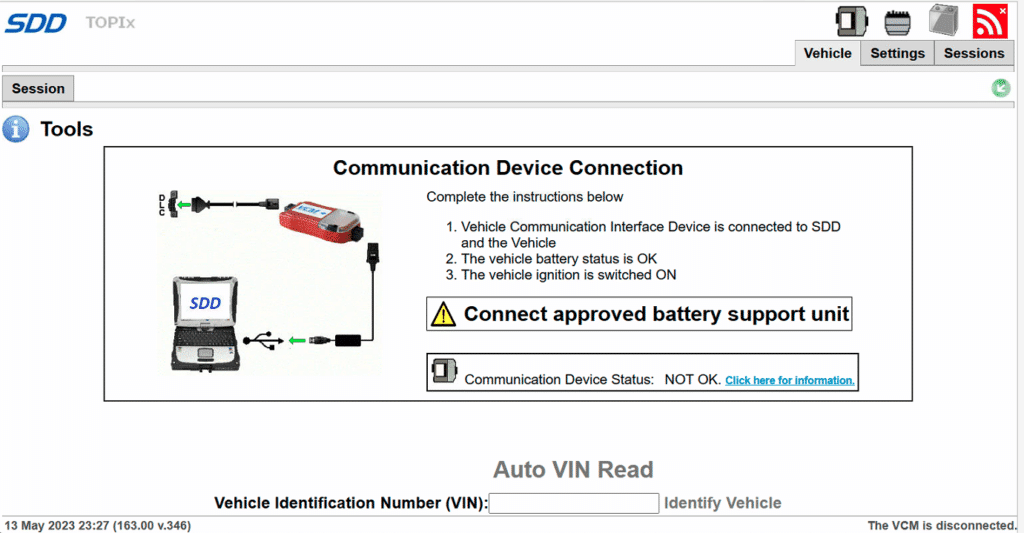
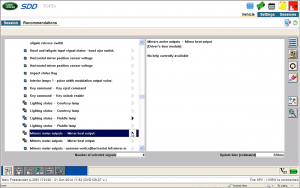
For owners, independent mechanics, and enthusiasts working on older Jaguar and Land Rover vehicles, the Land Rover SDD software (Symptom Driven Diagnostics) is an essential tool. Unlike generic OBD2 scanners that only read basic engine codes, SDD is the factory-level software designed specifically to diagnose, configure, and program modules across the entire vehicle network.
Understanding how this system works, what hardware it requires, and its limitations can save you thousands of dollars in dealership diagnostic fees. However, setting it up correctly requires patience and specific technical preparation.
What is Land Rover SDD and What Does It Do?
Introduced in the mid-2000s, SDD evolved from the older T4 diagnostic system. It was engineered to streamline troubleshooting by guiding technicians through a symptom-driven diagnostic tree. When a fault code is logged, the software correlates it with known vehicle symptoms to recommend a targeted repair path.
The software goes far beyond reading and clearing fault codes. Its core capabilities include:
- Module Programming and Flashing: Updating firmware on engine control units (ECUs), transmission modules, and body control modules.
- Adaptation Resets: Calibrating steering angle sensors, electronic parking brakes, and suspension heights.
- Key Coding: Programming new transponder keys and remote fobs to the vehicle's immobilizer system.
- Service Interval Resets: Clearing oil change reminders and configuring service histories.
- Live Data Monitoring: Viewing real-time sensor data, pressures, temperatures, and electrical voltages across multiple networks.
Vehicle Coverage and Limitations
A common point of confusion for users is determining which models the software supports. SDD is the primary diagnostic tool for Land Rover and Range Rover vehicles manufactured roughly between 2005 and 2016.
Vehicles typically covered under the SDD umbrella include:
- Range Rover L322 (2006–2012)
- Range Rover Sport L320 (2005–2013)
- Range Rover Evoque (2012–2015)
- Land Rover Discovery 3 and 4 (L319)
- Freelander 2 (LR2)
- Defender (Later TD4 and Puma models with electronic management)
For vehicles manufactured from approximately 2017 onward (such as the L405 Range Rover or L462 Discovery 5), JLR transitioned to a newer platform called Pathfinder and, subsequently, TOPIx Cloud. Trying to use SDD on these newer models will result in connection failures or an inability to access modules.
Hardware and Interface Requirements

Running Land Rover SDD software requires more than just downloading a file onto a standard laptop. Because the software communicates directly with the vehicle's High-Speed CAN, Medium-Speed CAN, and ISO9141 networks, specific interface hardware is mandatory.
The VCI (Vehicle Communication Interface)
You cannot use a cheap ELM327 Bluetooth adapter with SDD. The software requires a compliant PassThru device that supports J2534 standards. Popular and reliable interfaces include:
- Mongoose JLR: Historically the most common cable for independent users, though many clone versions exist.
- Bosch VCI / VCM: Often used by dealerships and high-end specialists.
- Da-Dong / AllScanner VCX Nano: A widely used, cost-effective diagnostic interface that provides stable communication with SDD.
Laptop and Operating System Specifications
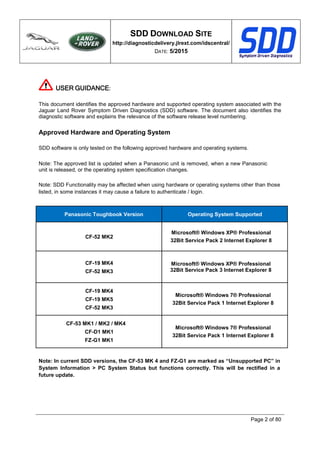
SDD is notoriously finicky regarding its operating environment. To ensure stable operation without crashes during module flashing (which can brick a module if interrupted), your diagnostic laptop should meet these guidelines:
- Operating System: Windows 7 (32-bit or 64-bit) is the most stable native environment. While it can run on Windows 10 via virtual machines or direct installation, driver conflicts are common.
- Processor and RAM: At least an Intel Core i5 processor and 4GB to 8GB of RAM.
- Battery Power: Always keep the laptop plugged into a stable power source. Furthermore, you must connect the vehicle to a high-amperage battery stabilizer or charger during diagnostics and programming. Voltage drops below 12 volts during module flashes will corrupt module data.
Installation and Setup Best Practices
Installing Land Rover SDD software can be a challenging process due to complex licensing, offline patches, and dependency on older versions of Internet Explorer and Java.
- Disable Antivirus: Many security programs flag cracked or patched JLR files as trojans or riskware. You will typically need to disable real-time scanning during installation.
- Set the Correct Date: Older versions of SDD rely on specific offline patches that require your computer's system date to be rolled back (e.g., to the year 2014 or 2015) to bypass expired software certificates.
- Block Internet Access: Modern versions of SDD attempt to phone home to JLR servers for authentication. Blocking the application in your Windows Firewall prevents it from locking out your offline account.
- Install Drivers Carefully: Ensure your J2534 VCI drivers are installed and recognized by Windows before launching the main diagnostic suite.
Is SDD Right For You?
If you own an older Range Rover, Discovery, or Freelander and enjoy DIY wrenching, mastering Land Rover SDD software provides incredible power over your vehicle. It eliminates guesswork, allows you to calibrate air suspension systems after component replacement, and lets you diagnose complex electrical gremlins that stump standard mechanics.
However, if you are not tech-savvy or prefer a plug-and-play experience, the complex installation process and hardware requirements might prove frustrating. For quick code clearing and basic live data on modern Land Rover models, an advanced multi-system handheld scanner might be a better starting point.