ListOfSubreddits: The Complete Directory Guide
With more than 100,000 active communities, Reddit is one of the largest knowledge repositories and discussion forums on the internet. However, its decentralized structure can make discovering high-quality discussions a challenge. Whether you are searching for a curated listofsubreddits to break out of the default feed or exploring the dedicated r/ListOfSubreddits community itself, navigating this network requires a systematic approach.
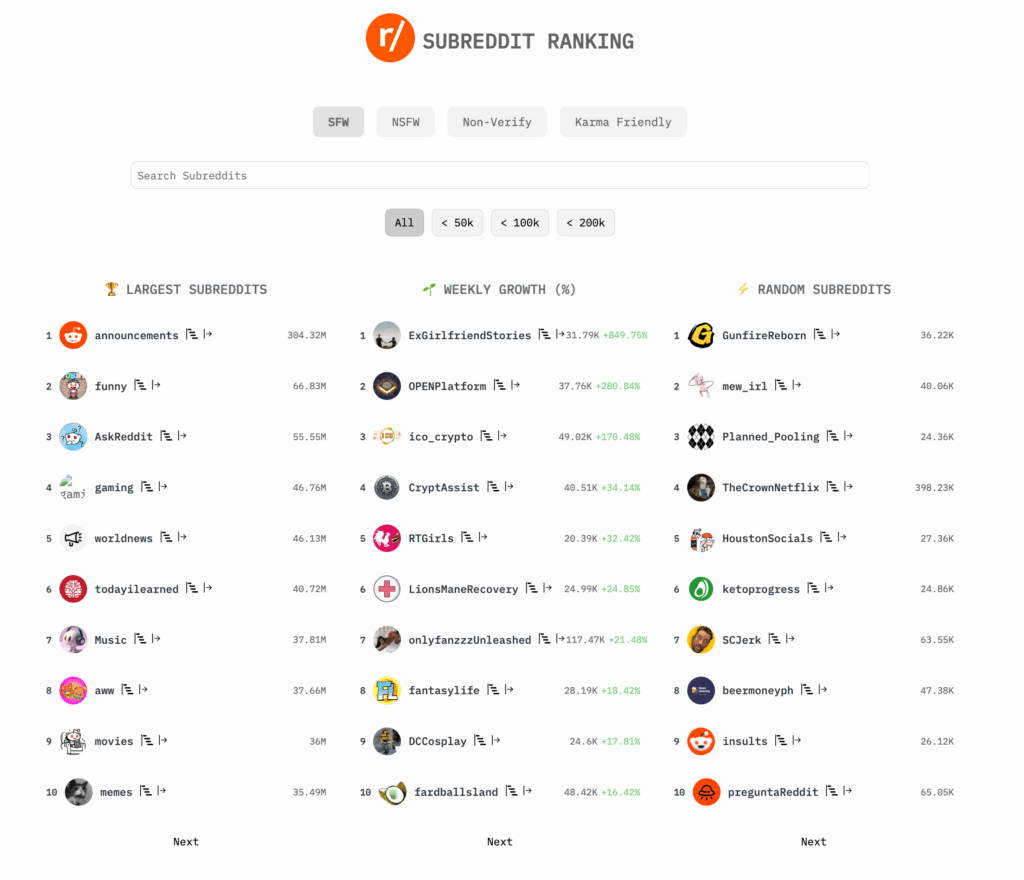
Instead of relying on the default algorithm—which heavily pushes generic memes, sensational news, and rage-bait—using structured directories allows you to turn Reddit into a personalized productivity hub, hobby tracker, or learning platform.
What Is r/ListOfSubreddits?
At the center of directory navigation on the platform is r/ListOfSubreddits. This community functions as a crowd-sourced directory designed to index, categorize, and archive subreddits across every imaginable vertical.
Unlike the standard Reddit search bar—which frequently struggles with relevant discovery—r/ListOfSubreddits maintains an extensive community wiki. Maintained by dedicated moderators and contributors, this wiki groups communities by size, topic, niche focus, and moderation standards. For anyone setting up a fresh account or looking to purge low-effort content, consulting an organized directory is the most efficient starting point.
Essential Categories: A Curated List of Top Communities
To help you curate your front page immediately, here is an essential breakdown of reputable communities categorized by purpose and quality of discussion.
1. Deep Learning and Intellectual Curiosity
Reddit excels when subject-matter experts congregate to answer complex questions. These communities enforce strict moderation standards to ensure informative, well-sourced answers:
- r/AskHistorians: Renowned for its rigorous standards. Comments must be in-depth, original, and historically grounded; low-effort jokes and unverified claims are deleted immediately.
- r/explainlikeimfive (ELI5): Simplifies complex scientific, economic, and technical concepts into everyday language without losing nuance.
- r/todayilearned (TIL): A classic community dedicated to verified, interesting factual tidbits backed by reliable sources.
- r/InsightfulQuestions: Focuses on thoughtful, philosophical queries that encourage civil, reflective debate.
2. Career Growth and Personal Finance
Navigating personal finance, professional development, and technical skills becomes much easier when crowdsourcing real-world experiences:
- r/personalfinance: Offers comprehensive prime directives on budgeting, debt elimination, retirement accounts, and emergency funds.
- r/FinancialIndependence: Tailored for users working toward the FIRE (Financial Independence, Retire Early) movement, with actionable savings and investing strategies.
- r/cscareerquestions: A hub for software engineers, developers, and tech workers navigating recruitment, salary negotiations, and portfolio development.
- r/careerguidance: A practical forum for workplace communication strategies, switching careers, and professional problem-solving.
3. Practical Skills, Hobbies, and Productivity
If you want to use social platforms to improve your day-to-day life rather than waste time, consider these practical options:
- r/InternetIsBeautiful: Highlights useful web tools, creative interactive projects, and niche software you might otherwise never find.
- r/EatCheapAndHealthy: Focuses on cost-effective, nutritious home cooking, complete with grocery budgets and recipes.
- r/BuyItForLife: A consumer guide focused on durable, repairable, high-quality products that outlast cheap modern alternatives.
- r/productivity: Shares systems, workflows, and habit-tracking routines to help optimize daily output.
Using the Listofsubreddits Wiki and Community Tools
Browsing the actual wiki pages of r/ListOfSubreddits reveals deep categorization structures that go far beyond front-page defaults. To get the most utility from these directory resources, follow these best practices:
Consult the Wiki Master Index

Visit the wiki tab on the community's homepage. The entries are divided into clean macro-categories such as Academic, Regional, Media, Hobbies, and Lifestyle. Under each macro-category, you will find sub-categories ranked by subscriber count and activity levels.
Search by Community Size
Default subreddits often suffer from the "eternal September" effect, where explosive growth dilutes comment quality. Directory wikis help you locate mid-sized subreddits (typically between 20,000 and 150,000 members). These communities generally possess active discussion without the relentless karma-farming typical of multi-million-subscriber groups.
Find Regional and Local Directories
If you need geographically specific advice, r/ListOfSubreddits maintains lists of city, state, provincial, and national subreddits. These regional hubs are invaluable for finding local services, municipal news, rental advice, and area-specific events.
How to Uncover Hidden Niche Subreddits
Directories are an exceptional starting point, but Reddit also has internal pathways that let you discover hyper-niche communities on your own:
- Audit the Sidebars: High-effort communities almost always feature a curated list of related communities in their sidebar or "About" tab. If you find one subreddit you love, its sidebar usually points to three or four adjacent spaces.
- Use Google Site Operators: Reddit's internal search algorithm often overlooks older, high-value threads. Use Google search strings like
site:reddit.com/r/ [topic] recommendationsto unearth community-curated master lists. - Follow Multi-Community Posters: When you encounter an articulate user who regularly posts exceptional content, inspect their public profile. See which communities they frequently participate in to uncover smaller, specialized groups.
Organizing Your Feed: Custom Feeds and Cleanups
Subscribing to dozens of communities can quickly clutter your home feed. To keep your experience focused and enjoyable, implement these feed-management strategies:
Create Custom Feeds (Multireddits)
Reddit allows you to group related communities into Custom Feeds without requiring you to formally join them. For instance, you can build a "Tech & Coding" custom feed, an "Entertainment" feed, and a "Finance" feed. This keeps your main page clean while giving you dedicated spaces to browse when you are in a specific mindset.
Aggressively Mute and Filter
Do not hesitate to use Reddit's muting feature. If a default subreddit frequently appears in your recommendations with sensationalized or rage-inducing posts, open the three-dot menu and select "Mute." Doing this repeatedly trains the recommendation engine to stop surfacing low-effort viral content.
Final Thoughts
Reddit is not a monolith; its value depends entirely on how deliberately you construct your subscription list. By leveraging directories like r/ListOfSubreddits, exploring related community sidebars, and organizing your subscriptions into thematic Custom Feeds, you can transform the platform from a mindless scroll into a reliable, high-utility knowledge engine tailored specifically to your interests.