Master Form 5500 Searches Like a Pro
Introduction to Form 5500 Research

Navigating the vast database of employee benefit plan filings can feel like searching for a needle in a digital haystack. Whether you are an auditor, a financial advisor, a competitor analyst, or a plan sponsor, diving into Department of Labor (DOL) filings is a regular part of the job. However, raw database queries often return thousands of irrelevant results, wasting precious billable hours. To stay productive, you need to maximize your Form 5500 search efficiency with these tricks, turning a frustrating chore into a streamlined, high-speed process.
The Form 5500 series contains a wealth of data, including participant counts, funding status, service provider details, and financial assets. Because millions of American workers rely on these plans, the database is continuously updated. Knowing how to query this database effectively separates efficient professionals from those bogged down by administrative drag.
1. Master Advanced Boolean Operators
Basic keyword searches in government databases often fail because they lack contextual boundaries. Relying solely on a company name can yield zero results if the filing uses a parent corporation's name, a subsidiary, or a slightly different legal entity title.
- Use Quotation Marks: Wrap exact company names in quotation marks (e.g., "Acme Industries Inc.") to eliminate stray results containing only "Acme" or "Industries."
- Employ AND/OR/NOT: Combine terms strategically. For example, searching for "Defined Benefit" AND "New York" narrows down geographic scope instantly.
- Wildcard Searches: Utilize asterisks (*) for root words. Searching for "Pension*" captures pensions, pensioning, and pensionable data in a single query.
2. Leverage Specific Identifiers
Company names change, merge, or rebrand frequently, making text-based searches unreliable over multi-year periods. To bypass naming discrepancies, rely on unique government-issued identifiers.
The Power of EINs and PN Numbers
Every employer sponsoring a qualified retirement plan has a unique Employer Identification Number (EIN). Furthermore, every distinct plan under that employer has a three-digit Plan Number (PN).
Instead of guessing how a company is listed in the database, search directly by their 9-digit EIN combined with the PN. This guarantees you pull the exact plan history without sorting through similarly named businesses in different states.

3. Filter by Plan Characteristics Early
Applying filters after running a broad query slows down your workflow. Instead, set your parameters before hitting the search button. Most advanced compliance tools and the official Department of Labor EFAST2 database allow you to filter by specific attributes right from the start.
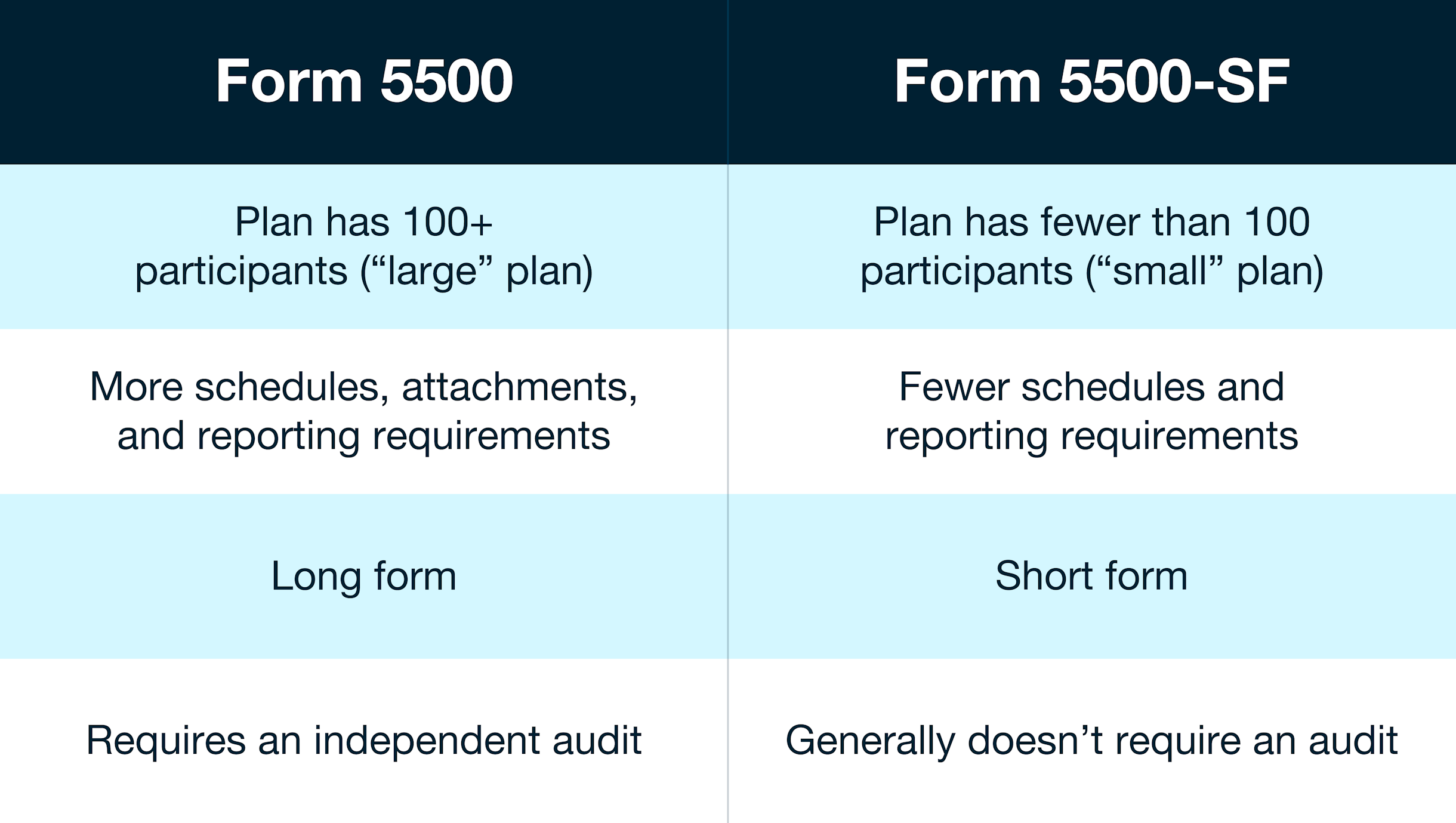
- Participant Count: Filter by large vs. small plans to instantly remove irrelevant filings.
- Effective Dates: Narrow results to the specific plan year you need, avoiding historical clutter from 2015 when you only want 2023 data.
- Code Filters: Utilize specific asset or benefit code filters if you are only looking for 401(k) plans, ESOPs, or welfare benefit arrangements.
4. Utilize Specialized Third-Party Search Engines
While the official government portal is free and comprehensive, its native search interface can be clunky and slow. Many professionals upgrade their workflow by using specialized, third-party Form 5500 search engines.
These platforms index the raw DOL data into lightning-fast, relational databases. They often feature clean dashboards, one-click CSV exports, and automated alerts that notify you when a target company files its latest return. If you conduct plan research daily, the time saved easily justifies the subscription cost of a dedicated compliance search tool.
5. Automate and Save Your Search Templates
If you find yourself running the same queries week after week—such as tracking local competitor plan updates or monitoring new business prospects—stop starting from scratch.
Take advantage of saved search functions and custom filters. Setting up automated query templates reduces repetitive data entry and minimizes human error. Pair these templates with browser bookmarks or CRM integrations to instantly route relevant filing data into your active client files.
Conclusion
Efficiently navigating employee benefit filings is a skill that directly impacts your productivity and bottom line. By moving beyond basic text queries, leveraging exact identifiers like EINs, utilizing proper filters, and adopting specialized tools, you can drastically reduce the time spent gathering data. Implement these strategies today to transform how you interact with employee benefit filings and keep your workflow running at peak performance.