Mastering DISCO Case Builder: A Litigator's Guide
In complex litigation, bridging the gap between raw document production and trial presentation remains one of the most labor-intensive challenges legal teams face. As attorneys transition from broad document discovery to testimony synthesis, legacy tools often break down into scattered spreadsheets, static Word outlines, and highlighter-marked transcripts. The DISCO Case Builder platform was designed to solve this problem by providing litigators with a cloud-native workspace to ingest transcripts, manage witness testimony, curate key facts, and construct trial-ready work product.

Whether you are handling commercial disputes, intellectual property conflicts, or multidistrict litigation, mastering this tool can dramatically shorten the time between taking a deposition and deploying its testimony in court. This guide explores the core architecture, key capabilities, and best practices for leveraging the software across every phase of the dispute lifecycle.
What Is DISCO Case Builder?
Developed by legal technology provider CS DISCO, Case Builder is a centralized software platform built specifically for post-discovery case organization. While traditional eDiscovery platforms focus heavily on ingestion, early case assessment (ECA), and document review, Case Builder shifts the focus to the merits of the case.
Rather than forcing litigators to rely on disjointed tools like legacy desktop applications or disparate network folders, the platform unifies deposition transcripts, linked video files, exhibits, cast-of-characters lists, and chronological timelines into a single collaborative cloud environment. It allows trial teams to collaboratively analyze evidence, identify inconsistencies across witness testimonies, and generate work product without manual data entry duplication.
Key Features of the DISCO Case Builder Platform
Modern litigation requires speed, precision, and frictionless collaboration. The platform integrates several targeted features to replace manual transcript indexing and fact-tracking workflows.
1. Automated Transcript Ingestion and Video Sync
One of the platform's core strengths is its ability to process deposition and hearing transcripts in seconds. When an ASCII, TXT, or PDF transcript is uploaded, the software automatically parses speaker designations, page-line numbering, and exhibits. If paired with video sync files, attorneys can play the synced video directly alongside the text, highlight testimony, and export synchronized video clips with embedded subtitles for depositions or jury presentation.
2. Dynamic Fact Tracking and Chronology
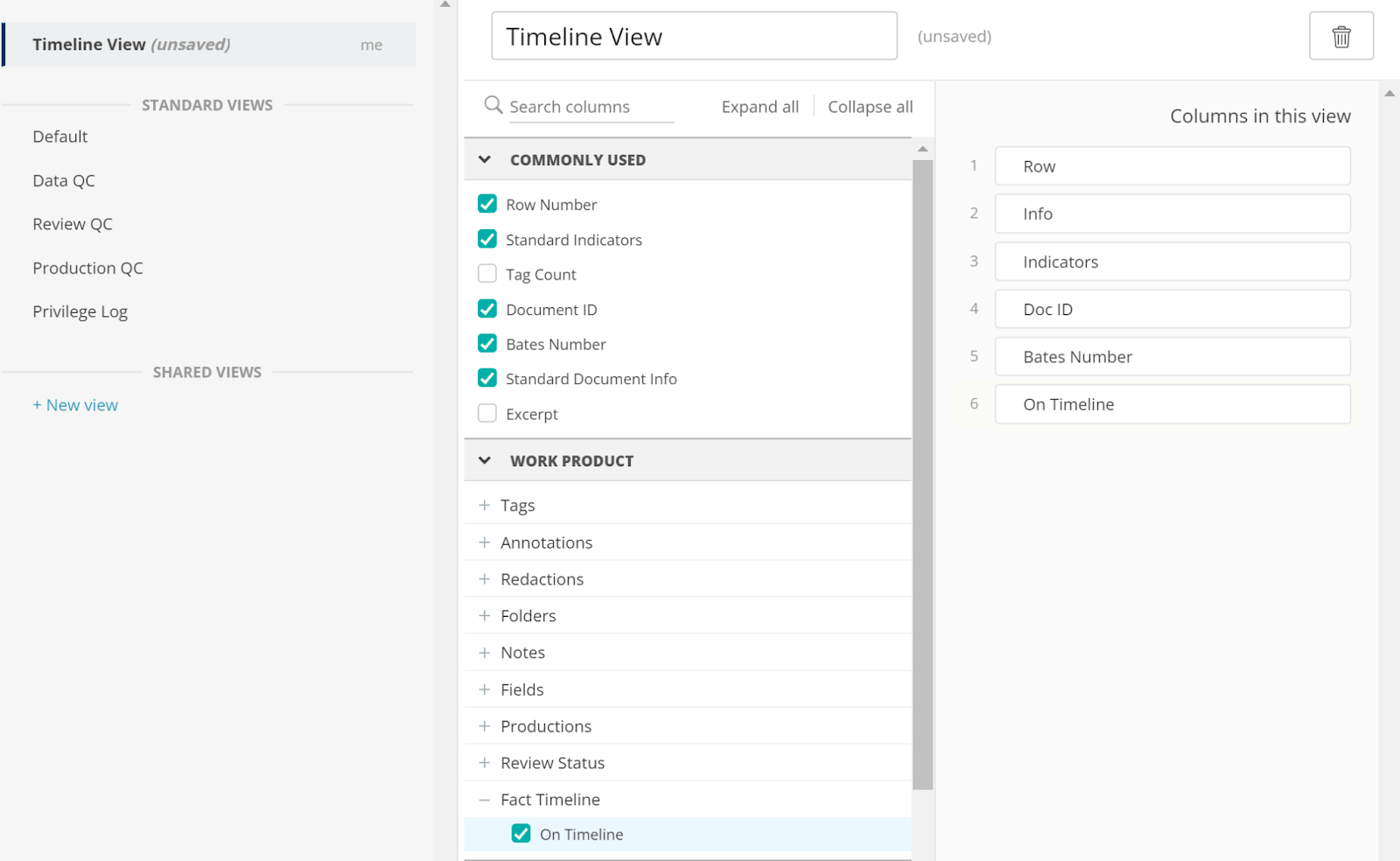
Creating a timeline is usually an administrative burden prone to version-control errors. In Case Builder, facts are dynamic entities. When an attorney highlights a critical line in a transcript, they can tag it directly as a fact, assign it an issue code, associate it with specific actors, and attach supporting exhibits. The platform then populates a live chronology that updates across the entire team in real time.
3. Witness and Entity Management
Litigation teams can maintain detailed profiles for every key player in the dispute. These profiles track:
- Associated exhibits and documents
- Every instance where the individual is mentioned across all deposition transcripts
- Direct testimony given by the witness
- Key dates and credibility assessments
4. Fast Deposition and Trial Outlining
Rather than copying and pasting transcript citations into separate text editors, attorneys can build deposition outlines directly within the platform. Transcript citations, video clips, and linked exhibits can be dragged and dropped directly into outline topics. If a line of questioning changes, rearranging the outline maintains all underlying citations and page-line references automatically.
How Case Builder Improves Litigation Workflows
Implementing a unified narrative-building tool changes how legal teams execute strategy from initial discovery through trial.
Pre-Deposition Preparation
Preparing to depose a critical witness often requires days spent pulling together exhibits, prior statements, and cross-examination themes. With the platform's cross-witness search capabilities, attorneys can instantly query every prior transcript in the matter for a specific phrase, date, or event. This ensures that every line of impeachment material is curated and accessible during prep sessions.
Post-Deposition Debrief and Indexing
Historically, junior associates or paralegals spent hours drafting narrative deposition summaries. With Case Builder, teams can tag key admissions immediately after receiving the rough transcript. Issue tags allow partners to jump straight to testimony addressing specific claims, such as breach, notice, or damages, reducing turnaround time from days to minutes.
Drafting Dispositive Motions
When drafting a Motion for Summary Judgment (MSJ), citing precisely to the record is vital. The platform allows users to export curated citations, complete with standard Bluebook-compliant formats and linked exhibits. This eliminates transcript citation verification bottlenecks during motion drafting sprints.
DISCO Case Builder vs. Legacy Solutions
Many law firms still rely on desktop-based software developed in the late 1990s or custom-built Excel trackers. While spreadsheets are familiar, they create substantial operational risks.
- Data Silos: Desktop-bound databases require local installations and manual synchronization files. A cloud-native solution lets team members in the courtroom, office, and home collaborate simultaneously without file corruption.
- Search Speed: Searching across dozens of multi-thousand-page transcripts in spreadsheets or PDFs often misses vital context. Case Builder utilizes modern search indexing, enabling complex Boolean, fuzzy, and concept queries across the entire testimonial record.
- Security and Access Control: Unlike uncontrolled spreadsheets sent over email, cloud platforms provide role-based permissions, enterprise encryption, and audit logs that protect sensitive work product and maintain compliance standards.
Best Practices for Implementing Case Builder
To maximize return on investment when adopting the tool, legal teams should establish standard working conventions early in the case lifecycle.
- Standardize Issue Tagging Taxonomies: Before attorneys begin reviewing transcripts, establish a concise, agreed-upon set of tags corresponding to the legal claims, affirmative defenses, and critical factual topics. Over-tagging creates clutter, while under-tagging prevents efficient filtering.
- Upload Rough Transcripts Immediately: Do not wait for the final certified transcript to begin analysis. Ingest rough drafts right after depositions to flag immediate follow-up items, run quick searches, and prepare for upcoming depositions scheduled in close succession.
- Keep Exhibits Linked to Transcripts: Ensure staff link every introduced exhibit directly to its corresponding transcript reference. This habit ensures that when an attorney reviews a witness statement months later, the exact version of the document placed in front of the witness opens with a single click.
- Incorporate Video Clips Early: Waiting until the pretrial conference to pull video deposition designations is stressful and time-consuming. Tag impactful video snippets as you review the transcripts initially to streamline trial designations later.
Conclusion
Litigation success hinges on an attorney's ability to transform thousands of pages of discovery into a coherent, compelling narrative. By replacing siloed transcripts, static outlines, and manual spreadsheets with an integrated, collaborative environment, DISCO Case Builder empowers litigation teams to work faster, minimize administrative overhead, and focus their energy where it matters most: winning the case.