Miami-Dade County Court Docket Guide
Navigating the Miami-Dade County Court Docket
Navigating the legal system in Florida's most populous county can feel overwhelming, but accessing public records is designed to be transparent. Whether you are tracking a pending lawsuit, checking on a traffic citation, or researching historical litigation, understanding the Miami-Dade County court docket is essential. This centralized system provides access to millions of public records, allowing citizens, attorneys, and journalists to stay informed about local legal proceedings.
In this guide, you will learn how the court system is organized, how to perform an effective case search, and what information you can expect to find once you access a specific docket.
Understanding the Miami-Dade Court Structure
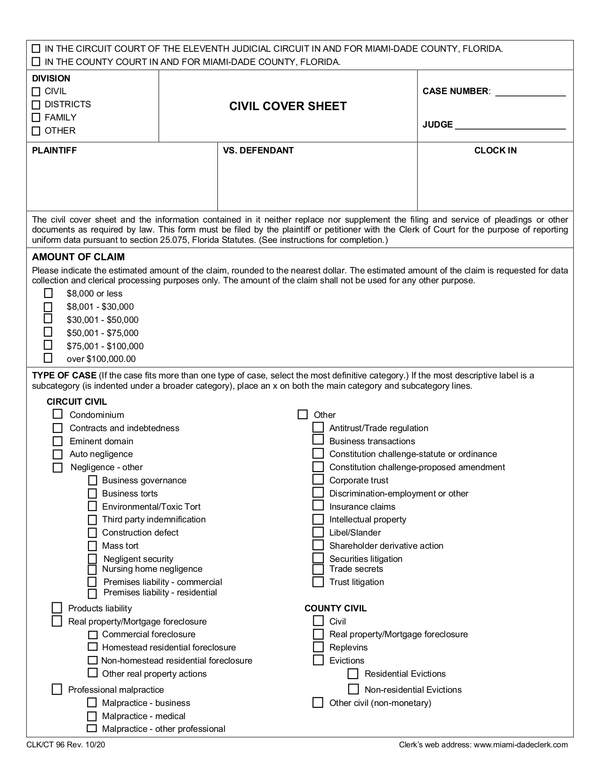
Before diving into a docket search, it helps to know which court division handles your specific matter. Miami-Dade County operates under the Eleventh Judicial Circuit of Florida and the County Court, which are split into several distinct divisions:
- Civil Division: Handles disputes involving monetary damages over $50,000 (Circuit Civil) and under $50,000 (County Civil), as well as landlord-tenant disputes and small claims.
- Criminal Division: Divided into Circuit Criminal (felonies) and County Criminal (misdemeanors and municipal ordinance violations).
- Family and Domestic Relations: Manages divorce, child custody, domestic violence injunctions, and paternity cases.
- Probate Division: Handles wills, estates, guardianships, and mental health matters.
- Traffic and Municipal: Manages traffic citations, parking violations, and minor local code infractions.
How to Search the Miami-Dade County Court Docket Online
The Clerk of the Courts for Miami-Dade County provides robust online search tools. Most public records are available directly through their official web portal without requiring an in-person visit.
Step-by-Step Online Search Process
- Visit the Official Clerk Website: Navigate to the official Miami-Dade County Clerk of Courts portal.
- Select the Case Type: Choose the appropriate division (e.g., Civil, Criminal, Traffic, Family) depending on the nature of the lawsuit or charge.
- Enter Search Criteria: You can search using multiple identifiers. The most reliable are the unique case number (if known), the party's full legal name, or the citation number for traffic offenses.
- Review Search Results: A list of matching records will appear. Click on the relevant case to open the docket.
Reading and Interpreting Docket Entries
Once you open a specific case file, the docket appears as a chronological log of every action taken in that lawsuit or prosecution. Common elements include:
Video: Miami Dade County Official Records Search

- Filing Date: When the initial complaint or charging document was submitted.
- Party Information: Names and contact details for plaintiffs, defendants, petitioners, respondents, and their respective attorneys.
- Docket Text: A brief description of every motion, order, subpoena, or hearing associated with the case.
- Future Hearings: Dates, times, and courtroom numbers for upcoming proceedings.
What Information Is Restricted or Confidential?
While the Florida Public Records Law provides broad access to court documents, certain files are sealed or confidential by law or court order. You may encounter restrictions on:
- Juvenile delinquency and dependency proceedings.
- Certain domestic violence or sexual assault victim details.
- Social security numbers, financial account details, and medical records protected under privacy statutes.
- Adoption records and sealed criminal expungements.
If a document is restricted, you may see the docket entry listed, but the actual PDF file may be unavailable for public viewing online. In these instances, viewing the file may require an in-person visit to the courthouse with proper legal standing or a specific court order.
Tips for an Efficient Docket Search
To save time and avoid frustration when looking up court records in Miami-Dade County, keep these practical tips in mind:
- Check Spelling Variations: Names are frequently misspelled in data entry. If a search yields no results for a defendant or plaintiff, try searching by partial name or variations in spelling.
- Know the Case Number Format: Miami-Dade case numbers typically follow a specific format, including a two-digit year, a division code, and a sequential number (e.g., 2023-CA-012345). Having this exact string guarantees an instant match.
- Understand Court Costs and Fees: While searching the basic docket online is free, obtaining certified copies of documents or downloading extensive digital files may require setting up a paid user account or paying nominal per-page fees.
When to Contact the Clerk's Office Directly
While online portals handle the vast majority of routine searches, complex legal matters or technical website errors may require direct assistance. You can contact the Miami-Dade County Clerk of Courts via their customer service telephone lines or visit one of the regional courthouse locations, such as the Richard E. Gerstein Justice Building for criminal matters or the Dade County Courthouse for civil litigation. Staff members cannot provide legal advice, but they can assist you in locating public files and understanding docket navigation.
Conclusion
Mastering the Miami-Dade County court docket empowers you to track litigation, verify public records, and stay informed on local legal matters. By knowing the correct division, utilizing precise search terms, and understanding how to read chronological court logs, you can efficiently find the exact case information you need.