Miami-Dade County Court Docket Guide
Navigating the legal system can feel overwhelming, but accessing public records in South Florida is relatively straightforward once you know where to look. Whether you are tracking a pending civil lawsuit, checking on a traffic citation, or simply exercising your right to view public information, understanding the Miami-Dade County court docket is an essential skill. This guide breaks down everything citizens need to know to find, read, and interpret court records in Florida's most populous county.

Understanding Miami-Dade Court Records
In the state of Florida, the vast majority of court records are public under Chapter 119 of the Florida Statutes, commonly known as the Public Records Act. This means citizens have the legal right to inspect and copy judicial records maintained by the clerk of courts.
The Clerk of the Courts for Miami-Dade County manages millions of files spanning several distinct divisions. Knowing which division handles your specific case is the first step toward finding the correct docket entry.
Types of Cases Handled
The court system in Miami-Dade County is categorized by the nature of the legal dispute or charge. The primary divisions include:
- Civil Division: Handles monetary disputes, landlord-tenant evictions, small claims, and major lawsuits exceeding specified financial thresholds.
- Criminal Division: Divided into misdemeanors and felonies, tracking arrests, arraignments, motions, trials, and sentencing.
- Family and Probate Division: Manages divorces, child support, adoptions, guardianship, and the administration of estates.
- Traffic and Parking Violations: Covers moving violations, speeding tickets, and local ordinance infractions.
How to Search the Miami-Dade County Court Docket Online
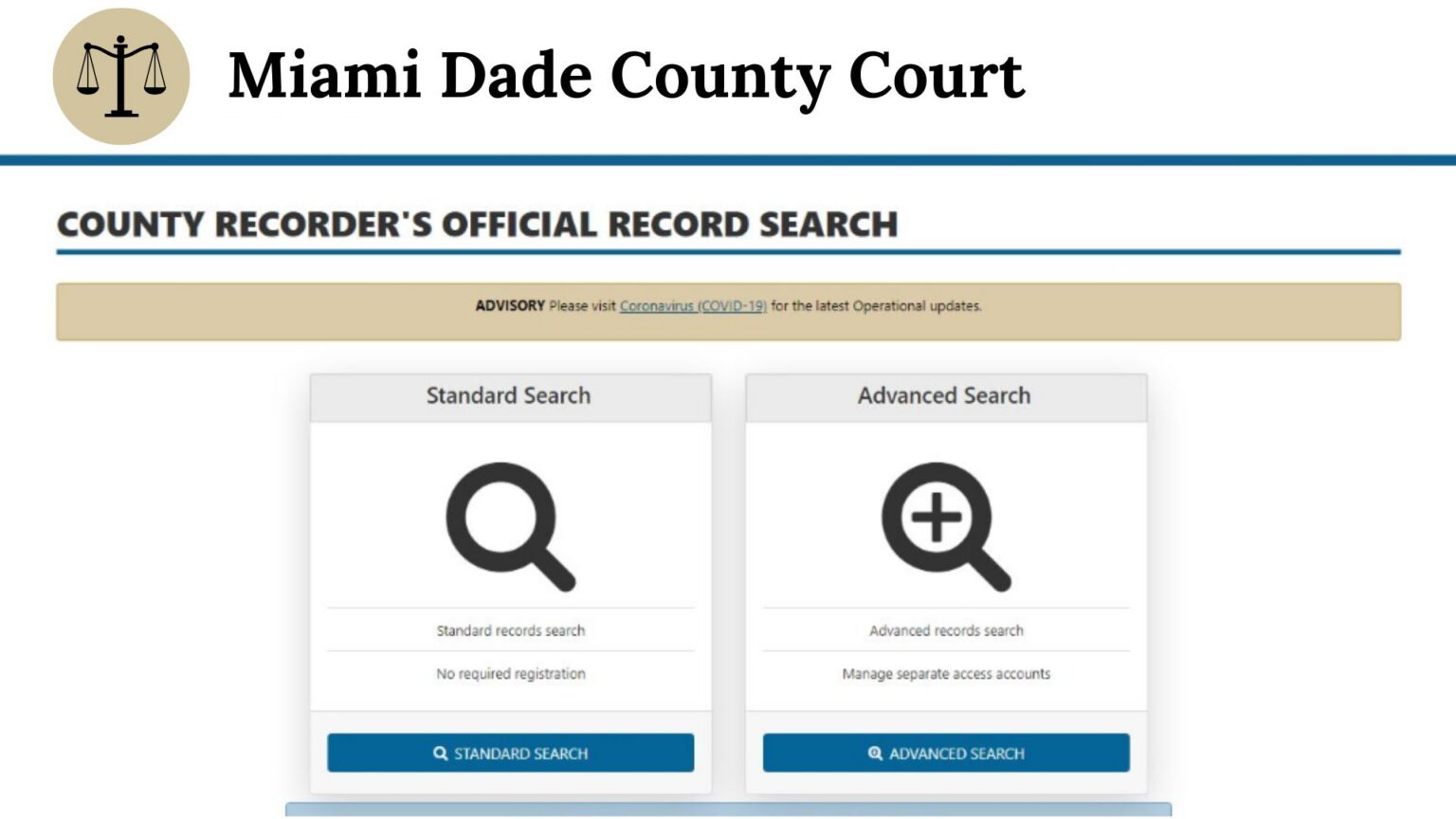
The most convenient way to look up case information is through the official online portal provided by the Miami-Dade County Clerk of Courts. You do not need to visit a courthouse physically for most basic searches.
Step-by-Step Online Search Process
- Navigate to the official Miami-Dade County Clerk of Courts website.
- Locate the "Online Services" or "Court Case Search" portal.
- Accept the terms and conditions regarding the appropriate use of public records.
- Select your search criteria. You can search by Case Number (if you already have it), Party Name (individual or business), or Uniform Traffic Citation Number.
- Review the search results list, matching names, dates of birth, or filing dates to identify the exact case you are looking for.
- Click on the specific case number to open the full docket history.
Tips for Narrowing Your Search
Common names can generate dozens of results in a county as large as Miami-Dade. To refine your search results, use filters such as filing date ranges, specific court divisions, or middle initials. If you are searching for a criminal record, having the defendant's exact date of birth will save you considerable time.
Reading and Interpreting a Docket Entry
Video: The Courthouse Guide v1.0
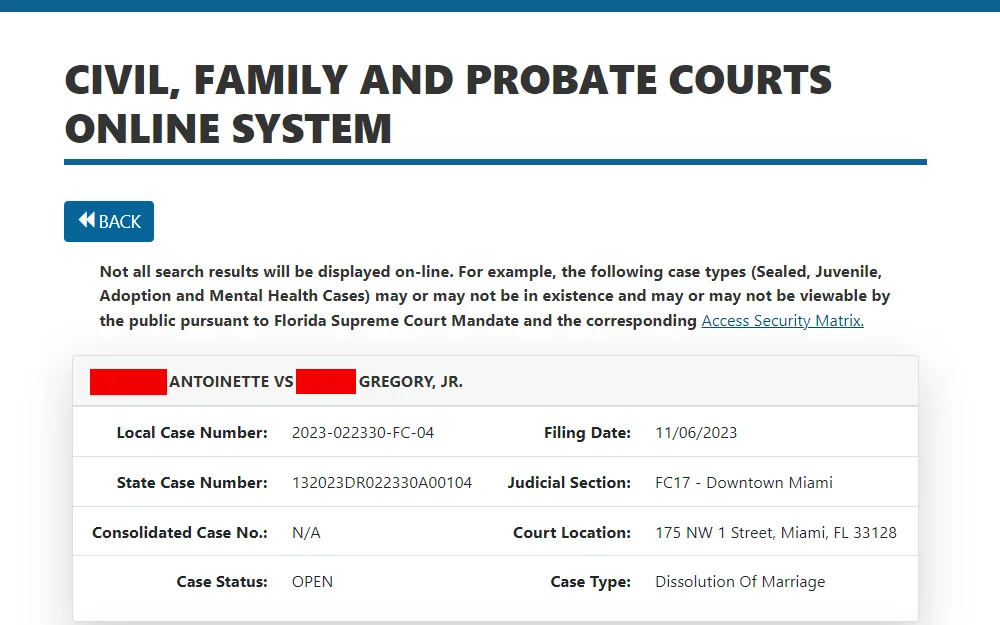
Once you successfully open a case file, you will be presented with a chronological ledger of events known as the docket. While layout designs may vary slightly between civil and criminal portals, most dockets contain standard elements.
Key Elements to Look For
- Case Number: A unique alphanumeric string that identifies the year, division, and sequence of the filing.
- Filing Date: The official date a document or complaint was submitted to the court.
- Docket Text / Description: A brief summary of what occurred or what document was filed (e.g., "Motion to Dismiss," "Notice of Hearing," or "Final Judgment Entered").
- Party Information: Names and contact details for plaintiffs, defendants, petitioners, respondents, and their respective attorneys.
- Future Hearings: Scheduled court dates, times, and courtroom locations.
Keep in mind that docket text is written in legal shorthand. If you see an unfamiliar abbreviation or procedural term, you may need to consult a legal glossary or speak with an attorney.
Limitations and Confidential Records
While Florida has expansive public record laws, not everything is available for public viewing on the internet. Certain records are legally restricted to protect privacy, national security, or the integrity of ongoing investigations.
What You Might Not Find Online
- Juvenile Cases: Proceedings involving minors are strictly confidential to protect the identity of the youths involved.
- Mental Health and Substance Abuse Cases: Baker Act and Marchman Act proceedings are typically sealed from public view.
- Sealed and Expunged Records: If an individual has successfully had their criminal record sealed or expunged through a court order, those entries will no longer appear on public dockets.
- Sensitive Personal Information: Social security numbers, bank account numbers, and specific medical details are routinely redacted from online documents.
In-Person Access and Alternative Options
If you cannot find a record online, or if you need certified copies of court documents for legal or official use, you can visit the Miami-Dade County Courthouse in person or utilize their public computer terminals.
Courthouse locations feature public kiosks where you can search dockets free of charge. Staff members can guide you on how to use the search terminals, though they are legally prohibited from providing legal advice or interpreting what docket entries mean for your specific situation.
If you require certified physical copies, printing fees and certification costs typically apply per page. Many documents can also be requested and paid for remotely through the clerk's online portal for mail delivery.
Conclusion
Accessing the Miami-Dade County court docket is a straightforward process designed to promote transparency and accountability within the local judicial system. By utilizing the Clerk of Courts' online portal, understanding how to read case chronologies, and being aware of privacy limitations, citizens can easily track legal proceedings, stay informed about local litigation, and exercise their rights as members of the public.