Mysbuxben.com Login: Starbucks Partner Benefits
Starbucks refers to its employees as partners for a reason: the company offers one of the most comprehensive benefits packages in the retail and food service industry. Whether you work behind the bar as a barista, manage a store, or operate out of a regional office, your primary gateway to accessing these perks is the My Starbucks Benefits platform. Navigating the mysbuxben.com login portal gives you full visibility into your health insurance, retirement savings, equity plans, and education assistance.

While the website address has evolved and often redirects to modern partner portals hosted through Alight Solutions or Starbucks Single Sign-On (SSO), mysbuxben.com remains the foundational destination for partner compensation management. This guide walks you through logging in, setting up a new account, managing your benefits, and troubleshooting common technical hurdles.
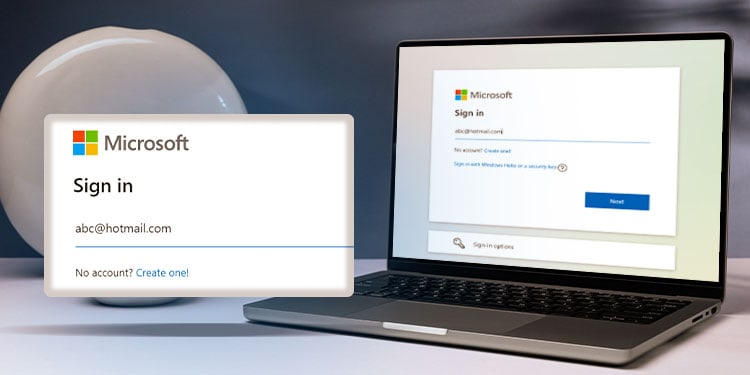
Step-by-Step Mysbuxben.com Login Instructions
Accessing your benefits dashboard takes only a couple of minutes from any desktop browser or mobile device. Follow these steps to sign in:
- Open your web browser and navigate directly to mysbuxben.com. The URL will automatically route you to the current Starbucks Benefits Center portal.
- If prompted by a Starbucks Single Sign-On screen, enter your Partner Number and system password.
- If you are redirected to the dedicated Alight benefits platform, enter your registered User ID and Password.
- Complete any required two-factor authentication (2FA) verification steps, such as entering a security code sent to your registered mobile phone or personal email address.
- Click Log On to enter your personalized partner dashboard.
First-Time Registration on My Starbucks Benefits
If you recently joined Starbucks, you must register your account before you can make benefit elections. You will not have login credentials ready on your first day of training; registration opens once your employment data syncs with the benefits administrator.
- Go to the mysbuxben.com landing page and click the link labeled New User? or Register.
- Provide identifying information to confirm your identity. This typically includes the last four digits of your Social Security Number (SSN) or National ID and your birth date.
- Create a secure, unique User ID and a complex password that follows Starbucks corporate security standards.
- Select and answer your security questions. Keep these answers accessible, as you will need them if you get locked out of your account.
- Provide a reliable recovery email address and mobile number for account alerts and one-time verification passcodes.
Key Benefits You Can Manage Through the Portal
Once you clear the login screen, the My Starbucks Benefits platform organizes your compensation and health perks into distinct areas. Here is a breakdown of what you can view and adjust.
1. Health and Wellness Coverage
Starbucks offers medical, dental, and vision coverage to eligible full-time and part-time partners. Through the portal, you can:
- Compare medical plans across multiple insurance carriers (such as Blue Cross Blue Shield, Aetna, or Kaiser Permanente, depending on your region).
- Enroll in Health Savings Accounts (HSA) or Flexible Spending Accounts (FSA).
- Add or remove eligible dependents (spouses, domestic partners, or children).
- Find wellness incentives, including access to free counseling sessions through the Lyra Health mental health benefit.
2. Financial Perks: 401(k) and Bean Stock
Your long-term wealth building starts in the financial section of your profile. The portal connects directly with partner savings vehicles:
- Future Roast 401(k): View your contribution rate, choose your investment allocations, and monitor the Starbucks corporate match (up to 5% of eligible pay).
- Bean Stock & S.I.P.: Access information about your Restricted Stock Units (RSUs) granted annually, track vesting dates, or enroll in the discounted Stock Investment Plan (S.I.P.).
3. Education: ASU College Achievement Plan
One of the most valuable benefits Starbucks provides is 100% upfront tuition coverage for a first-time bachelor's degree through Arizona State University's online program. The benefits site provides documentation, pathway coordinators, and confirmation of your current eligibility status.
4. Paid Time Off and Family Leave

Review leave balances, track eligibility for paid parental leave, explore adoption assistance programs, and manage short- or long-term disability claims through your secure profile.
Troubleshooting Common Login and Access Issues
Account lockouts and technical bugs happen. If you encounter errors trying to access mysbuxben.com, review these troubleshooting steps:
Forgot Username or Password
Click the Forgot User ID or Password? link beneath the login fields. The system will ask for your personal identifiers (such as the last four digits of your SSN and birth date) and send a temporary recovery link or PIN to your registered email or phone.
Browser Redirect Loops
Because mysbuxben.com redirects across internal Starbucks domains and third-party administrator networks (like Alight), older cookies and cached data can trap your browser in an endless loop. To fix this:
- Clear your browser cache, cookies, and browsing history.
- Open an Incognito or Private browsing window and try navigating to mysbuxben.com again.
- Disable aggressive script blockers or ad-blocking extensions that may disrupt secure SSO handshakes.
Partner Hub vs. Mysbuxben
New partners frequently confuse Partner Hub with My Starbucks Benefits. Partner Hub is the day-to-day internal intranet used for company news, store policies, partner schedules (Partner Hours), and paystubs. Mysbuxben deals exclusively with health plans, retirement accounts, life insurance, and broader partner perks. If your login credentials work on in-store systems but fail at mysbuxben.com, you may simply need to register a separate benefits profile.
Understanding Partner Benefit Eligibility
Simply having a login account does not automatically mean all insurance options are active. Starbucks enforces specific hourly thresholds to establish and maintain benefit eligibility:
- Initial Eligibility: Part-time retail partners become benefits-eligible after accumulating at least 240 paid hours over three consecutive full calendar months (an average of approximately 20 hours per week).
- Ongoing Audits: Starbucks conducts eligibility audits twice per year (typically on the last day of January and the last day of July). You must maintain 520 paid hours during each six-month audit period to retain health coverage.
- Annual Open Enrollment: Open enrollment occurs every August, allowing partners to select or update coverage for the plan year that begins on October 1st.
Contacting the Starbucks Benefits Center
If automated password reset tools fail, or if your employment status updates are delayed in the database, contact the Starbucks Partner Resources Support Center (PRSC) directly.
- Phone: Call 1-888-SBUX-411 (1-888-728-9411) and select the prompt for partner benefits.
- Hours: Support representatives are generally available Monday through Friday from 5:00 a.m. to 5:00 p.m. Pacific Time.
- Have Ready: Keep your Partner Number, current mailing address, and hire date ready when calling to speed up identity verification.
Checking your mysbuxben profile periodically ensures your beneficiary designations, contact information, and contribution percentages remain up to date as your career with Starbucks develops.