MyUPMC App: Is It REALLY As Good As They Say?
When navigating a sprawling healthcare network like the University of Pittsburgh Medical Center (UPMC), digital tools are supposed to eliminate long phone wait times and lost paper records. With millions of patient interactions every year, people frequently ask: MyUPMC App: Is It REALLY As Good As They Say?
Between app store ratings and everyday patient discussions, opinions range from calling it an indispensable healthcare companion to a frustrating portal riddled with communication delays. To give you a clear, balanced picture, we examined the app's core features, real-world reliability, security protocols, and common pain points.
What Is the MyUPMC App?
The MyUPMC app is the primary mobile patient portal for individuals receiving care across UPMC's hospitals, specialty clinics, and outpatient facilities throughout Pennsylvania, Western Maryland, and Southwest New York. Built to bridge the gap between doctor visits, the app serves as a centralized hub for managing medical data on iOS and Android devices.
Unlike third-party trackers, MyUPMC pulls directly from UPMC’s electronic health record (EHR) network. That means anything documented during an in-person clinical visit, emergency room admission, or telehealth session reflects inside your personal profile.
Key Features: What the App Promises
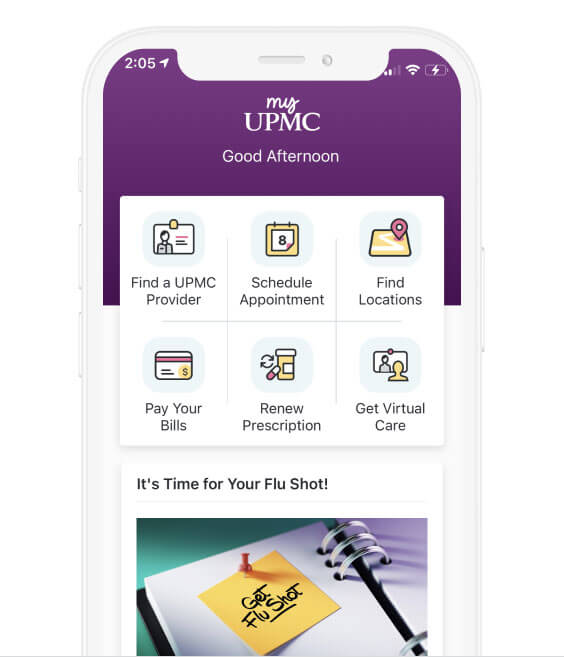
On paper, MyUPMC delivers the modern suite of tools expected from a top-tier healthcare system. Its primary capabilities include:
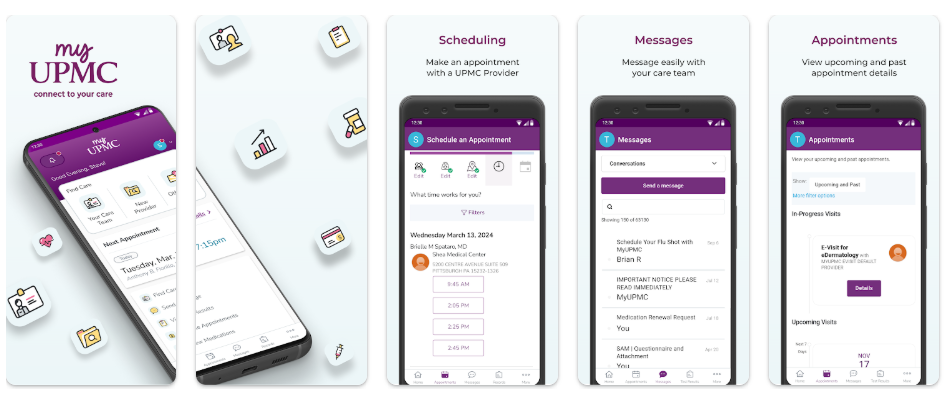
- Direct Provider Messaging: Patients can send non-urgent clinical questions directly to their doctors, nurses, and care teams.
- Lab and Test Results: Blood work, biopsies, imaging summaries, and pathology reports post directly to your device, often within hours of processing.
- Appointment Management: Users can browse available slots, book upcoming visits, cancel existing ones, and view check-in details.
- Prescription Renewals: You can request refills from your physician and track whether the script has been sent to your chosen pharmacy.
- Billing and Payments: Consolidated statements allow users to view insurance adjustments, make payments, and manage payment plans.
- Proxy Access: Parents and designated caregivers can manage health profiles for minor children or elderly family members from a single login.
Where the MyUPMC App Truly Delivers
There is a reason the platform maintains a respectable rating across both Google Play and the Apple App Store. In everyday clinical management, several features consistently work well.
1. Rapid Access to Diagnostics
Waiting days for a phone call to learn your lab results creates unnecessary anxiety. MyUPMC shines brightest with its rapid delivery of diagnostic data. In most cases, standard metabolic panels, CBC counts, and routine urine analyses appear in the app as soon as the lab enters them into the system—frequently before your doctor has even had the chance to review them.
2. Dependable Proxy Management
If you care for aging parents or juggle appointments for multiple children, managing paperwork across different clinics is exhausting. The proxy functionality inside MyUPMC is well-engineered. Once verified through clinical authorization, switching between your own profile and a dependent's profile takes just two taps, keeping records separate without requiring separate logins.
3. Secure and Convenient Biometrics
Logging into healthcare portals can be tedious due to strict HIPAA-mandated password requirements. The mobile app supports Apple Face ID, Touch ID, and Android biometric authentication reliably. Once initialized, entering your portal requires minimal friction while maintaining proper privacy safeguards.
Video: MyUPMC App | UPMC
Common Frustrations: Where the App Falls Short

Despite its strengths, the app has real weaknesses that can disrupt the patient experience. The gap between marketing promises and actual performance usually stems from the complexity of coordinating thousands of independent clinics.
Inconsistent Direct Messaging Response Times
The app promotes direct messaging as a replacement for phone tag. While some primary care offices respond within 24 to 48 hours, response times in specialty departments (such as cardiology, dermatology, or neurology) can stretch to five days or more. Because the app does not show read receipts or indicate whether a provider is out of the office, patients often feel left in the dark.
Self-Scheduling Restrictions
While primary care checkups are relatively easy to schedule inside the app, the same cannot be said for specialty care. Trying to book an ultrasound, physical therapy evaluation, or consultation with a specialist frequently leads to an on-screen prompt: "Please call the office directly to book this visit." This limitation undercuts one of the main incentives for using a digital portal.
Billing Discrepancies and In-App Handoffs
Healthcare billing is notoriously complex, and the app doesn't always handle it smoothly. Users often report seeing balance notifications in the app that do not match the itemized paper statements received in the mail. Additionally, paying certain specialized hospital balances sometimes forces the app to open an external web browser, creating a disjointed user journey.
MyUPMC App: Is It REALLY As Good As They Say?
To answer the central question plainly: yes, but with realistic expectations.
If you expect the MyUPMC app to completely eliminate phone calls to doctors' offices, you will be disappointed. Healthcare logistics simply involve too many variables for any single platform to run 100% autonomously. Complex appointments, urgent triage questions, and billing reconciliations still require human conversations.
However, if your goal is to keep an organized record of your medical history, inspect blood work instantly, track ongoing prescriptions, and keep minor administrative updates off your desk, MyUPMC is easily one of the more capable health portals available today. It outperforms outdated health-system portals that lack mobile-first optimization, providing a clean, accessible layout that requires virtually no learning curve.
Tips to Get the Best Performance Out of MyUPMC
To bypass common technical headaches and get the most out of your account, keep the following best practices in mind:
- Turn On Push Notifications: Lab results and doctor replies post silently if push alerts are off. Make sure notifications are allowed in your device settings so you do not miss time-sensitive updates.
- Do Not Use Messaging for Emergencies: Clinicians review messages during business hours between patient visits. Always call your local triage line or 911 for urgent symptoms.
- Verify Provider Notes: After every visit, check the "Visit Summary" tab. If the notes contain discrepancies regarding your current medications or medical history, you can catch them early and request a correction via secure message.
- Clear Cache After App Updates: If you experience unexpected crashes or blank screens after an update, log out, clear the app cache, or reinstall it. This resolves most display glitches related to cached medical PDFs.
The Bottom Line
The MyUPMC app is not flawless, but it remains an essential tool for anyone whose primary healthcare runs through the UPMC network. By shifting simple administrative tasks to your smartphone, it puts meaningful control back into your hands—saving time, eliminating paper clutter, and giving you instant visibility into your health data.