Nemesis vs FNIS: Which Skyrim Animation Mod Wins?
When upgrading Skyrim’s combat and character movement, you quickly encounter a foundational decision: Nemesis vs FNIS. Both tools patch Skyrim’s Havok behavior files to allow custom character animations, but they take drastically different approaches under the hood. Choosing the wrong framework can cause T-posing characters, broken combat systems, or load order crashes.

For years, Fores New Idles in Skyrim (FNIS) reigned supreme. Today, the Nemesis Unlimited Behavior Engine powers the modern animation revolution. Here is what you need to know about how each tool works, where their strengths lie, and which one belongs in your mod list.
Understanding Skyrim Behavior Engines
Skyrim was built on a rigid proprietary implementation of the Havok behavior engine. Under default conditions, the engine only recognizes vanilla animation triggers and state graphs. If a modder creates a backflip, a directional dodge, or an attack combo, the base game literally does not know how to play the animation file (.hkx) in sequence.
Behavior generators resolve this problem by generating new behavior graphs that bridge custom animation files with the game engine. Rather than simply dropping animation files into your Data folder, you run an external executable that rebuilds these graphs before launching the game.
What Is FNIS (Fores New Idles in Skyrim)?
Created by the modder fore, FNIS was the pioneering utility that made custom animations possible in Skyrim. Prior to FNIS, modders were largely restricted to overwriting existing vanilla animations. FNIS introduced the ability to add new idle poses, weapon swings, killmoves, and furniture interactions.
FNIS works by using pre-compiled behavioral templates and hardcoded slots. When you run the generator, it reads your installed animation mods, matches them against known templates, and writes the output files.
Key Advantages of FNIS:
- Creature Animation Support: FNIS natively supports custom behaviors and animations for Skyrim’s non-humanoid creatures and beasts.
- Longstanding Stability: Because it has been around for over a decade, FNIS is predictable, stable, and extensively documented across older modding guides.
- Low Resource Overhead: It runs quickly on older setups and rarely suffers from false-positive antivirus flags.
What Is the Nemesis Unlimited Behavior Engine?
Developed by ShikyoKira, Nemesis is an open-source, dynamic behavior generation engine designed to shatter the limits of what Skyrim modders thought was possible. Unlike FNIS, which works around hardcoded templates, Nemesis reads raw behavior source code and dynamically compiles it on the fly.
This dynamic architecture allows modders to inject completely new game logic into Skyrim. Features like target-locking directional movement, combo attacks, timed parrying, and procedural leaning are only possible because Nemesis allows scripts to interact directly with animation behavior states.
Key Advantages of Nemesis:
- Dynamic Behavior Generation: Enables advanced modern combat mods such as MCO/ADXP, True Directional Movement (TDM), and Combat Gameplay Overhaul (CGO).
- Built-in FNIS Emulation: Nemesis automatically generates a dummy
FNIS.espfile, tricking older mods that look for FNIS into thinking it is installed and running. - Patch Flexibility: Allows multiple mods that edit the same behavior files to cleanly coexist through an integrated patch selection UI.
Nemesis vs FNIS: Key Differences Compared
1. Support for Modern Combat Frameworks
If your goal is to make Skyrim play like modern action RPGs (such as Elden Ring or The Witcher 3), Nemesis is the indisputable winner. Frameworks like MCO (Modern Combat Overhaul), SkySA, and directional dodge frameworks rely on behavior logic that FNIS fundamentally cannot process.
FNIS simply plays animations from point A to point B. Nemesis allows animations to drive movement data (root motion), adjust hitbox windows, and cancel animation frames into parries or dodges.

2. Creature Animations and Specialized Mods
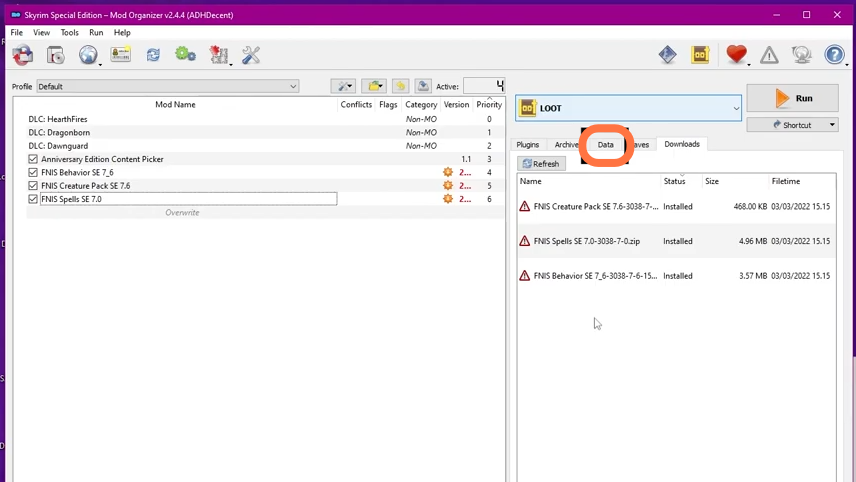
The single most common reason users stick with FNIS—or install it alongside other tools—is creature animation support. Mod authors who create custom animal movements, monster overhauls, or adult creature content rely on the FNIS Creature Pack.
Nemesis deliberately excludes creature behavior generation. If your mod list relies heavily on non-humanoid animations or adult mods requiring creature behaviors, FNIS remains the native solution for those specific files.
3. Legacy Mod Compatibility
Many older pose packs, dance mods, and classic weapon replacers explicitly list FNIS as a strict master requirement. Fortunately, Nemesis renders this conflict obsolete. When you launch the Nemesis generator, it generates an artificial FNIS.esp plugin. Any classic mod checking for the presence of FNIS will detect the dummy plugin and function seamlessly.
4. Generation Speed and User Interface
Both tools utilize a straightforward graphical user interface (GUI), but their workflows differ slightly:
- FNIS: Requires checking a few specific patch checkboxes (like "SKELETON Arm Fix") and clicking "Update FNIS Behavior." It is exceptionally fast, often completing within 10 to 20 seconds.
- Nemesis: Requires clicking "Update Engine" first to pull the latest mod templates, checking off the mod patches present in your load order, and then clicking "Launch Nemesis Behavior Engine." Generation can take slightly longer (30 to 60 seconds) due to dynamic compilation.
Comparison Summary Table
| Feature | Nemesis | FNIS |
|---|---|---|
| Active Development | Community-supported / Open Source | Discontinued / Retired |
| Modern Combat Support (MCO/SkySA) | Full Support | Not Supported |
| Creature Animations | No | Yes (via Creature Pack) |
| Legacy FNIS Mod Support | Yes (Generates Dummy ESP) | Native |
| Dynamic Behavior Patching | Yes | No |
Can You Run Both Together?
Technically, yes, but it requires a very specific setup. If you must have both custom creature animations and modern combat mechanics, you can run the FNIS generator first (targeting only creature packs), output those files to an isolated mod folder, and then run Nemesis to handle all humanoid character animations.
However, running both increases load order complexity and troubleshooting overhead. For most players, selecting one engine based on mod preference yields a far more stable game.
The Next Generation: Where Does Pandora Fit?
Modders looking at the animation landscape should also be aware of Pandora Behavior Engine, a newer tool that has entered the community. Pandora was built to combine the strengths of both tools: parsing Nemesis patches at significantly faster speeds while also handling creature behavior files that previously required FNIS. While Nemesis remains the battle-tested standard in most current guides, keep an eye on Pandora as an emerging alternative.
The Verdict: Which Should You Choose?
For roughly 95% of Skyrim modders today, Nemesis is the correct choice. The modern modding ecosystem has moved almost entirely to dynamic combat, true directional locomotion, and sophisticated character animation systems that FNIS cannot execute.
Choose Nemesis if:
- You want modern third-person combat (MCO, SkySA, Precision).
- You want fluid movement and dodge mods (TK Dodge RE, The Ultimate Dodge Mod).
- You want complete compatibility with recent animation packs hosted on Nexus Mods.
Choose FNIS only if:
- You are building a legacy mod list specifically focused on custom non-humanoid creature behaviors or specific adult mods that depend strictly on the FNIS Creature Pack.