Netflix Account Sharing Canada: Rules & Costs
Canada was one of the earliest test markets for the streaming giant's password-sharing crackdown. Since early 2023, the rules governing netflix account sharing canada have changed drastically, shifting from a casual “love is sharing a password” model to strict household verification and paid extra-member slots. If you share an account with family members across town or kids away at university, navigating these restrictions without getting blocked requires understanding how the system works.

How Netflix Account Sharing Canada Works Today
Under Netflix's current terms of service, an account is meant to be shared exclusively by people living in the same physical residence. This group of devices connected to your primary network is officially termed a Netflix Household.
The platform does not rely on GPS location tracking to enforce this. Instead, it uses a combination of network indicators, including:
- Primary IP Addresses: The public IP assigned to your home modem/router.
- Device Identifiers: Unique hardware IDs (MAC addresses and operating system identifiers) of your smart TVs, streaming sticks, and computers.
- Wi-Fi Check-ins: Whether mobile devices connect periodically to the primary home network.
When someone logs in from a smart TV or streaming box outside your home network, Netflix detects the mismatched IP and displays a screen stating: “This TV isn't part of your Netflix Household.” At that point, the external viewer is prompted to create their own account or be added as an authorized extra member.
Extra Member Slots: Pricing and Plan Limits in Canada
To accommodate families and friends who still want to share the financial burden, Netflix introduced “Extra Member” slots in Canada. Rather than forcing secondary users to pay full price for a separate standalone plan, the account owner can purchase sub-accounts tied to their primary billing.
Current Costs
In Canada, adding an extra member costs $7.99 CAD per month (plus applicable sales tax) per slot. This charge is billed directly to the primary account holder's payment method.
Plan Eligibility
Not every subscription tier allows you to buy extra member slots. Here is how Canadian plans break down:
- Standard with Ads ($5.99 CAD/month): Cannot add extra members.
- Standard ($16.49 CAD/month): Allows you to add one extra member outside your household for an additional $7.99/month.
- Premium ($20.99 CAD/month): Allows you to add up to two extra members outside your household for $7.99/month each.
What Does an Extra Member Get?
An extra member does not simply log in with your primary email and password. They receive:
- Their own unique login (email address and password).
- A single dedicated profile with private viewing history, recommendations, and ratings.
- The ability to stream and download titles on one device at a time.
- Access to the same video and audio quality as the host plan (e.g., 4K HDR on Premium).
Note: Extra members must activate their membership in the same country where the primary account was established. A Canadian account holder cannot add an extra member residing in the United States or the UK.
How to Set Up or Update Your Netflix Household
If your household setup becomes misconfigured—such as after getting a new router or changing internet service providers—you will need to confirm your primary location using a TV connected to your home network.
- Open the Netflix app on your TV.
- Press left on your remote to open the main menu, then select Get Help.
- Select Manage Netflix Household.
- Choose Confirm Netflix Household or Update My Netflix Household.
- Netflix will send an email or SMS verification link to the account owner. Follow the link to approve the update.
Traveling and Mobile Streaming: What Are the Rules?
One of the biggest concerns for subscribers is whether they can use Netflix on road trips, at a family cottage, or during a daily commute. The short answer is yes, but with specific caveats depending on the device.

Smartphones, Tablets, and Laptops
Mobile devices are treated with greater flexibility. To keep your mobile device authorized, you simply need to connect it to your primary household Wi-Fi network and open the Netflix app once every 31 days. Once verified, that device can stream on mobile networks, hotel Wi-Fi, or office connections without interruption.
Second Homes, Cottages, and Hotels
If you access Netflix through a smart TV or set-top box at an Airbnb, hotel, or secondary property, the system will eventually flag the device as being outside your household. In these cases, you can select “I'm Traveling” on the screen. Netflix will send a temporary one-time passcode via email or SMS, granting access for roughly 7 to 14 days. For extended stays at a cottage, you may need to update your primary household location or bring a portable casting device (like a Chromecast or laptop via HDMI) that was verified at home.
Profile Transfer: Saving Your Algorithm
If you or someone on your account decides it is time to move onto an independent plan or an Extra Member slot, you do not have to sacrifice your watch history. Netflix provides an integrated Profile Transfer feature.
This tool migrates:
- Viewing history and saved progress
- “My List” items
- Saved game data
- Customized algorithm recommendations and user ratings
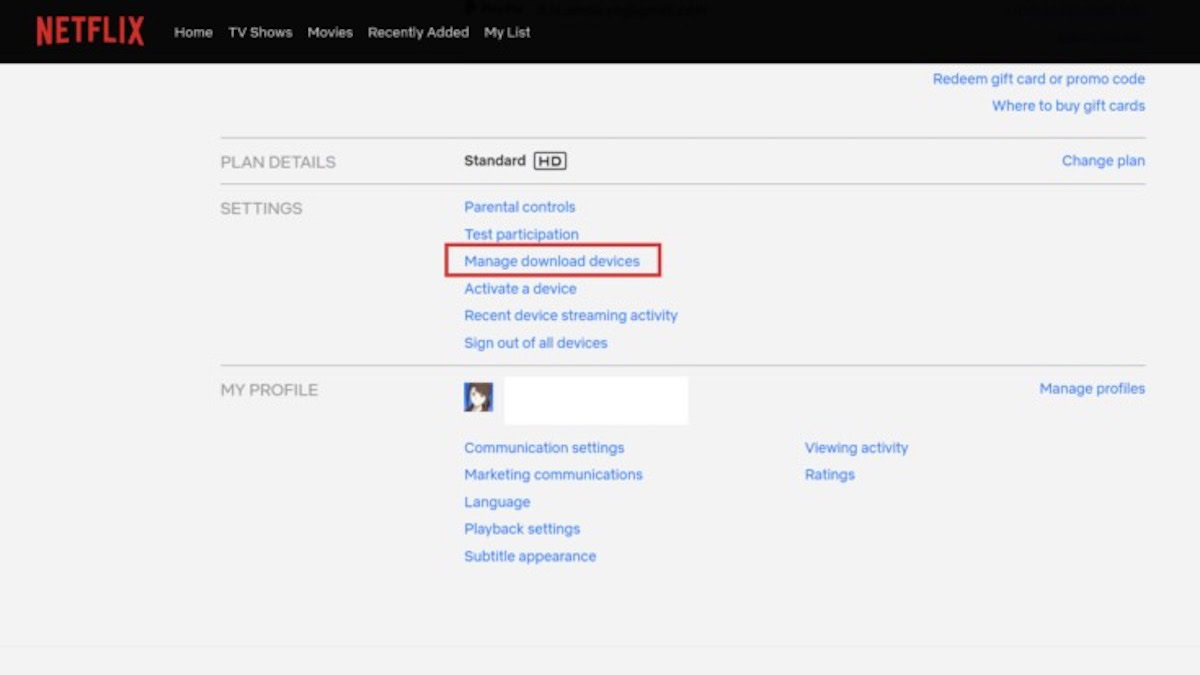
To initiate this, log into Netflix via a web browser, hover over the profile icon, select Transfer Profile, and follow the on-screen instructions to move the data to a new paid subscription or an extra member invitation.
Is Paying for an Extra Member Worth It?
To determine if sharing is still economically sensible, consider the math against standalone options:
- Option A: Premium + 2 Extra Members: $20.99 + $7.99 + $7.99 = $36.97 CAD/month total. Split three ways, each party pays approximately $12.32/month for full 4K streaming with zero ads.
- Option B: Standalone Standard with Ads: At $5.99 CAD/month per person, two separate ad-supported accounts total roughly $12.00/month. If ad interruptions do not bother you, separate ad-tier accounts remain cheaper than the extra member add-on.
- Option C: Standalone Standard (Ad-Free): At $16.49 CAD/month, paying $7.99 for an extra member slot represents an immediate monthly savings of $8.50 for the secondary viewer who wants an ad-free experience.
Frequently Asked Questions
Can Canadian post-secondary students share their parents' account?
If a student lives away from home during the school term, their smart TV or console will eventually be blocked because it does not connect to the parents' home Wi-Fi network. The parents must either purchase an Extra Member slot for $7.99/month, or the student must stream via a laptop/tablet that periodically connects to the family home network during visits.
Does a VPN bypass Netflix household detection?
While some commercial VPNs can mask your IP address, Netflix actively blocks known VPN data center IPs. Using a VPN to bypass household checks frequently results in proxy error codes (such as error m7111-5059) and degraded stream quality, making it an unreliable long-term solution.
Can I cast from my phone to bypass the TV restriction?
Casting from an authorized mobile device to a smart TV or Chromecast works in many instances, provided the mobile device was recently authenticated on the home network. However, native smart TV apps will consistently enforce the household restriction whenever opened directly.