PA Courts UJS Portal Guide For Legal Professionals
PA Courts UJS Portal Guide For Legal Professionals

Navigating the Pennsylvania judicial system efficiently requires a strong command of the state's digital infrastructure. For attorneys, paralegals, and legal assistants, the Pennsylvania Courts Unified Judicial System (PA Courts UJS Portal) serves as an indispensable digital hub. Whether you are performing preliminary background research, checking the status of an active trial, or tracking appellate decisions, understanding how to leverage this platform is essential for modern law practice.
This comprehensive PA Courts UJS Portal guide for legal professionals explores the core features, search strategies, and best practices to streamline your daily case management and research workflows.
Understanding the PA Courts UJS Portal Ecosystem
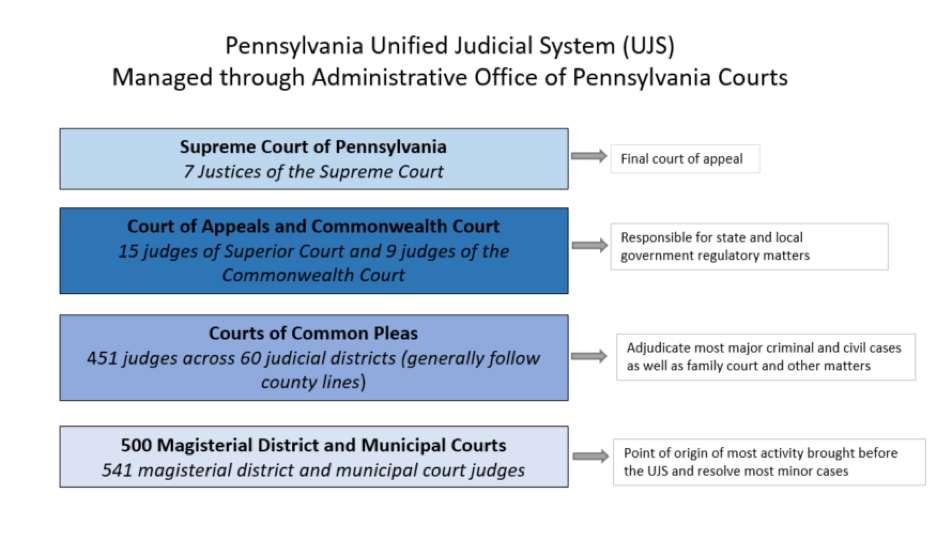
The Unified Judicial System of Pennsylvania connects courts across all 67 counties, spanning the Supreme Court, Superior Court, Commonwealth Court, Courts of Common Pleas, and Magisterial District Courts. The public portal acts as a centralized window into millions of civil, criminal, and traffic dockets.
Unlike restricted internal filing systems, the web-based UJS Portal is publicly accessible, but its robust search capabilities require a methodical approach. Knowing where to look—whether in appellate court dockets or local magisterial records—saves valuable billable hours.
Core Features for Legal Research and Case Tracking
Legal professionals rely on the portal for several key functions. Mastering these modules ensures you never miss a filing update or court date.
Docket Sheet Searches
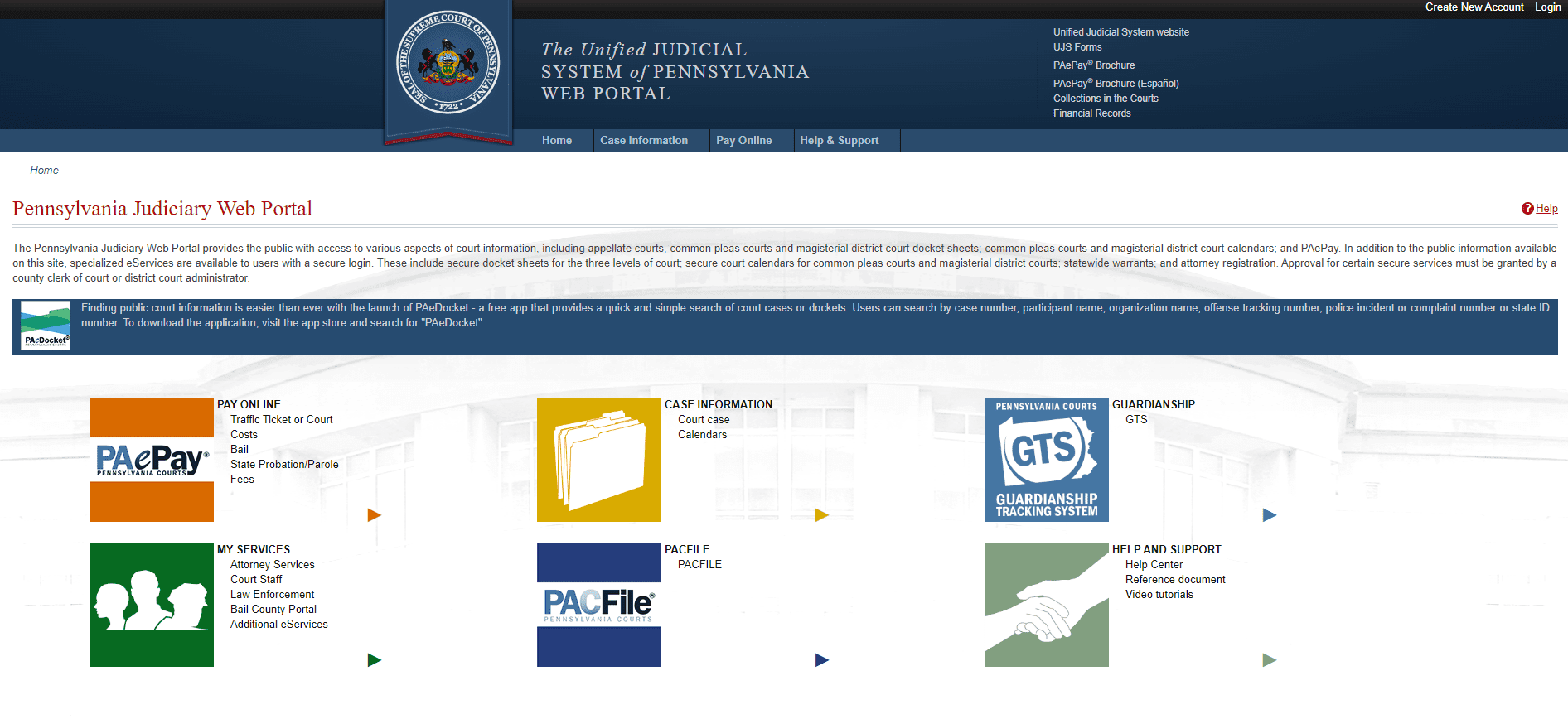
The docket sheet is the heartbeat of any Pennsylvania legal proceeding. Through the portal, you can search for dockets using multiple identifiers:
- Participant Name: Search by individual or business name (always check potential alias variations).
- Docket Number: The precise alphanumeric string assigned to a case (e.g., CP-51-CR-0001234-2023).
- Complaint or Incident Number: Particularly useful in criminal matters before the police report translates into a formal court docket.
- Date Filed: Narrow down broad searches by filtering for specific filing windows.
Once located, docket sheets can be downloaded as PDFs. These documents provide a chronological ledger of every motion, order, and hearing associated with the matter.
Video: Record Eraser | Let's Talk: How to Research Your Pennsylvania Criminal Record on the UJS Portal

Court Calendar and Schedule Tracking
Staying ahead of court appearances is critical. The portal provides access to statewide court calendars. Legal professionals can look up daily or weekly dockets by courtroom, judge, or county. This feature is especially helpful when coordinating trials across multiple jurisdictions or verifying whether a judge has continued a hearing.
Appellate Court Opinions
For litigators drafting briefs, the portal offers streamlined access to recent opinions issued by the Pennsylvania Supreme, Superior, and Commonwealth Courts. You can browse slip opinions or search archived rulings to support your legal arguments with binding precedent.
Advanced Tips for Efficient Navigation
Because the UJS Portal indexes vast amounts of data, broad searches often yield thousands of irrelevant results. Use these professional strategies to refine your queries:
- Utilize Wildcards: If you are unsure of a spelling or want to capture variations of a corporate name, utilize appropriate search syntax.
- Filter by County and Court Level: Always narrow your parameters to the specific judicial district (e.g., Philadelphia County Court of Common Pleas vs. Allegheny County Magisterial District Court) to cut down load times and irrelevant matches.
- Save and Export Data: Keep structured logs of your searches. While the portal retains recent history in browser caches, maintaining a firm-wide database of relevant docket PDFs prevents redundant searching.
Managing Security, Privacy, and Confidentiality
While the UJS Portal provides broad public access, legal professionals must remain mindful of privacy rules and unsealed record limitations. Certain documents—such as sealed juvenile records, specific mental health commitments, or confidential portions of family law proceedings—may be redacted or entirely omitted from public portal views.
Furthermore, attorneys should ensure their staff adheres to Pennsylvania's Case Records Public Access Policy when handling filings and reviewing sensitive data pulled from the portal.
Conclusion
The Pennsylvania Courts Unified Judicial System Portal is much more than a simple search engine; it is the digital backbone of the state's legal practice. By mastering docket searches, utilizing calendar tracking tools, and refining your research methodology, you can significantly enhance your firm's operational efficiency. Bookmark key search pages, establish internal protocols for tracking updates, and integrate the UJS Portal seamlessly into your daily legal workflow.