Printable Appointment Template: Free Layouts & Tips
Even in an era dominated by cloud software and mobile apps, a physical, printable appointment template remains one of the most reliable ways to manage your daily schedule. Digital calendars can crash, run out of battery, or suffer from synchronization errors. A printed schedule sits directly on your reception desk or workstation, offering instant visibility with zero load time.

Whether you manage a medical practice, a busy hair salon, an independent consulting firm, or your personal calendar, having a structured paper backup keeps operations moving smoothly. Below, we break down the most effective appointment layouts, essential fields to include, and best practices for creating and maintaining an organized appointment book.
Why Physical Appointment Sheets Remain Indispensable
Software has clear benefits, but paper schedules hold specific operational advantages that software cannot match:
- Frictionless entry: When a client is on the phone, grabbing a pen and jotting their name into a slot takes three seconds. There is no need to log in, navigate drop-down menus, or wait for an app to load.
- Universal accessibility: Anyone covering the front desk—whether a temporary receptionist, an assistant, or a business partner—can instantly read and update a printed sheet without needing software training or user accounts.
- Tactile focus: Writing down times and names reinforces memory, helping practitioners anticipate their daily workflow better than glancing at a crowded mobile screen.
- Zero downtime: If your office internet goes down or your scheduling software encounters an outage, your business operations will not grind to a halt.
Choosing the Right Printable Appointment Template for Your Workflow
Not every business functions on the same rhythm. A massage therapist operating on 60-minute blocks needs a completely different sheet than an optometrist working on 15-minute intervals. Selecting the right printable appointment template depends on your daily volume, staff count, and pacing.
1. Daily Single-Column Schedule (Interval-Based)
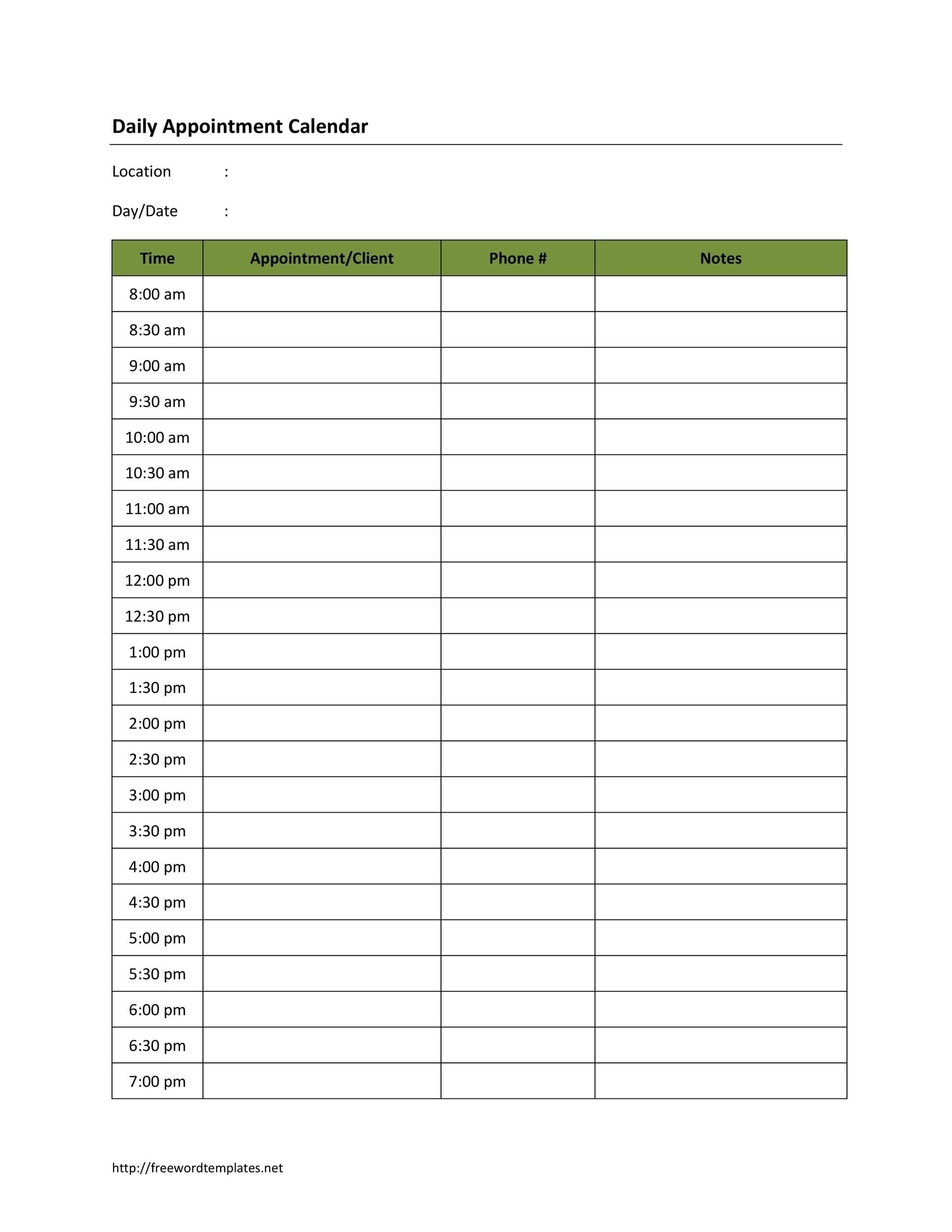
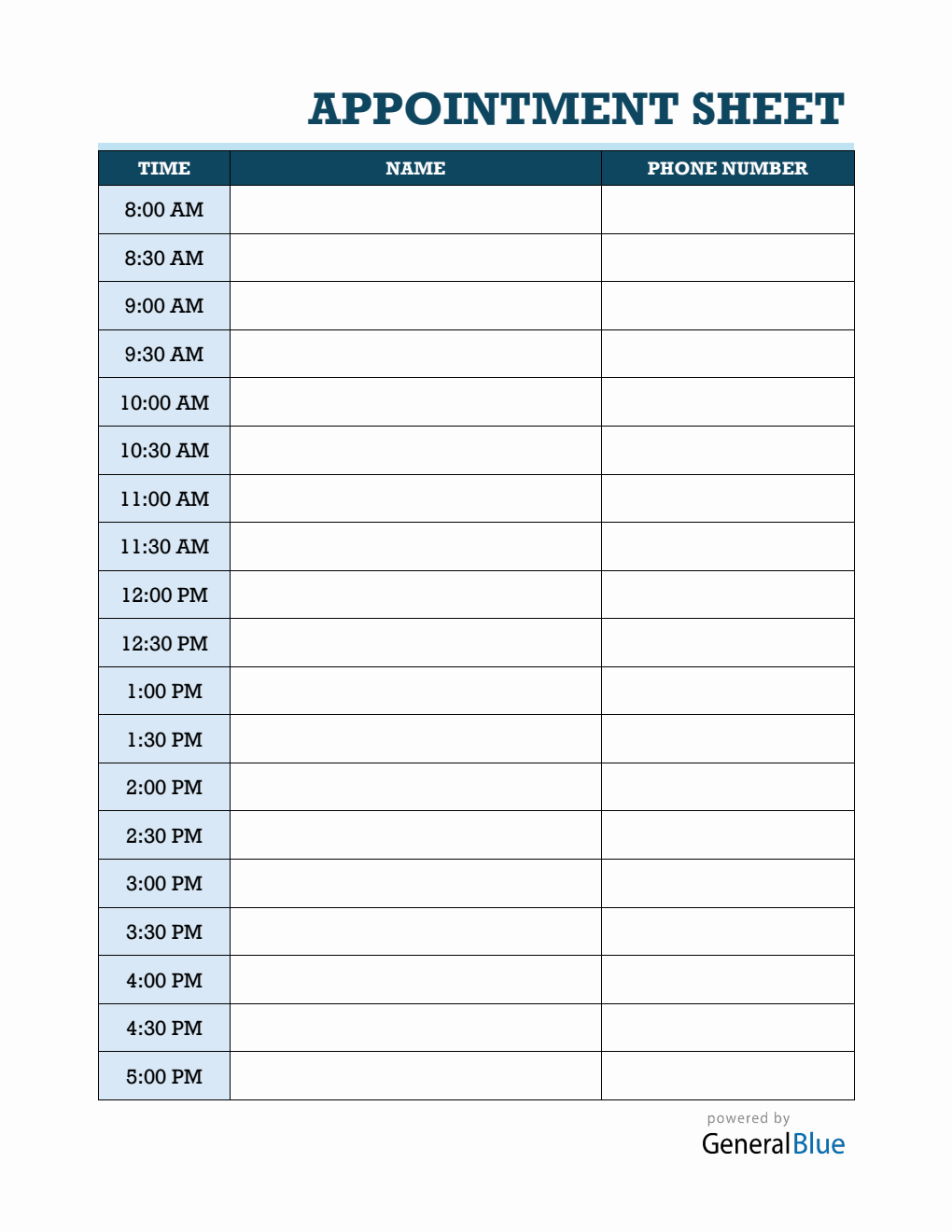
This is the standard workhorse for individual service providers such as therapists, tutors, personal trainers, and solo attorneys. The page represents a single day, broken down into standardized time increments:
- 15-Minute Increments: Best for high-volume offices like medical clinics, chiropractors, or express grooming services.
- 30-Minute Increments: Ideal for dentists, beauty salons, and automotive repair intake desks.
- 60-Minute Increments: Perfect for executive coaching, psychological counseling, and in-depth consultations.
2. Multi-Column Team Layout
If you run a practice with multiple practitioners or service bays, a multi-column daily sheet is essential. The horizontal axis lists each team member’s name (or room number), while the vertical axis tracks shared time slots. This prevents room conflicts and gives the receptionist a birds-eye view of who has open availability at any point during the day.
3. Weekly Overview Grid
For independent professionals who manage their own books and maintain a moderate appointment volume, a weekly template saves paper and shows the week’s momentum at a glance. Each day gets its own vertical strip spanning Monday through Friday (or Sunday), allowing you to balance heavy meeting days with dedicated prep time.
4. Client-Facing Appointment Cards
Printable appointment tracking is not just for the desk—it is also for the client. Pocket-sized reminder slips (typically printed 8-up or 10-up on cardstock) give customers a tangible reminder of their upcoming booking. Include fields for the client name, provider name, date, day of the week, exact time, and cancellation policy.
Essential Fields Every Appointment Sheet Must Include
A blank lined sheet invites sloppy record-keeping. A properly structured appointment sheet should contain designated columns to ensure whoever takes the booking captures complete information:

- Time Slot: Pre-printed hours and increments down the left margin to enforce punctuality.
- Client Name: Enough horizontal width to clearly write first and last names.
- Phone Number: Crucial for running appointment reminder calls or reaching out if a provider is running behind.
- Service / Reason for Visit: A brief note indicating whether the session is an initial consultation, routine cleaning, cut and color, or follow-up.
- Status Indicators: Small checkboxes or shorthand codes to mark whether the client confirmed (C), arrived (A), completed the session (✓), or was a no-show (NS).
- Payment / Balance Notes: A compact space to note co-pays, deposits paid, or balances due at checkout.
How to Create and Customize Your Own Printable Template
While you can download generic PDF templates online, creating your own tailored version takes less than fifteen minutes and ensures the layout fits your exact operational needs.
Using Spreadsheet Software (Excel or Google Sheets)
Spreadsheets offer the most precise control over grid dimensions:
- Open a new sheet and set the page layout to your preferred paper size (usually Letter or A4) and orientation (Portrait for single-column; Landscape for multi-column).
- Set your margins to narrow (0.5 inches or 12.7 mm) to maximize usable space.
- Input your header row: Time, Client Name, Contact Number, Service, Status, Notes.
- Adjust column widths so the Name and Notes sections have ample writing room, while Time and Status remain compact.
- Use light-gray interior borders for individual time rows and dark-gray or black borders between hours to improve legibility.
- Set the print area explicitly to avoid trailing blank rows on a second page.
Using Word Processors (Microsoft Word or Google Docs)
If you prefer a simpler table interface, insert a table with 5 to 6 columns and 20 to 30 rows. Fix row heights to at least 0.25 to 0.35 inches (6 to 9 mm) so there is comfortable space for handwritten notes. Add a header featuring your business logo, telephone number, and the designated date line.
Best Practices for Printing, Storage, and Privacy
Printing your template is only half the battle; managing the physical document properly ensures operational efficiency and protects sensitive data.
Invest in Heavier Paper
Standard 20-pound copy paper tears easily and allows ink from gel pens or markers to bleed through to the other side. Print your daily templates on 28 lb or 32 lb bright white paper (105–120 GSM). The heavier paper withstands continuous handling, erasing, and highlighter use throughout a busy shift.
Maintain Client Privacy (HIPAA & Confidentiality)
If you run a medical clinic, legal practice, or wellness center, an open schedule sheet sitting face-up on a front desk can easily violate client confidentiality laws (such as HIPAA in the United States). Anyone standing at the desk can look down and see the names and reasons for visits of other clients.
To maintain strict privacy:
- Keep the daily appointment binder positioned behind a raised reception privacy partition.
- Use a clipboard with an opaque front privacy cover.
- Never leave completed schedule sheets unattended in public-facing areas.
Establish an Archival System
Never discard completed appointment sheets in standard trash bins. At the end of each business day, file the completed sheet into a designated monthly binder. Physical logs serve as valuable evidence in cases of billing disputes, attendance verification, tax audit tracking, and client history reconciliation. Once records exceed your industry’s mandatory retention period, destroy them using a cross-cut shredder.