Redeeming Your 12 Digit Code for V Bucks Safely
Understanding Fortnite V Bucks Codes
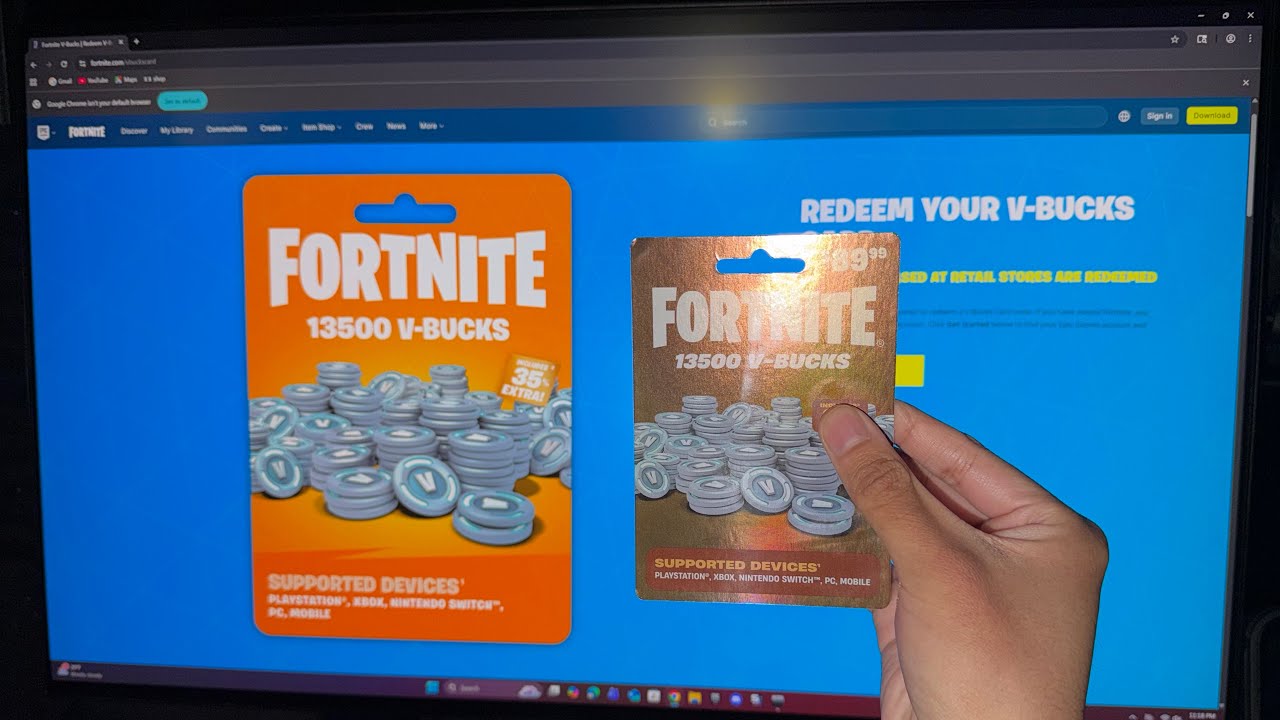
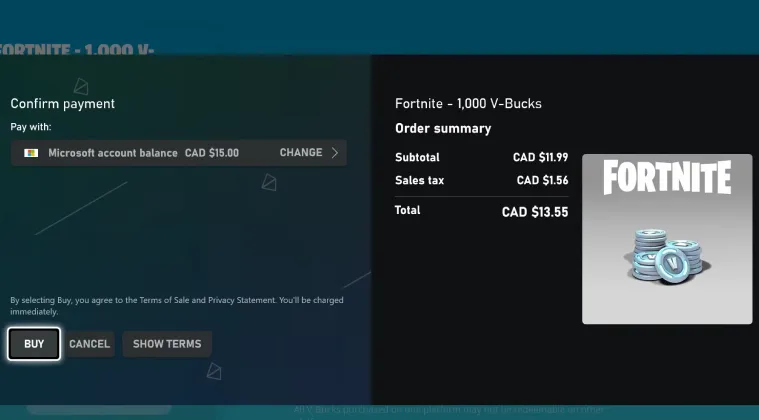
Fortnite remains one of the most popular video games in the world, largely driven by its massive catalog of cosmetic skins, emotes, and the seasonal Battle Pass. To purchase these in-game items, players rely on V Bucks, Fortnite's virtual currency. While you can buy V Bucks directly through your console or PC storefront using a credit card or PayPal, many players prefer using physical or digital prepaid cards. When you purchase one of these cards, you receive a specific 12 digit code for V Bucks that you can enter on the official Epic Games website to credit your account.
Knowing how these codes work, where to find them, and how to redeem them safely is essential for any Fortnite fan. Unfortunately, because V Bucks are so desirable, the internet is flooded with scams targeting players who are looking for shortcuts. This guide will walk you through the correct redemption process, how to buy legitimate cards, and what to watch out for to keep your Epic Games account secure.
How to Redeem a 12 Digit Code for V Bucks
Redeeming your prepaid card is a straightforward process, but it requires you to use a web browser rather than doing it directly inside the Fortnite application on most consoles. Follow these step-by-step instructions to add the currency to your balance:
- Locate your code: Scratch off the protective silver coating on the back of your physical retail card, or check your digital receipt if you bought an online code from a certified retailer. Make note of the 12 digit code for V Bucks.
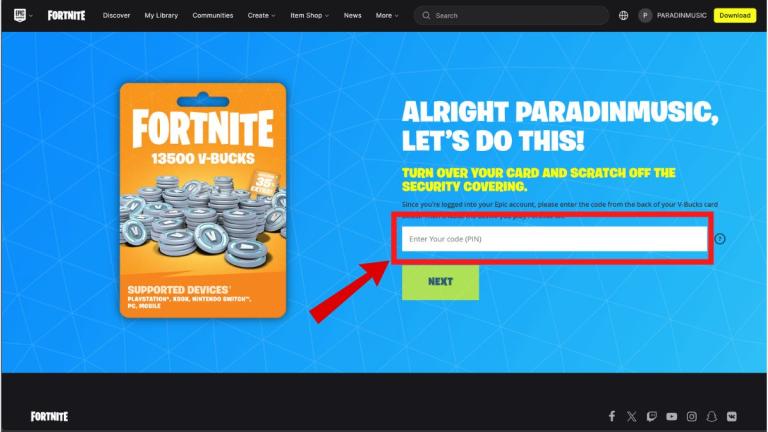
- Go to the official website: Open your web browser and navigate to fortnite.com/vbuckscard.
- Log into your Epic Games account: Ensure you are signed into the correct account where you want the V Bucks to appear. If you play on a console like PlayStation, Xbox, or Nintendo Switch, make sure you log in using your console credentials if your accounts are linked.
- Enter the code: Type the 12 digit code carefully into the text field without any hyphens or spaces (the system typically formats this automatically as you type).
- Select your platform: Choose the device where you want to use the V Bucks (PC, PlayStation, Xbox, Switch, or mobile). Note that V Bucks purchased via cards generally sync across most platforms via cross-progression, but choosing your primary device prevents any errors.
- Confirm and redeem: Review your details and click confirm. The V Bucks will be instantly added to your balance, ready for use the next time you launch Fortnite.
Where to Buy Legitimate V Bucks Cards
To ensure your 12 digit code actually works, you must purchase your cards from authorized retailers. Buying from random marketplaces or unverified peer-to-peer sites puts you at high risk of receiving an already used code or a stolen card that Epic Games will eventually ban.
- Major retail stores: Target, Walmart, Best Buy, GameStop, and major supermarkets sell physical cards in their electronics or gift card aisles.
- Authorized digital storefronts: If you prefer instant digital delivery, buy electronic gift cards from official platforms like Amazon, the PlayStation Store, Xbox Marketplace, or the Nintendo eShop.
- Epic Games direct: You can purchase digital codes directly through approved online distributors partnered with Epic Games.
Avoiding V Bucks Scams and Generator Traps
Video: FREE VBUCKS CODES #fortnite #shorts

Because younger audiences play Fortnite extensively, scammers frequently target players with promises of free currency. You should be extremely skeptical of any website, YouTube video, or social media post claiming to offer a free 12 digit code for V Bucks.
The Danger of V Bucks Generators
Online "V Bucks generators" are 100% fraudulent. There is no website, tool, or software that can generate valid 12 digit codes for free. These sites typically operate to:
- Steal your Epic Games login credentials through convincing phishing pages.
- Force you to complete endless surveys that earn money for the scammer.
- Trick you into downloading malware, keyloggers, or adware onto your computer or phone.
Epic Games will never ask for your password in exchange for free V Bucks, and legitimate codes only come printed on physical cards or delivered via secure emails from authorized retail partners.
Troubleshooting Common Redemption Errors
Sometimes, entering a valid code can result in an error message. If you run into issues, try these troubleshooting steps before contacting support:
- Check for typos: The most common issue is a simple misreading of characters. Letters like 'O' can look like zeros ('0'), and 'I' can look like the number '1'. Double-check every character in your 12 digit code for V Bucks.
- Verify account ownership: Ensure you didn't accidentally log into a secondary or old Epic Games account when redeeming the code. V Bucks cannot be transferred between accounts once redeemed.
- Region locking: V Bucks cards are often region-locked. A card purchased in Europe will generally not work on an account set to a North American region. Always buy cards that match the country registered on your Epic Games profile.
If you have checked all of these factors and your code still fails to work, reach out to Epic Games Player Support with a photo of your receipt and the physical card to resolve the issue safely.