Santander Auto Pay: Stress-Free Car Payment Guide
Managing a monthly auto loan doesn't have to be a source of constant calendar reminders and financial anxiety. If your vehicle is financed through Santander Consumer USA or Chrysler Capital, taking advantage of automated recurring withdrawals is the single most effective way to keep your loan in good standing. Welcome to Santander Auto Pay: The Ultimate Guide to Stress-Free Car Payments, where we demystify the enrollment process, examine bank processing windows, and show you how to maintain complete control over your account.
What Is Santander Auto Pay and How Does It Work?
Santander Auto Pay is a recurring electronic funds transfer (EFT) program managed through Santander Consumer USA’s online platform, MyAccount. Once enrolled, the system automatically draws your scheduled monthly car payment directly from your checking or savings account via the Automated Clearing House (ACH) network.
Because the ACH network coordinates directly between your financial institution and Santander, payments clear automatically on the same designated day each month. This hands-off approach eliminates the need to write paper checks, navigate monthly phone payment trees, or log in manually every four weeks to authorize a single transaction.
The Top Benefits of Setting Up Automatic Payments
Enrolling in automatic payments provides both financial protection and day-to-day convenience. The most notable benefits include:
- Zero Missed Payments: Late auto payments can trigger penalty fees and severely damage your credit profile. Auto Pay ensures your payment hits Santander before the contractual grace period expires.
- Elimination of Convenience Fees: While Santander may assess service fees for payments made via telephone agents or third-party debit processors, standard ACH Auto Pay through your linked bank account is free.
- Improved Budget Predictability: Knowing the exact date funds leave your checking account makes cash-flow planning easier, reducing the risk of accidental overdrafts.
- Faster Path to Equity: Maintaining consistent, on-time payments prevents unpaid interest from capitalizing, ensuring more of your money reduces your principal balance over time.
How to Set Up Santander Auto Pay in 4 Steps
Setting up your recurring schedule takes less than five minutes through the online customer portal. Before you begin, locate your checking account number and your bank’s 9-digit routing number (found along the bottom edge of a personal check or inside your banking app).
Step 1: Sign in to Santander MyAccount
Navigate to the official Santander Consumer USA website and log into your MyAccount dashboard using your username and password. If you have not registered your loan yet, click "Register Now" and provide your loan account number, Social Security number, and date of birth to establish your credentials.
Step 2: Navigate to Payment Settings
Once on your dashboard, look for the primary navigation menu and select Payments, then click Auto Pay Setup (or "Enroll in Auto Pay").
Step 3: Link Your Banking Information
Enter your financial institution's routing number, followed by your checking or savings account number. Confirm the account type carefully. Entering an incorrect routing or account digit will cause the transfer to bounce, which may result in a returned item fee from both Santander and your bank.
Step 4: Select Your Draft Date and Confirm
Select your preferred withdrawal date. Most drivers align this with their contractual due date or a recurring payday. Review the recurring payment terms, check the electronic consent box, and submit your enrollment. You will receive an on-screen confirmation number and an email verifying that enrollment is complete.
Santander Auto Pay: The Ultimate Guide to Stress-Free Car Payments
Setting up an automated draft is easy, but optimizing it for your personal financial strategy requires a deeper look at how Santander processes incoming funds.
Accounting for Processing Delays and Holidays
ACH transactions process only on regular banking business days. If your auto-draft date falls on a Saturday, Sunday, or federal holiday, Santander normally requests the transfer on the preceding business day or the next open banking day, depending on your agreement terms. To avoid overdraft fees, always maintain a buffer in your account at least 24 to 48 hours prior to the scheduled deduction.
Paying Down Principal Faster
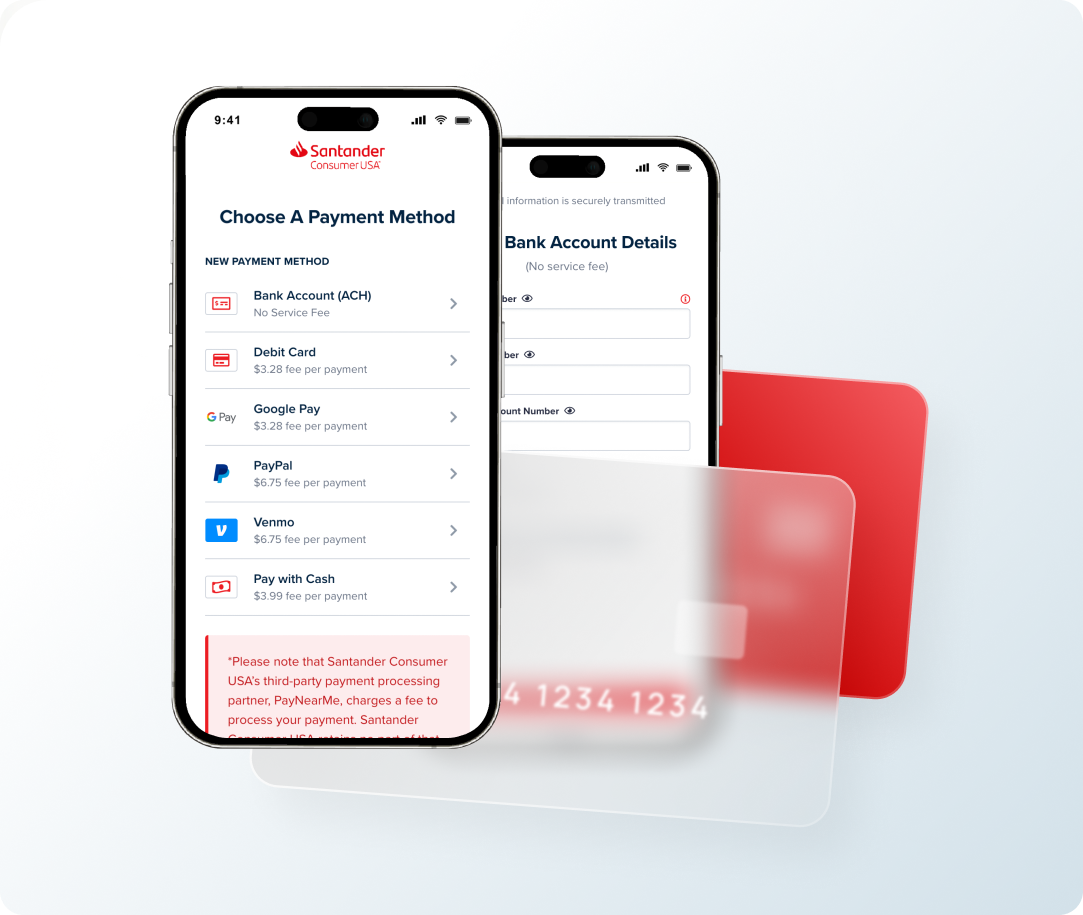
Santander allows borrowers to designate funds toward their loan principal. However, with basic Auto Pay, the system drafts the exact contractual monthly installment (principal plus accrued interest, plus any active fee balances). If you wish to make extra principal payments, you generally have two choices:
- Set your recurring Auto Pay to cover your required monthly installment, then submit a separate one-time manual payment marked specifically for "Principal Only."
- Contact customer service to configure a custom recurring draft that pulls an extra fixed amount each month to be applied directly toward principal reduction.
How to Change, Pause, or Cancel Santander Auto Pay
Life circumstances change—you might switch primary banks, change pay cycles, or decide to pay off your vehicle entirely. Santander provides the flexibility to edit or terminate your automated arrangement, provided you observe their operational cutoffs.
Modifying Your Bank Account
To update the source account, log into MyAccount at least three business days before your next scheduled draft. Go to your payment settings, add the new bank account, verify it, set it as the primary Auto Pay source, and delete the retired account.
Canceling Automatic Drafts
If you are refinancing your vehicle, selling it, or switching back to manual payments, cancel Auto Pay at least three business days ahead of your cycle. Within MyAccount, choose "Manage Auto Pay" and select "Cancel Recurring Payments." Always retain the cancellation confirmation number for your financial records.
Troubleshooting Common Auto Pay Problems
Even automated systems occasionally encounter hiccups. Here is how to handle the most common issues:
- Status Shows "Pending" for Multiple Days: ACH clearing can take 48 to 72 business hours to post visibly to both your bank account and your Santander dashboard. As long as your setup was completed before the cycle cutoff, Santander honors the initiated date.
- Returned Payment / NSF: If your bank account lacks sufficient funds on draft day, the transaction will fail. Santander will notify you of the returned item and may attempt a second pull depending on state regulations, or require an immediate manual payment plus an NSF fee.
- Double Debits: True double debits are extremely rare. They typically occur when a borrower mistakenly submits a manual "One-Time Payment" while Auto Pay is already queued for processing. If this happens, contact Santander customer support immediately at 1-888-222-4227 to request an audit and a refund of the duplicate draft.
Final Thoughts
Enrolling in Santander Auto Pay takes the guesswork out of monthly auto financing. By linking a verified checking account, scheduling your withdrawal in alignment with your cash flow, and giving the system a two- to three-day window around holidays, you eliminate late fees and keep your credit score moving in the right direction.