Sears Credit Card App: I Cancelled Mine Immediately!
When retail giants shift their financial footprints, the consumer experience often takes a dramatic hit. If you recently downloaded the Sears Credit Card App to manage your account, you might be wondering if the digital platform actually makes your financial life easier—or if it adds unnecessary frustration.
Like many shoppers, I opened my account years ago for a major appliance purchase, lured by promotional financing and store discounts. Over time, the physical card lingered in my wallet, and I eventually migrated to their mobile management tool. But after dealing with sluggish interfaces, confusing payment processing, and unexpected customer service loops, I reached my breaking point. Here is a close look at my experience, what you need to know about the platform, and why I cancelled my account immediately.
The Evolution of the Sears Credit Card Experience
To understand the current state of managing a Sears account, it helps to look at the bigger picture. Sears as a brick-and-mortar retail presence has shrunk dramatically over the last decade. However, the financial product—issued and managed by Citibank—lives on digitally.
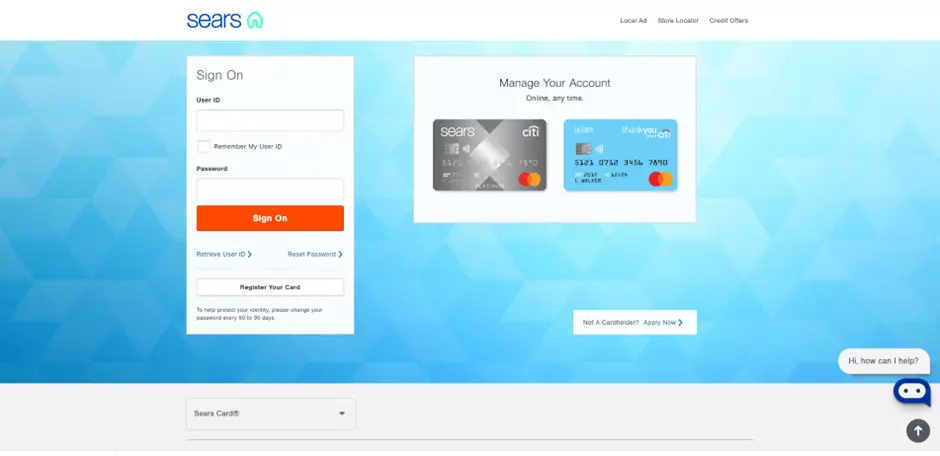
When you log into the mobile portal, you are essentially interacting with a major banking backend dressed up in legacy branding. Unfortunately, this marriage between a historic retail name and a massive financial institution often results in a disjointed user experience.
What the App Promises
On paper, the mobile tool offers standard account management features:
- Viewing current balances and available credit limits
- Scheduling one-time or recurring bill payments
- Tracking Shop Your Way rewards points
- Setting up account alerts for due dates and large purchases
While these features are standard across the credit industry in the 2020s, the execution within this specific ecosystem leaves a lot to be desired.
Red Flags That Led to My Immediate Cancellation
Deciding to close a credit line isn't something to take lightly, especially if it impacts your overall credit utilization ratio and average account age. However, a few specific pain points pushed me over the edge.
1. Persistent Glitches and Payment Delays
The final straw was a processing delay that nearly cost me a late fee. I initiated a payment through the platform three business days before the due date. Standard banking protocols suggest this is more than enough time.
However, the payment status remained "pending" well past the actual due date. When I contacted customer support, I was met with long hold times and conflicting information regarding how the mobile software communicates with the bank's main ledger. For an app designed to simplify bill pay, failing at the core function of moving money reliably is an immediate dealbreaker.
2. High Interest Rates and Fee Structures
Like many store-branded plastic cards, the annual percentage rate (APR) attached to this account is notoriously high. When retail footprints contract, financial partners often tighten terms and increase rates to offset risk.
Logging into the portal daily served as an unwelcome reminder of the steep interest charges accumulating on any carried balance. If you aren't paying the statement balance in full every single month, the math simply does not work in your favor.
3. Unwanted Promotional Clutter
Instead of a clean dashboard focused purely on financial health, the interface frequently pushes cross-promotions, credit monitoring upsells, and third-party offers. Navigating past advertisements just to check my available credit felt intrusive.
How to Safely Close Your Account
If your experience mirrors mine and you are ready to part ways with your account, it is important to handle the cancellation strategically to protect your credit score.
- Pay the Balance to Zero: You cannot close an account with an active balance. Ensure all pending transactions have cleared and your balance is completely paid off.
- Redeem Remaining Rewards: Check your Shop Your Way or associated cash-back balances. Use them up before you initiate the closure so you don't leave money on the table.
- Call Customer Service: While you can sometimes initiate requests via secure message, speaking directly with a representative ensures the account is marked as "Closed by Consumer" rather than closed by the grantor.
- Delete the Software: Once the account is officially closed, delete the Sears Credit Card App from your smartphone to protect your personal data and eliminate digital clutter.
Alternatives for Smarter Shopping
If you enjoy getting rewards on appliances, tools, and home goods, store-specific plastic is rarely your best option anymore. General cash-back credit cards offer flexible rewards that you can use anywhere, often featuring lower APRs and vastly superior mobile apps.
Streamlining your financial life means cutting ties with tools that cause more stress than they solve. Deleting my account and removing the software was a minor administrative task that brought immediate peace of mind. Evaluate your own wallet, check your statements, and decide if your retail cards are truly working for you.