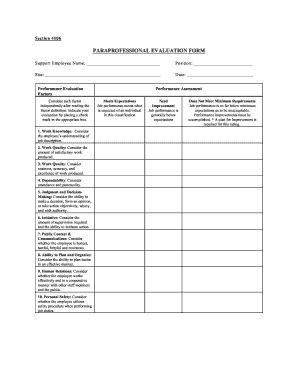
Simplify Parapro Evaluation Forms: The Free Hack
The Hidden Burden of Paraprofessional Evaluations

Paraprofessionals are the backbone of modern inclusive classrooms. They manage behavioral plans, reinforce academic concepts, and provide critical one-on-one support for students with diverse needs. Yet, when evaluation season rolls around, school administrators and supervising teachers face a massive administrative bottleneck. Traditional review documents are often bloated, overly subjective, and disconnected from the daily realities of classroom support.
If you are tired of spending entire weekends digging through messy paperwork, clunky district PDFs, and endless rubric boxes, you need to change your approach. Fortunately, you can get the free hack to simplify parapro evaluation forms and transform a stressful chore into a streamlined, collaborative growth conversation.
Why Traditional Parapro Forms Fail
Most school districts inherit evaluation templates designed for certified classroom teachers rather than instructional assistants. These legacy documents create several distinct problems:
- Mismatch of Roles: Rating a paraprofessional on lesson planning or curriculum design makes no sense when their primary duty is implementation and student support.
- Vague Metrics: Vaguely worded criteria like "maintains professionalism" leave too much room for bias and make constructive feedback nearly impossible to deliver.
- Time-Consuming Redundancy: Long narrative sections often lead to writer's block for evaluators and intimidation for the staff being reviewed.
To fix these issues, we need a lightweight system that focuses strictly on observable competencies, daily reliability, and professional growth.
The Free Hack to Simplify Parapro Evaluation Forms
The secret to slashing your evaluation workload doesn't require purchasing expensive administrative software. Instead, the ultimate hack is leveraging Google Forms paired with conditional logic and digital signatures. This zero-cost method automates the data collection, standardizes the rubric, and cuts completion time by up to 75%.
Step 1: Build a Modular Template in Google Forms
Start by creating a new form in your free Google Workspace account. Break the evaluation into three clean, digestible sections:
- Core Reliability & Attendance: Quick multiple-choice or scale questions covering punctuality, communication, and adherence to schedules.
- Instructional & Behavioral Support: Observable indicators regarding how the paraprofessional assists students, implements accommodations, and manages student behavior under teacher direction.
- Collaborative Growth: A short open-ended section for strengths and one specific goal for the upcoming term.
By using linear scales (e.g., 1 to 4) instead of blank comment boxes for every single indicator, evaluators can click through the performance metrics in minutes.
Step 2: Utilize Conditional Logic for Narrative Sections

The biggest time sink in evaluations is writing long paragraphs for employees who are performing well, or conversely, documenting detailed interventions for struggling staff. You can solve this using Google Forms' built-in conditional logic:
- If a paraprofessional scores consistently in the top tier ("Proficient" or "Exemplar"), the form skips unnecessary, lengthy narrative fields.
- If a score drops below a certain threshold in any category, the form automatically reveals a targeted section prompting the evaluator to outline specific supports or action steps.
This ensures that high-performing staff get a fast, friction-free review, while struggling staff receive documented, actionable guidance without extra administrative guesswork.
Step 3: Automate Summaries and Signatures
Once the form is submitted, Google Forms automatically compiles the data into a clean Google Sheet. To make this official and compliant with district standards:
- Install a free add-on like DocAppender or Form Publisher.
- Set the system to automatically generate a polished, professional PDF summary of the responses the moment the evaluator hits submit.
- Use a free digital signature tool (or built-in PDF signing) so both the supervisor and the paraprofessional can sign off electronically without printing a single page.
Best Practices for Implementing Your New System
A digital hack is only as good as the culture surrounding it. To ensure your simplified evaluation process leads to genuine staff development, keep these best practices in mind:
Involve Paraprofessionals Early: Share the simplified rubric with your instructional assistants at the start of the school year. When staff know exactly what behaviors and competencies are being measured, there are zero surprises during evaluation meetings.
Focus on Two-Way Feedback: Add a final question to your digital form asking the paraprofessional: *"What support, training, or resources do you need from me to be more successful?"* This shifts the dynamic from a punitive judgment to a supportive partnership.
Keep Records Secure: Ensure your Google Drive folder permissions are restricted to authorized administrators and the individual employee to maintain strict confidentiality.
Conclusion
Evaluating support staff does not have to be an administrative nightmare filled with lost paperwork and vague rubrics. By utilizing standard, free tools like Google Forms and automated PDF generation, you can completely streamline the workflow. Take advantage of this free hack to simplify parapro evaluation forms today, reclaim your weekends, and foster a more collaborative, transparent culture for the invaluable paraprofessionals in your school.