SmartCode 917 Programming: Complete Setup Guide
The Kwikset SmartCode 917 is one of the most reliable keyless entry levers for garage entryways, home offices, utility rooms, and storage spaces. Getting your lock running smoothly requires mastering smartcode 917 programming, from creating your first access pin to switching between passage and auto-lock modes. This step-by-step guide walks you through every programming sequence with clear, practical steps.

Overview of Parts and Hardware Controls
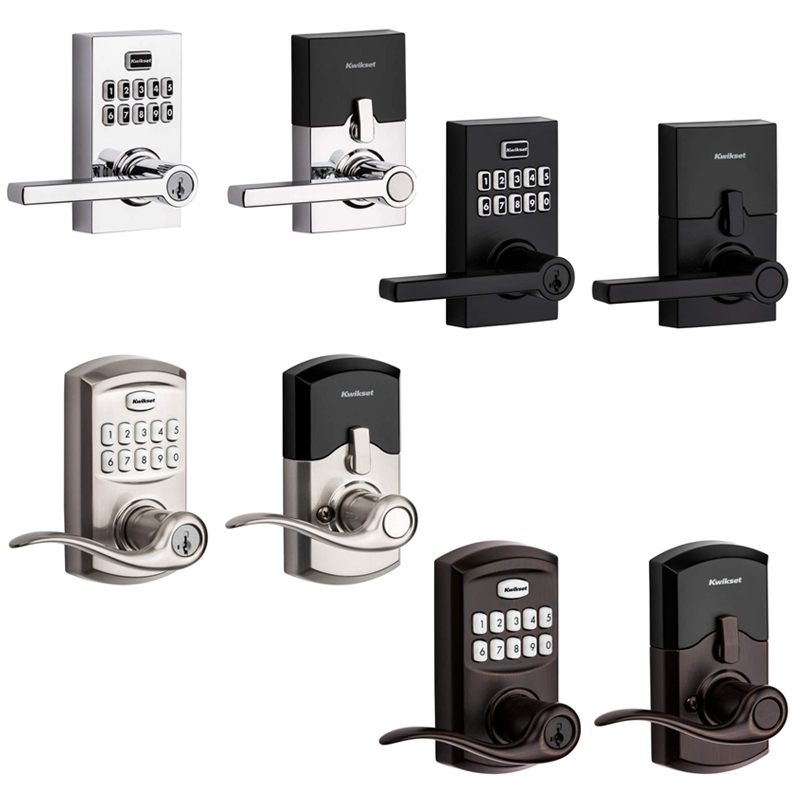
Before jumping into programming, make sure you know where the essential buttons and controls are located on the lever:
- Exterior Keypad: Features digits 0 through 9 and a center/top Kwikset (Lock) button used to finalize programming inputs.
- Interior Assembly: Removing the interior battery cover exposes the single 9V battery and the circular Program button.
- Interior Turnpiece: Controls the lock mode switch (Auto-lock, Passage, and Disable/Storehouse mode).
- LED Status Light: Positioned on the exterior keypad, flashing green for success, amber for programming mode, and red for errors or low battery.
How to Add a User Code (Standard Method)
By default, the SmartCode 917 does not have a Mastercode enabled. You can store up to 30 unique user codes, each between 4 and 8 digits long. For security, never use common sequences such as 1-2-3-4 or duplicate identical digits.
- Make sure the door is open and unlocked during the entire process so you don't accidentally lock yourself out.
- Slide off the interior battery cover to expose the Program button.
- Press the Program button once.
- Enter your desired 4 to 8 digit user code on the exterior keypad.
- Press the Lock button once to save the code.
Verification: If successful, the keypad will flash green twice and sound two beeps. If you see three red flashes accompanied by three beeps, the process timed out, the code was already in use, or the code length was invalid. Repeat the steps carefully.
Mastercode Setup in SmartCode 917 Programming
A Mastercode provides an administrative layer of security. When enabled, nobody can add, delete, or alter user codes simply by pressing the interior Program button—they must know the Mastercode first. Enabling a Mastercode is strongly recommended if you have roommates, renters, or service personnel visiting your property.
Enabling and Setting the Mastercode
- Keep the door open.
- Press and hold the interior Program button until the keypad flashes green (approximately 5 seconds).
- Press the Lock button once.
- Enter a new Mastercode (4 to 8 digits).
- Press the Lock button once.
- Re-enter the same Mastercode to confirm.
- Press the Lock button once more.
Two green flashes and two beeps confirm your Mastercode is active. Write it down in a secure password manager; if forgotten, the lock will require a full factory reset.
Adding a User Code with Mastercode Enabled
Once your Mastercode is turned on, the sequence to add regular user codes changes slightly:
- Open the door.
- Press the interior Program button once. The keypad will flash green and beep.
- Enter your existing Mastercode, then press the Lock button once.
- Enter the new User Code (4 to 8 digits).
- Press the Lock button once.
Look for two green flashes and listen for two beeps to confirm the new pin has been saved.
Deleting User Codes
Whether a contractor has finished their work or a family member changes their code, you can delete codes individually or wipe them all at once.
Deleting a Single User Code (Without Mastercode)
- Press the interior Program button once.
- Press the Lock button once.
- Enter the exact User Code you want to delete.
- Press the Lock button once.
- Re-enter the same User Code.
- Press the Lock button a final time.
Two green flashes and two beeps confirm the code is erased. Test the deleted code on the keypad while the door remains open to ensure it no longer unlocks the lever.
Deleting a Single User Code (With Mastercode)
- Press the interior Program button once.
- Enter your Mastercode, then press the Lock button.
- Press the Lock button a second time.
- Enter the User Code you wish to remove.
- Press the Lock button once.
- Re-enter the User Code and press the Lock button.
Deleting All User Codes at Once
If you lose track of which codes are active, you can clear all user slots simultaneously without clearing your Mastercode:
- Press the interior Program button once.
- Enter your Mastercode (or skip to step 3 if no Mastercode is active).
- Press the Lock button.
- Press the number 9 six times in succession: 9-9-9-9-9-9.
- Press the Lock button once.
- Press the number 9 six times again: 9-9-9-9-9-9.
- Press the Lock button once.
Two green flashes indicate that all user codes are cleared. The lock will now remain locked from the outside until a new user code is created.
Configuring Locking Modes
The Kwikset SmartCode 917 features three distinct operational modes controlled via the interior turnpiece:
- Auto-Lock Mode: Turn the turnpiece to the vertical position. In this mode, the lever unlocks when a valid code is entered, then automatically relocks after 30 seconds. Ideal for exterior doors and garage entries.
- Passage Mode: Turn the turnpiece to the horizontal position. The latch remains unlocked continuously, allowing free entry and exit without entering a code. Ideal when hosting gatherings or carrying groceries inside.
- Disable / Storehouse Mode: Some variants include a third setting where the lock stays secured regardless of interior lever turns until a code or physical key is presented.
How to Factory Reset the SmartCode 917
A factory reset restores the lever to its original out-of-the-box settings, removing all user codes and deleting any programmed Mastercode. Perform this step if you have purchased a pre-owned lock or forgotten your Mastercode.
- Open the door.
- Remove the interior battery cover.
- Disconnect the 9V battery.
- Press and hold the interior Program button.
- While continuing to hold the Program button, reconnect the 9V battery.
- Keep holding the Program button for approximately 30 seconds until the lock beeps and the LED flashes red.
- Press the Program button once more. The LED will flash green and beep twice.
The lock is now fully reset and ready for clean setup.
Troubleshooting Common Programming Issues
- Three Long Beeps and Red Light: Indicates an incorrect input, entry timeout (longer than 5 seconds between keypresses), or code memory full (maximum 30 codes).
- Keypad Flashes Red Repeatedly After Unlock: Your 9V battery is depleted. Replace it with a fresh alkaline or lithium 9V battery immediately.
- Lever Unlocks Without a Code: Check the interior turnpiece. If it is turned horizontally, the lock is currently in Passage Mode rather than Auto-Lock Mode.
- Buttons Do Not Beep or Light Up: Check the 9V battery terminals to ensure a firm connection, or replace the battery with a tested unit.