Splunk IF Condition: Complete SPL Syntax Guide
Writing efficient searches in Splunk often requires categorizing, flagging, or transforming log data based on specific criteria. Mastering the splunk if condition allows you to build dynamic fields directly inside your Search Processing Language (SPL) pipeline. Whether you are standardizing HTTP status codes, categorizing response latency, or flagging security anomalies, conditional logic is one of the most fundamental skills in Splunk data analysis.
In this guide, we will break down the syntax of the if() function, explore compound expressions, examine nested conditions, and evaluate when you should switch to more scalable alternatives like case().
Understanding the Splunk IF Condition Syntax
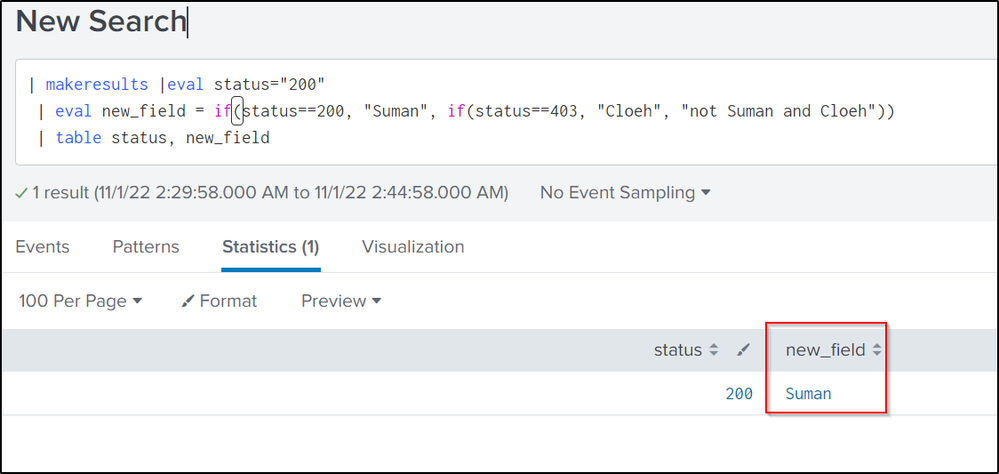
In Splunk, conditional logic is primarily executed through the eval command using the inline if() function. The function operates like a standard ternary operator found in many programming languages: it evaluates a boolean test and returns one value if the test evaluates to true, and another if it evaluates to false.
The foundational syntax looks like this:
| eval new_field = if(X, Y, Z)The parameters operate as follows:
- X (Condition): A boolean expression that evaluates to either true or false.
- Y (True value): The value assigned to
new_fieldif condition X evaluates to true. - Z (False value): The value assigned to
new_fieldif condition X evaluates to false.
Values can be string literals (wrapped in double quotes), numeric literals, existing field names, or other functions evaluated at runtime.
Basic Examples: Categorizing Events
To see how the function works in practice, consider a common web access log scenario. Suppose you want to mark requests as either successful or problematic based on the numeric status field.
index=web_logs sourcetype=access_combined
| eval result = if(status < 400, "Success", "Failure")
| stats count by result
In this example, any log event with an HTTP status code below 400 receives a result value of "Success". All other codes—such as 404 client errors or 500 server errors—receive "Failure".
Numeric Thresholds
You can also use conditional logic to segment performance metrics into operational tiers. For example, flagging slow API transactions:
index=api_gateway
| eval latency_flag = if(response_time > 1500, "High Latency", "Normal")
| table _time, endpoint, response_time, latency_flag
Compound Expressions: Using AND, OR, and NOT
Real-world log analysis rarely relies on a single variable. Splunk allows you to combine multiple boolean conditions inside the test parameter using logical operators: AND, OR, and NOT (note that these operators must be written in uppercase).
Using the AND Operator
If you want to identify high-severity incidents that also target critical infrastructure, combine both conditions:
index=security
| eval priority = if(severity=="high" AND dest_zone=="production", "Immediate Action", "Review")
Using the OR Operator
You can capture multiple conditions that independently trigger a flag:
index=auth
| eval auth_risk = if(action=="failure" OR user_type=="contractor", "Flagged", "Standard")
Pattern Matching Inside an IF Condition
The if() function works seamlessly with other SPL evaluation functions such as match(), like(), or cidrmatch(). This allows regex-based evaluation:
index=endpoints
| eval os_type = if(match(os, "(?i)windows"), "Windows Fleet", "Non-Windows")
Here, the match() function executes a case-insensitive regular expression search on the os field. If it matches, the conditional assigns "Windows Fleet".
Mastering the Nested Splunk IF Condition
When your logic requires more than two outcomes, you can nest multiple if() functions inside each other. To do this, replace the false parameter of the outer function with an entirely new if() expression.
index=web_logs
| eval status_tier = if(status >= 500, "Server Error", if(status >= 400, "Client Error", if(status >= 300, "Redirect", "Success")))
This search evaluates the HTTP status hierarchically:
- Checks if
status >= 500. If true, sets "Server Error". - If false, checks if
status >= 400. If true, sets "Client Error". - If false, checks if
status >= 300. If true, sets "Redirect". - If all preceding conditions are false, assigns "Success".
The Drawbacks of Deep Nesting
While a nested splunk if condition works well for three or four branches, deeply nested logic quickly becomes difficult to read, debug, and maintain. Missing parentheses are a common cause of syntax errors in long nested chains. When dealing with multiple branches, Splunk provides a significantly cleaner alternative: the case() function.
The Better Multi-Branch Alternative: Using case()
The case() function is designed specifically to replace cumbersome nested if() statements. It accepts condition-value pairs sequentially, moving from left to right, and stops at the first condition that evaluates to true.
Here is how the earlier nested status example looks when rewritten with case():
index=web_logs
| eval status_tier = case(
    status >= 500, "Server Error",
    status >= 400, "Client Error",
    status >= 300, "Redirect",
    true(), "Success"
)
Notice the final line: true(), "Success". Splunk has no native "default" keyword for case(). By placing the literal boolean function true() at the end of the argument list, you create a fallback condition that catches any events that did not match the earlier criteria.
Handling Missing or Null Values
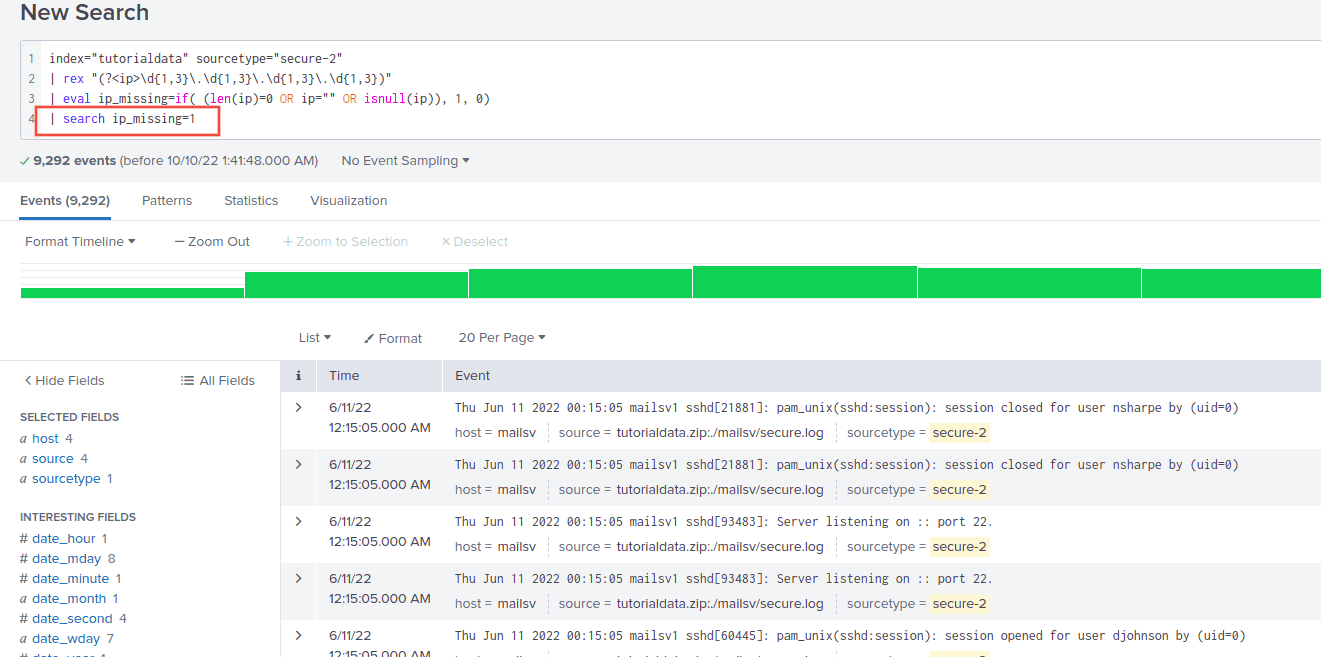
A frequent bug in SPL occurs when the evaluated field does not exist on every event. By default, comparing a null field often yields unpredictable results or automatically evaluates to false.
To safeguard your searches, pair if() with isnull() or isnotnull():
index=network
| eval user_state = if(isnull(src_user), "Anonymous", src_user)
While this works, Splunk also provides the dedicated coalesce() function, which returns the first non-null value in a list of arguments. For basic null substitution, coalesce(src_user, "Anonymous") is shorter and more performant than an equivalent if() statement.
Performance and Best Practices
Applying conditional evaluation across millions of records can introduce search latency if implemented improperly. Follow these engineering practices to keep your searches fast and clean:
- Filter early with search/where: Do not evaluate fields on events you plan to discard later. Filter your dataset using base search terms or the
wherecommand before piping intoeval if(). - Prefer case() for more than two branches: If your logic requires more than one
elseoutcome, usecase(). It performs identically to nestedif()calls but dramatically improves query readability and reduces syntax mistakes. - Watch your data types: Comparing strings to numbers inside an
if()condition fails silently. If a field was extracted as a string, cast it usingtonumber()or perform string comparisons inside double quotes. - Keep code formatted: Splunk allows newlines inside search commands. Break compound logic into separate lines in the Splunk search editor to make your logic visually inspectable.
Summary
The if() condition in Splunk is a versatile, essential tool for transforming raw log events into actionable analytical fields. For binary classifications, eval new_field = if(test, true_val, false_val) is lightweight and effective. As query complexity grows, combining compound logical operators or transitioning to case() guarantees your SPL queries remain robust, readable, and performant.