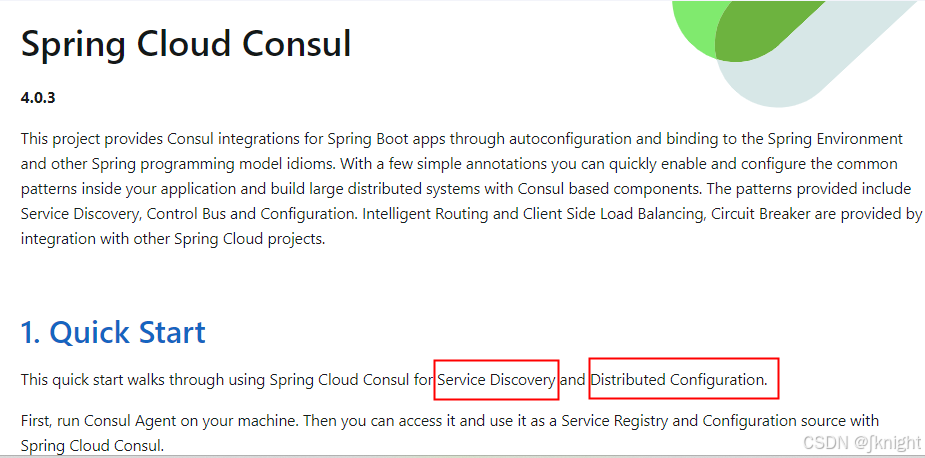
Spring Cloud Starter Bootstrap Guide
Understanding Spring Cloud Starter Bootstrap
In modern microservice architectures, managing centralized configuration securely and efficiently is critical. For years, Spring Cloud applications relied heavily on a specialized application context to handle bootstrap properties before the main application context loaded. This mechanism was driven primarily by the dependency known as spring-cloud-starter-bootstrap.
Introduced to manage early-stage configuration—such as fetching properties from a Spring Cloud Config Server or decrypting sensitive credentials—this starter changed how Spring Boot applications initialize. However, recent versions of Spring Cloud have shifted away from this paradigm in favor of a more unified configuration model. Understanding how this starter works, why it was introduced, and how to handle it in modern architectures is essential for any Java developer maintaining distributed systems.
The Role of the Bootstrap Context
By default, a standard Spring Boot application loads its configuration from application.properties or application.yml. In distributed systems, however, your application often needs to connect to an external server (like HashiCorp Vault or a Spring Cloud Config Server) *before* it can interpret the rest of its configuration.
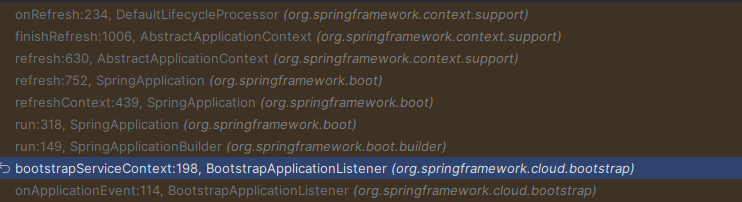
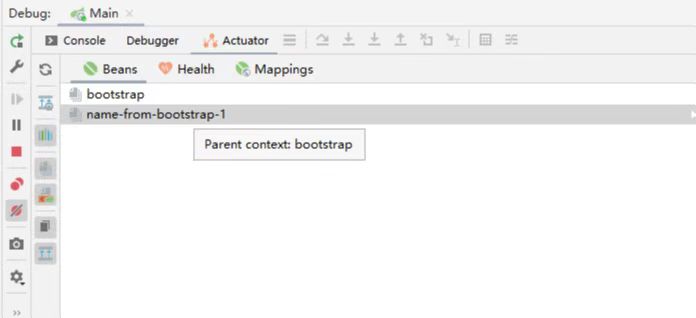
This is where the bootstrap phase comes in. When you include spring-cloud-starter-bootstrap on your classpath, Spring Boot creates a parent "bootstrap" application context. This parent context:
- Loads very early in the application lifecycle.
- Reads configuration properties from a dedicated
bootstrap.propertiesorbootstrap.ymlfile. - Connects to external configuration repositories to pull down production profiles, database credentials, and routing rules.
- Passes these resolved properties down to the main application context.
This separation ensured that sensitive connection details required to fetch configurations were resolved before the main container attempted to wire up beans that depended on those values.
Adding the Dependency to Your Project
To use the legacy bootstrap phase in Spring Cloud versions where it is still supported or optional, you must explicitly declare the dependency in your build tool. Because Spring Boot 2.4 made the bootstrap context optional, omitting this dependency means your application will use the new default initialization process.
Maven Configuration
If you are using Maven, add the following dependency to your pom.xml file, making sure your Spring Cloud BOM version matches your Spring Boot version:
<dependency>
    <groupId>org.springframework.cloud</groupId>
    <artifactId>spring-cloud-starter-bootstrap</artifactId>
</dependency>
Gradle Configuration
For Gradle users, declare the dependency inside your build.gradle dependencies block:

implementation 'org.springframework.cloud:spring-cloud-starter-bootstrap'Once added, you must create a bootstrap.yml file in your src/main/resources directory. A typical configuration pointing to a remote Config Server looks like this:
spring:
  application:
    name: order-service
  cloud:
    config:
      uri: http://config-server.local:8888
      fail-fast: true
Migration and Modern Alternatives
Starting with Spring Boot 2.4 and Spring Cloud 2020.0 (Ilford), the bootstrap phase was deprecated by default. The Spring team recognized that having two separate application contexts added unnecessary complexity, slower startup times, and confusion regarding property precedence.
If you are upgrading an older application or building a greenfield microservice, you should evaluate whether you actually need the bootstrap starter.
How to Import Config Without Bootstrap
Modern Spring Cloud allows you to import external configuration directly inside your standard application.yml file using the spring.config.import property. This eliminates the need for a separate bootstrap.yml file entirely.
Here is how you can achieve the same Config Server connection using the modern approach:
spring:
  application:
    name: order-service
  config:
    import: optional:configserver:http://config-server.local:8888
Using optional: ensures that if your local development environment does not have a Config Server running, the application will still boot up successfully using local fallbacks instead of crashing immediately.
Best Practices for Configuration Management
Whether you choose to use spring-cloud-starter-bootstrap for legacy maintenance or migrate to spring.config.import, adhering to core configuration management principles will keep your microservices secure and maintainable.
- Secure Sensitive Data: Never hardcode production database passwords, API keys, or OAuth secrets in version-controlled configuration files. Use encrypted values or runtime environment variables.
- Enable Fail-Fast Cautiously: While setting
fail-fast: truehelps catch configuration server outages immediately during startup, it can cause rolling deployments to fail if a config server restarts briefly. Implement proper health checks and retry mechanisms. - Keep Profiles Clean: Separate environment-specific configurations cleanly using Spring profiles, ensuring that local developer settings never bleed into production environments.
Conclusion
The spring-cloud-starter-bootstrap library has been a foundational tool for Spring Cloud developers managing centralized configurations. While newer versions of Spring Boot and Spring Cloud favor the streamlined spring.config.import mechanism, understanding the bootstrap context remains vital for maintaining legacy enterprise applications and troubleshooting complex startup behaviors in distributed microservices.