Transform Your Website with UJS and JavaScript
Introduction to UJS and Modern Web Development

Modern web users expect applications to be fast, responsive, and seamless. Traditional web design often cluttered HTML markup with inline event handlers like onclick or onmouseover, creating maintenance nightmares as projects scaled. To solve this, developers turned to separation of concerns principles, giving rise to Unobtrusive JavaScript (UJS).
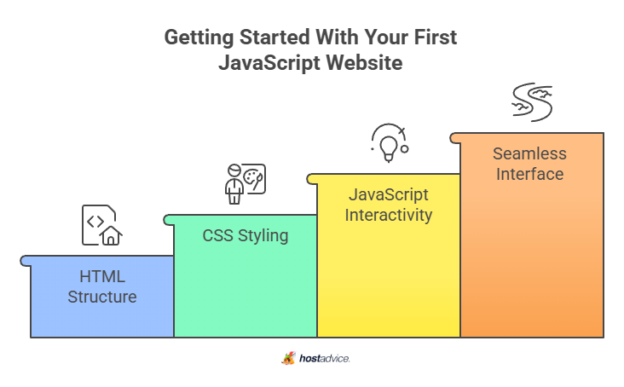
When you learn how to transform your website with UJS and JavaScript, you unlock a cleaner, more maintainable approach to frontend architecture. UJS keeps behavior separate from structure, allowing your HTML to remain semantic and readable while JavaScript handles the dynamic interactions behind the scenes.
What is Unobtrusive JavaScript (UJS)?
At its core, Unobtrusive JavaScript is a philosophy rather than a specific library or framework. It dictates that JavaScript should not be intrusive. If a user has JavaScript disabled, or if a script fails to load, the core content and links of the website should still remain accessible and functional.
Core Principles of UJS
- Separation of Concerns: HTML handles structure and content, CSS handles presentation, and JavaScript handles behavior.
- Graceful Degradation: Basic functionality works without JavaScript, while advanced features enhance the experience for modern browsers.
- Event Delegation: Instead of binding events to individual elements, listeners are attached to parent containers to manage dynamic elements efficiently.
Benefits of Combining UJS with Vanilla JavaScript
While frameworks like React and Vue dominate modern conversations, leveraging standard JavaScript alongside UJS patterns offers incredible lightweight benefits. You do not always need a massive framework to build a dynamic user interface.
1. Cleaner HTML Markups
By removing inline JavaScript attributes, your HTML documents become much easier to read and audit. Designers and developers can collaborate without stepping on each other's toes.
2. Improved Performance
Vanilla JavaScript combined with UJS principles reduces heavy client-side rendering overhead. Browser caching becomes more effective when your behavior scripts are loaded via external, minified .js files.
3. Enhanced Maintainability
When an event listener needs to change, you update a single JavaScript file rather than hunting through dozens of HTML templates.

How to Transform Your Website with UJS and JavaScript
Implementing these patterns does not require a complete rewrite of your existing codebase. You can refactor legacy projects incrementally. Here is a step-by-step approach to modernizing your site.
Step 1: Audit and Strip Inline Handlers
Start by identifying legacy attributes like onclick, onload, or style declarations hidden inside your HTML tags.
Bad Practice:
<button onclick="deleteItem(5)">Delete</button><button class="btn-delete" data-id="5">Delete</button>Step 2: Implement Event Listeners
Next, write external JavaScript that targets these elements using modern DOM selection methods like querySelector or querySelectorAll.
document.addEventListener('DOMContentLoaded', () => {
  const deleteButtons = document.querySelectorAll('.btn-delete');

  deleteButtons.forEach(button => {
    button.addEventListener('click', (event) => {
      const itemId = event.target.dataset.id;
      handleDeletion(itemId);
    });
  });
});
Step 3: Leverage Data Attributes for Configuration
UJS heavily relies on HTML5 data attributes (data-*) to pass parameters from the server-rendered HTML to your JavaScript scripts. This bridges the gap between static markup and dynamic behavior seamlessly, keeping configurations centralized and explicit.
Practical Use Cases for UJS
You can apply UJS patterns to almost any common frontend component:
- AJAX Forms: Submitting forms asynchronously without causing a full-page reload, displaying loading spinners, and injecting response HTML directly into the DOM.
- Confirmation Modals: Intercepting destructive link clicks (like 'Delete Account') to show a popup confirmation before proceeding with the default action.
- Dynamic Sorting and Filtering: Updating product grids instantly based on user selections without disrupting page state.
Best Practices for Clean Code
To ensure your UJS implementation remains scalable and robust over time, keep these guidelines in mind:
- Always Wait for the DOM: Wrap your initialization logic in a
DOMContentLoadedevent listener to prevent reference errors. - Use Event Delegation for Dynamic Content: If elements are added to the DOM after the initial page load, attach listeners to a static parent element.
- Keep Scripts Modular: Break your JavaScript into small, single-responsibility files or ES6 modules rather than dumping everything into one massive script.
Conclusion
Adopting Unobtrusive JavaScript practices breathes new life into aging codebases and establishes solid foundations for new projects. By keeping your markup clean, separating behavioral logic, and writing efficient scripts, you create faster, more resilient web experiences. Start refactoring your frontend components today and enjoy a cleaner, more professional workflow.