TV Prompter Guide: Tech, Setups, and Pro Tips
Whether you are watching an evening news broadcast, a live sports breakdown, or a high-stakes corporate address, professional presenters rarely deliver long scripts entirely from memory. Behind that smooth, continuous eye contact is a tv prompter—an indispensable broadcast tool designed to keep talent informed, on-schedule, and visually engaged with viewers at home.
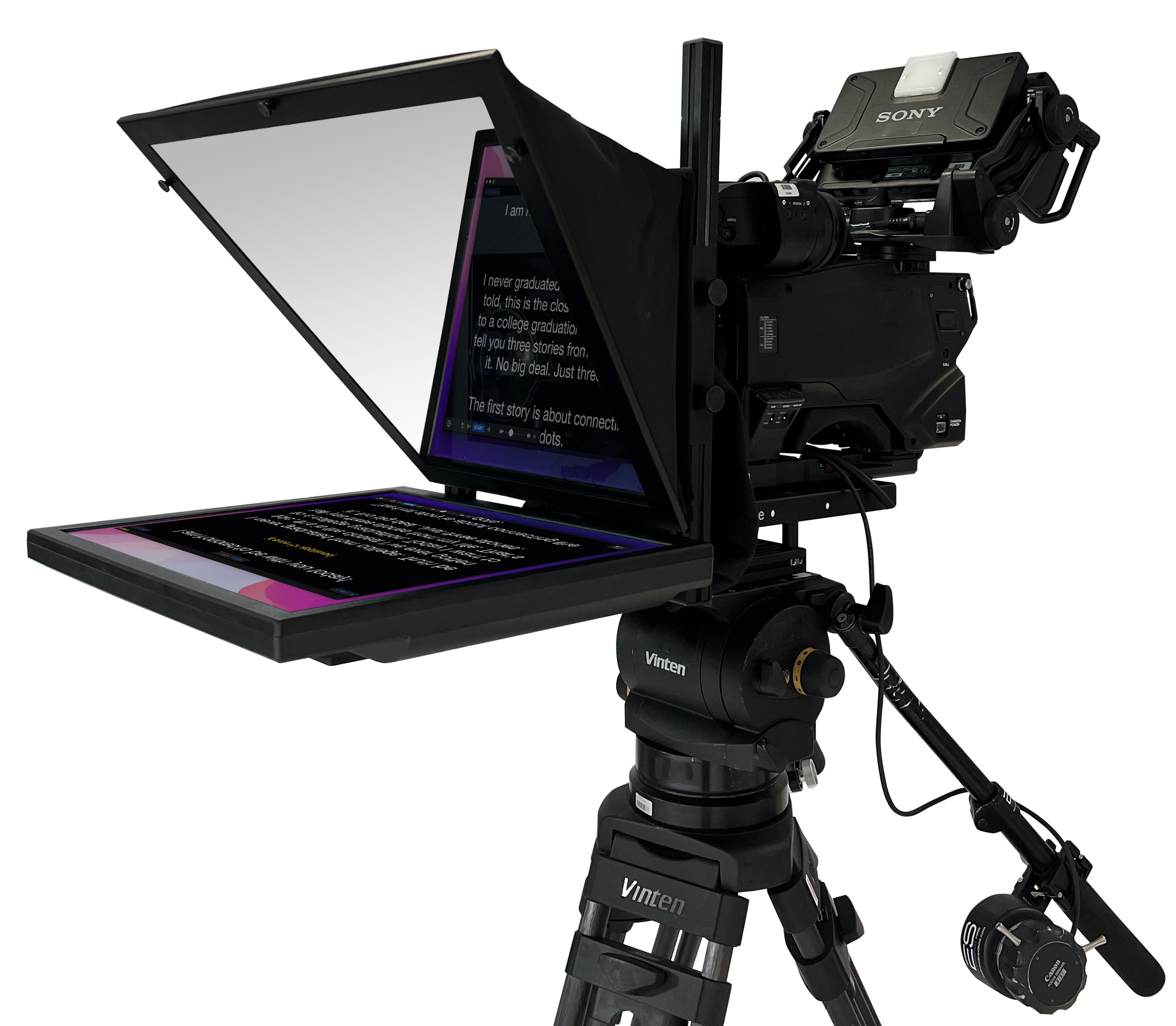
While consumer-grade teleprompters have flooded the creator market via tablets and smartphone attachments, broadcast-grade television teleprompters are intricate optical and digital systems. In this guide, we explore how television prompters function, the hardware configurations used in professional studios, and the reading techniques that separate amateur delivery from seasoned broadcast talent.
How a TV Teleprompter Actually Works
At its core, a studio teleprompter relies on an optical illusion that dates back to 19th-century theater: the principle of Pepper's Ghost. Modern systems achieve this through three primary components:
- Beam Splitter Glass: Mounted directly in front of the camera lens at a 45-degree angle, this specialized semi-reflective glass is coated to reflect light from below while allowing light from the subject to pass straight through into the camera. Most television setups use a 70/30 optical ratio (70% transmission to the lens, 30% reflection to the talent).
- Reversing Display Monitor: Positioned horizontally beneath the glass hood, an ultra-bright monitor displays the script. Because the glass acts as a mirror, software or hardware must flip the text horizontally so the presenter sees a normal, legible image.
- Anti-Reflective Shroud: A dark fabric hood encloses the space between the camera lens and the glass, preventing stray studio light from hitting the rear of the glass and causing flaring or washed-out footage.
Because the reflected text sits directly in line with the optical axis of the camera lens, presenters look straight down the barrel of the camera while reading. To the home audience, the talent appears to maintain confident, unbroken eye contact.
Types of Prompter Systems in Modern Broadcasting
Different production environments demand tailored configurations. Depending on studio footprint, mobility requirements, and production budget, broadcast engineers rely on three main setups:
1. On-Camera Studio Prompters
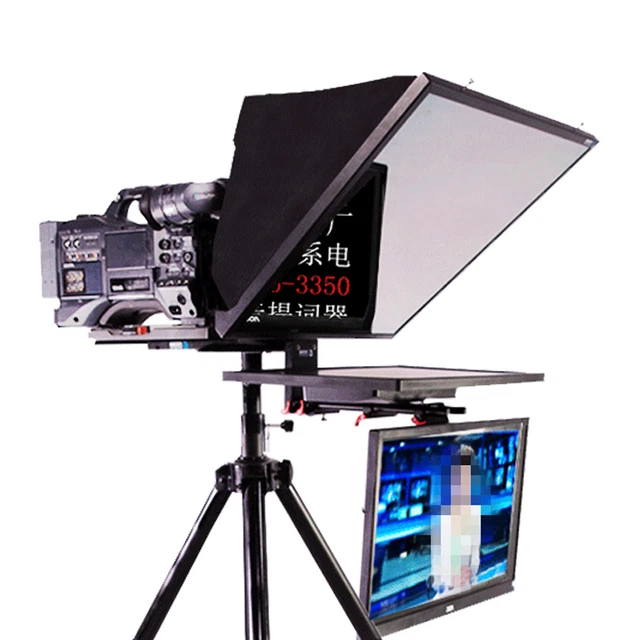
The gold standard in broadcast news and episodic television, these rigs attach directly to heavy-duty pedestals or robotic heads. Screen sizes typically range between 17 and 24 inches. They often include integrated talent feedback monitors (often called "confidence monitors") mounted beneath the prompt glass so hosts can monitor program returns, graphics, or remote callers without shifting their gaze.
2. PTZ and Robotic Prompters
As studios increasingly automate their operations with Pan-Tilt-Zoom (PTZ) cameras, lightweight prompters specifically engineered for motorized heads have become standard. These units feature balanced counterweights to prevent straining the delicate internal servo motors of robotic mounts.
3. Off-Axis and Floor Displays
In magazine-format shows, panel debates, or seated interview setups where talent frequently looks between guests and cameras, off-axis floor wedges or roll-around prompters are frequently used. While they do not provide direct-to-lens eye contact, they offer unobtrusive reference copy when hosts move freely across the studio floor.
Choosing the Right TV Prompter Hardware
Selecting teleprompter equipment for a multi-camera studio requires attention to technical details that consumer setups routinely overlook.
Display Brightness (Nits)
Broadcast studios are saturated with intense, high-CRI lighting grids. Standard computer monitors output around 250 to 350 nits of brightness—insufficient for studio environments, where high ambient light easily washes out low-end displays. A professional TV prompter monitor should output between 1,000 and 2,000 nits ("high-bright") to ensure text remains crisp and legible under 1,000-lux studio keys.
Counterweight and Rig Rigidity
Prompter glass, hoods, metal sleds, and monitors add significant front-heavy mass to a camera payload. Fluid heads and pedestal balance mechanisms must account for this weight. Quick-release mounting sleds and sliding counterweight blocks are essential for achieving neutral balance during tilts and pans.
Video Inputs and Infrastructure
Consumer units rely heavily on HDMI, but broadcast facilities operate on Serial Digital Interface (SDI) and network protocols. Modern prompters should accept 3G-SDI, 12G-SDI, or NDI (Network Device Interface) connections, allowing script signals to route through production routers, patch bays, and IP networks over long cable runs without signal degradation.
Broadcast Software and Operator Workflow
The hardware is only half the equation. Broadcast prompter systems tie directly into the newsroom computer system (NRCS) through industry-standard protocols like MOS (Media Object Server). Platforms such as Avid iNEWS, ENPS, or Octopus integrate directly with teleprompter engines such as Autoscript (WinPlus-IP), CueScript, or Telescript.
When an editor or line producer edits a script in the control room, the prompter engine updates the presenter's scroll in real time. Runs of show, commercial breaks, camera cues, and font styling are formatted automatically.
Crucially, high-end television broadcasts rely on dedicated prompter operators. While presenters sometimes control their scroll using foot pedals or wireless handheld rings, live news demands an operator who matches the natural cadence of the anchor. If an anchor pauses for dramatic effect, stumbles, or ad-libs breaking news, the operator halts the scroll; if the anchor accelerates, the operator keeps the active line centered on the reading reticle.
Techniques for Reading a Prompter Naturally
Working with a teleprompter is an acquired performance skill. Unpracticed presenters often look stiff, with robotic cadence and obvious side-to-side eye movement. Use these practical techniques to elevate your on-camera performance:
- Increase Your Physical Distance: The closer you stand to the glass, the more viewers will see your eyes darting left and right across the words. By pulling the prompter back (using a larger screen and a tighter focal length on the camera), the angular sweep of your eyes narrows, making eye movement virtually imperceptible.
- Keep the Reading Line Upper-Center: Set the active reading line roughly one-third down from the top of the glass. Never read from the very bottom edge; doing so drops your gaze below the center of the lens, breaking direct visual connection.
- Read Ahead in Chunks: Avoid reading word-for-word in real time. Scan entire thought groups or clauses two to three lines ahead, digesting the concept before vocalizing it. This allows your face, eyebrows, and hands to react naturally to the meaning of the copy.
- Blink and Express Emotion: Nervous speakers often freeze their facial muscles and forget to blink, producing a wide-eyed, panicked look. Consciously soften your forehead and nod or smile where punctuation dictates natural conversational rhythm.
- Mark the Script: Use capitalization, slashes, or bolding inside the prompter software to indicate pauses, key stresses, and phonetic spellings of difficult names.
Final Thoughts
The modern television prompter is far more than a scrolling digital cue card—it is a sophisticated bridge connecting the newsroom pipeline, optical precision, and the presenter's delivery. Investing in high-bright hardware, rock-solid counterbalancing, and skilled script operation ensures your talent delivers clear, engaging messaging that keeps audiences watching.


