Verizon Payment Plan Guide: Options & Setup
Understanding the Verizon Payment Plan

Buying a brand-new smartphone outright can put a significant dent in your monthly budget. To make flagship devices more accessible, carriers offer device financing options. If you are looking to upgrade your smartphone or tablet, utilizing a payment plan verizon offers is usually the most straightforward way to spread the cost over time without paying massive upfront fees.
Verizon structures its device financing around a standard 36-month retail installment agreement. Instead of signing a traditional two-year service contract, you pay for the device in equal monthly installments while keeping the flexibility of your chosen service plan. Understanding how this system works helps you avoid unexpected charges, manage your upgrades, and choose the right phone for your budget.
How Verizon Device Financing Works
The core of Verizon's financing system is the Device Payment Program (DPP). When you purchase a new phone through Verizon, the full retail price of the device is divided into 36 equal monthly payments.
- 0% APR Financing: As long as you maintain your agreement, Verizon does not charge interest on your phone installments. The total sum of your payments equals the retail price of the device.
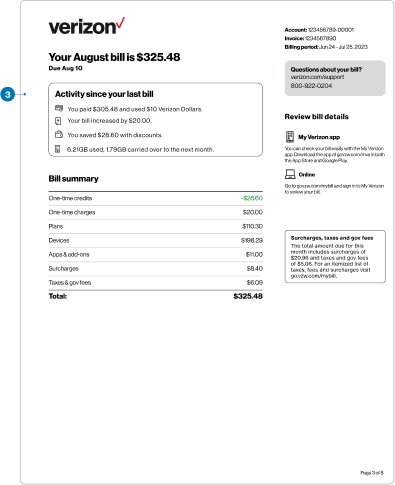
- Monthly Bill Integration: Your installment charge appears directly on your monthly Verizon wireless bill alongside your talk, text, and data charges.
- No Hidden Service Contracts: Financing a phone does not lock you into a rigid service contract. You can change your data plan at any time, though you must keep your Verizon service active until the device is completely paid off.
Qualifying and Down Payments
Your ability to finance a device depends on your credit history and account standing with Verizon. Well-qualified customers can often secure a $0 down payment on most smartphones. However, depending on your credit check or the specific device you choose, Verizon may require an immediate down payment at the time of purchase.
Down payments reduce the remaining balance of your device, which in turn lowers your monthly installment amount over the 36-month period. Any required down payment must be paid at checkout, whether you are shopping online, via the My Verizon app, or in a physical retail store.
Early Upgrades and Payoffs
One common question among customers is what happens if you want to switch phones before your 36-month term is complete. Verizon provides flexibility, but you must meet specific criteria to upgrade early.
- Early Upgrade Programs: Some promotional plans or specific smartphone upgrade programs allow you to trade in your device once you have paid off a certain percentage of the retail price (typically 50%). You then return the old phone in good condition and start a new 36-month agreement on a different device.
- Paying Off Early: You are never locked into the full 36 months if you prefer to be debt-free. You can log into your My Verizon account at any time and pay off the remaining balance of your device in a single lump sum with no prepayment penalties.
What Happens If You Leave Verizon?
Financing a phone means you enter into a binding financial agreement with the carrier. If you decide to switch to a different provider—such as T-Mobile, AT&T, or a prepaid MVNO—before your 36-month term is finished, the rules change immediately.
The remaining balance on your device financing agreement does not simply disappear. Upon canceling your Verizon service, the entire remaining retail balance of the phone accelerates and becomes due immediately on your final billing statement. If you plan on porting your number away, make sure you account for this final hardware payout so it doesn't catch you off guard.
Managing Temporary Financial Hardships
If you are struggling to make your monthly payments, distinguishing between your service plan and your device payment plan is crucial. Verizon offers payment arrangements for your overall bill, but falling behind on your bills carries specific consequences.
If your service is suspended for non-payment, your device payments remain due, and failing to resolve the account can lead to the entire remaining balance accelerating. If you anticipate a short-term cash flow issue, use the My Verizon app to set up a promised payment date or explore flexible payment arrangements before your bill goes into past-due status.
Tips for Managing Your Phone Payments
To keep your tech spending organized and avoid surprises on your statement, keep these best practices in mind:
- Monitor Promotive Bill Credits: If you purchased your phone under a trade-in promotion, Verizon usually spreads your promotional credit across the 36 months. Always check your bill to ensure the credit is offsetting the device installment.
- Keep Track of the End Date: Note the month your 36-month installment ends. Once that month arrives, your monthly bill will automatically drop by the exact amount of the device payment.
- Consider Buying Certified Pre-Owned: If you want to keep your monthly device payments as low as possible, look into Verizon's certified pre-owned or older-generation models, which feature smaller monthly installments.
By understanding how the Verizon payment plan operates, you can confidently select your next device, manage your monthly expenses, and take full advantage of carrier promotions without hidden surprises.