VSCO Person Search: How to Find Someone on VSCO
VSCO has evolved from a simple mobile photography app into a vibrant, minimalist social network. Unlike Instagram or TikTok, VSCO is designed to focus purely on aesthetics, mood, and imagery rather than follower counts, likes, and aggressive self-promotion. Because of this privacy-first and low-friction design, finding specific users can sometimes feel a bit tricky. If you are trying to conduct a vsco person search, you might quickly realize that the app does not function like traditional social platforms.

In this guide, we will break down how the platform's discovery features work, how to find someone if you have their details, and what your options are if you only have a name or a photo.
Understanding VSCO's Search Architecture
Before diving into specific search techniques, it helps to understand how VSCO indexes profiles. When VSCO was built, privacy was a major priority for its developers. The platform does not require a real name, phone number visibility, or extensive profile biographies to function. Profiles are primarily organized around unique usernames and the visual content posted to grids.
Consequently, traditional search engines or internal app directories cannot cross-reference real-world identities easily. If you type a common name like "Jessica Smith" into the app's search bar, you will likely get hundreds of irrelevant results or no exact match at all. A successful search relies on knowing the exact mechanics of the platform.
How to Conduct a VSCO Person Search
Depending on what information you already have about the person you are looking for, you can use several methods to track down their profile.
1. Searching by Exact Username
The most reliable way to find someone on VSCO is by using their exact handle. If you already follow the person on another platform like Instagram or Twitter (X), check their bio. Many users link their VSCO profile directly in their social media bios.
- Open the VSCO app on your mobile device.
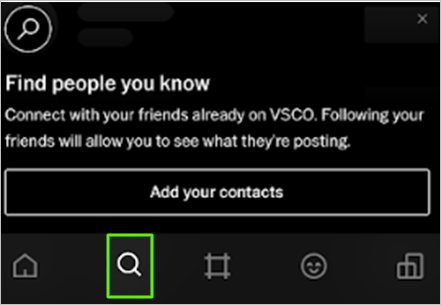
- Tap the search icon (magnifying glass) at the bottom of the screen.
- Tap the search bar at the top and type the exact username.
- Look through the "Profiles" tab in the search results to find the correct account.
Keep in mind that VSCO handles are case-sensitive in some contexts, though lowercase is standard. Make sure you avoid typos, as the platform's search algorithm is not always forgiving with misspelled handles.
Video: How to Find Someone on VSCO

2. Leveraging Cross-Platform Connections
If you don't know the person's exact VSCO handle, you can often find clues across their other digital footprints.
- Check Instagram Bios: Many aesthetic creators use Linktree or direct URLs in their Instagram bios that point straight to their VSCO grid.
- Look at TikTok Profiles: TikTok creators frequently share their creative photography processes and link their VSCO profiles for high-resolution versions of their photos.
- Search Google with Operators: If you know a person's name and suspect they have a profile, you can use a targeted Google search. Type
site:vsco.co "Firstname Lastname"orsite:vsco.co "nickname"into the search bar. This forces Google to scour indexed VSCO pages, which often surfaces profiles faster than the in-app search tool.
3. Using Phone Contacts
VSCO previously allowed users to sync their address books to find friends who were already on the platform. However, due to shifting privacy regulations and updates to the app's user interface, phone book syncing features have been scaled back or removed entirely to protect user privacy. Relying on username lookups and external social media links remains your best bet.
Limitations and Privacy Considerations
It is important to manage your expectations when attempting to find someone on the platform. VSCO operates differently than networks designed for mass networking.
Many users set their accounts to private or use pseudonyms specifically to escape the tracking and public visibility associated with mainstream social media. If a user has chosen not to share their handle publicly, there is no ethical or technical workaround to force a discovery. Respecting user boundaries on a platform built for personal artistic expression is essential.
Conclusion
Conducting a successful vsco person search comes down to having the right starting information—ideally an exact username or a link from another social media profile. While the app's minimalist design and privacy-focused features make casual name-searching difficult, utilizing targeted web searches and cross-referencing external bios will usually point you in the right direction.