Wells Fargo Online Checking Application Guide
Navigating the Wells Fargo Online Checking Application
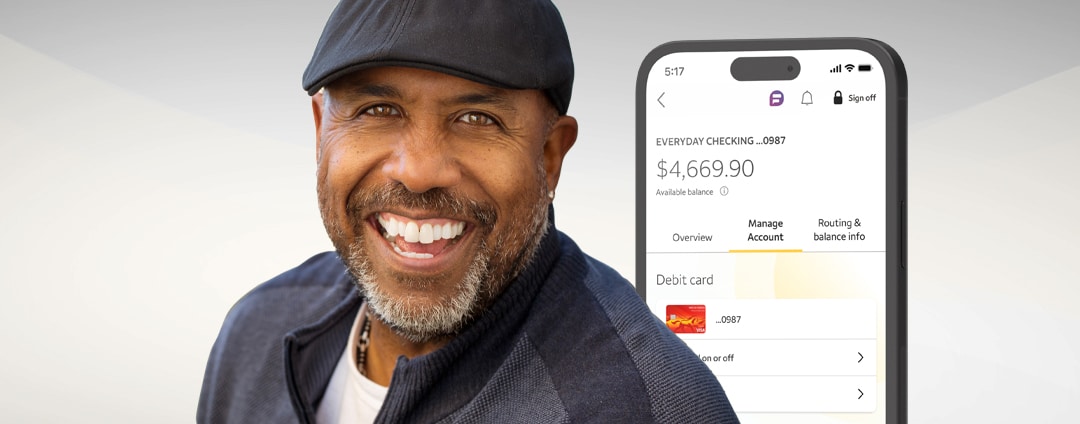
Opening a new bank account is a foundational step in managing your personal finances. For millions of customers, starting a wells fargo online checking application provides a convenient pathway to everyday banking without needing to visit a physical branch. Whether you are looking to replace an existing account or open a secondary checking option, understanding the digital onboarding process can save you time and prevent common application delays.
In this guide, we will break down everything you need to know before you apply, the specific information Wells Fargo requires, and how to successfully navigate the online submission process from start to finish.
Prerequisites: What You Need Before You Apply
Before launching the digital application portal, gathering your personal and financial documents will make the process seamless. Most checking account applications take less than 10 minutes if you have the correct information ready.
Required Personal Information
To verify your identity and comply with federal banking regulations, Wells Fargo will ask for standard identifying details:
- Full Legal Name: Must match your government-issued photo identification exactly.
- Date of Birth: You must generally be at least 18 years old to open an account online independently (minors may apply with an adult co-owner in a branch).
- Social Security Number (SSN) or Individual Taxpayer Identification Number (ITIN): Required for tax reporting and identity verification.
- Residential Address: A permanent U.S. street address is required (P.O. boxes are typically not accepted for primary residential verification).
- Contact Information: A valid mobile phone number and active email address for verification codes and account alerts.
Identification Documents
While you may not always need to upload a photo of your ID immediately, you should have one of the following documents nearby in case the system triggers a manual identity check:
- Valid U.S. driver's license
- State-issued identification card
- U.S. passport or passport card
Initial Funding Source
Most Wells Fargo checking accounts require a minimum opening deposit. To fund your new account digitally, you will need:
- A routing number and checking/savings account number from another financial institution, or
- A debit or credit card that can be used for the initial deposit transaction.
Step-by-Step Guide to the Online Application
The digital application process is designed to be intuitive, guiding you through a series of secure web forms. Follow these steps to complete your submission efficiently.
- Visit the Official Website: Navigate to the official Wells Fargo personal checking accounts page. Review the available account tiers—such as Wells Fargo Everyday Checking or Wells Fargo Prime Checking—to select the option that best fits your banking habits and balance maintenance capabilities.
- Click "Open Now": Select the apply button associated with your chosen account. This will securely launch the application portal.
- Complete the Personal Data Fields: Enter your name, address, SSN, and contact details accurately. Double-check your spelling to prevent delays caused by mismatched data.
- Review Account Disclosures: Carefully read through the fee schedules, overdraft policies, and electronic fund transfer disclosures. You will need to check boxes confirming you have received and agreed to these terms.
- Fund Your Account: Input your external funding details to make your opening deposit. Note the minimum deposit requirement for your specific account tier to ensure the transaction clears successfully.
- Submit and Wait for Verification: Once submitted, the system will attempt to instantly verify your identity. If successful, you will receive your new account and routing numbers immediately.
Choosing the Right Checking Account Tier
Video: How to Enroll into Wells Fargo Online Banking !

Wells Fargo offers multiple checking tiers, each with distinct monthly service fee waivers. Selecting the right one during your application prevents unexpected monthly charges.
Wells Fargo Everyday Checking
This is the institution's most popular everyday account. It features a straightforward monthly service fee that can be waived by meeting any of the following criteria during each fee period:
- Maintaining a $500 minimum daily balance, or
- Receiving qualifying total electronic deposits of $500 or more, or
- Linking the account to a qualifying Wells Fargo credit card or mortgage.
Premium Accounts
For customers who maintain higher balances, accounts like Prime Checking offer elevated relationship benefits, waived fees on auxiliary services (like certain check designs or non-Wells Fargo ATM fees), and preferential interest rates. Ensure your projected average balance aligns with these requirements before selecting a premium tier.
Troubleshooting Common Application Roadblocks
Occasionally, a digital application may hit a snag. Knowing how to handle these issues can help you secure your account without frustration.
Instant Verification Failure
If the automated system cannot verify your identity using credit bureau data or public records, your application may be placed under review or declined for online processing. This is a security measure, not necessarily a denial of banking services. You may be asked to upload additional documents—such as a utility bill and driver's license—or visit a local branch with your physical documents.
Funding Declines
If your initial funding transaction is rejected, check with your external bank to ensure they did not block the transfer as a security precaution. Alternatively, you can complete the funding process later via wire transfer, mobile check deposit, or cash deposit at a branch or ATM.
Next Steps After Approval
Once your application is approved and funded, take these immediate actions to secure and activate your account:
- Download the Mobile App: Install the Wells Fargo Mobile banking app to monitor balances and deposit checks remotely.
- Set Up Alerts: Enable real-time text or email alerts for low balances, large withdrawals, and security updates.
- Register for Online Banking: Create your username and password for desktop access.
- Watch for Your Debit Card: Your physical debit card and PIN will typically arrive in the mail within 5 to 7 business days.
By preparing your documentation in advance and carefully reviewing account terms, completing your application can be a quick and hassle-free experience that sets you up for successful day-to-day financial management.